Incoming calls working but no outgoing calls

Status
Not open for further replies.

FLASHFIBRES

Free User
Joined
Dec 15, 2020
Messages
11
Reaction score
2
Hoping someone can help me here.
Running 3CX on my Windows laptop connected to Yealink T46S phones. I have set the extension 102 for the phone and the provisioning works.
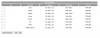
I have set port forwarding on all the necessary addresses and entered sip trunk. I have set outbound rules for local number and mobile here is australia.
We have a trunk with a single DID for testing purposes.
I can call in and it works fine however cannot call out get internal server error.
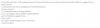
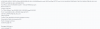
I have attached activity log, trunk, outbound rules and open port pictures.
Have tried every forum I can find and still cannot call out at all. Strangely firewall checker is showing port 5090 not available also even though is open in router.
Hardware: Cambium C195 router / Yealink T46S / Windows 10 laptop 16Gb ram Core i7 2.8Ghz.
Phones and 3CX server (laptop) connected to same switch and can provision and call in but yet no outgoing calls.

Would love some ideas as am completely stuck.
Thanks so much in advance.
 

Attachments

  • 3CX port checker.PNG
    3CX port checker.PNG
    38 KB · Views: 25
  • activity log.PNG
    activity log.PNG
    14.1 KB · Views: 26
  • outbound rules.PNG
    outbound rules.PNG
    5.3 KB · Views: 22
  • port forwarding.PNG
    port forwarding.PNG
    18.7 KB · Views: 20
  • trunks.PNG
    trunks.PNG
    7 KB · Views: 19
Not sure if I understand your portforwarding rules, the required setup is to port forward the correct ports to the 3cx server.

On your screenshoot, you are forwarding to different Ip’s

Configure your firewall as per info here https://www.3cx.com/docs/manual/firewall-router-configuration/ . After making the changes run the firewall test again.

On your sip trunk , is the status registered (green)
 
Hi thanks so much for your reply. That forwarding is to 192.168.11.56 is the 3CX server the other 192.168.11.90 is the yealink phone. Yes the sip trunk is green screenshot attached and can call in but not out
 

Attachments

  • sip register.PNG
    sip register.PNG
    2.6 KB · Views: 9
So... the Activity Log you attached does not show an outbound call attempt...what does that look like? What fails?

Given 3CX, and your phone, are on the same LAN you should not have to do any port forwarding to the phone, only to the 3CX server.
 
Ok have removed the port forward to the phone. Still not having any luck. Have attached the screenshot.
Can you advise why it wouldn't show outgoing call attempt?
 

Attachments

  • act.PNG
    act.PNG
    21.5 KB · Views: 6
If you are dialling an outside number on the set, and barring any phone dialplan blocking the number from being sent, the Activity Log should show the Invite with that number. It will then show what 3CX does with the number, matches an outbound rule, or not.
 
Careful when you forward, you forwarded the same ports twice to more than one IP.

The screenshot is for MWI (voicemail indicator) so it says nothing about the call.

What you can do is click on Activity Log on the main dashboard, then from there find the settings gear and switch your logs to Verbose.

Once this is done click the filter button on the same page, and make note of the last number under "Search by call". (ie. call 57)

Now replicate your issue, and when you go back to the filter you will see the new call appear. (ie. call 58)

You can select it and press OK and now the activity log will show you the entire log for that specific call only.
 
Thanks heaps for your response I will attempt this when I'm back in the office tomorrow and report. I did remove the double forwarding but will follow your advise and reply tomorrow.
 
  • Like
Reactions: JohnS_3CX
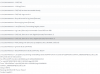
Ok have done what you advised here is the screenshot of the results.
Getting internal server error on the yealinkt46s
 

Attachments

  • call 39.PNG
    call 39.PNG
    40.2 KB · Views: 11
Were the logs in Verbose? (just expected to see some more info).

There is a server error being reported and we should see who gave that reply originally.

I would recommend to click on the services button in the main dashboard, and restart all the services. Make sure they are all running before you test again.
 
Ok thanks again will try tomorrow when I'm back in the office. Can I ask I booked a tech support which is ongoing he advised that 3CX needs to be installed on a dedicated machine with nothing else running. Have read through many forums and people have it working on servers with multiple other applications. Currently just testing on my windows 10 pro laptop before migrating over to a VM machine. Will this still work or does it 100% need to be on a standalone machine? Again thanks so much for your replies really appreciate it. We will be pushing 3CX onto our customer base once I get it going.
 
Yes the tech gave you good advice. The best thing to do is to have it on a dedicated machine - best reliability and max. performance

A Debian installation using our 3CX ISO would be the most ideal scenario with regards to reliability and performance.

VM also works very well, but there are some pitfalls if you don't know what you are doing.
 
Update have reset everything all firewall checks are working have followed all info and still no outgoing. Have reported to my SIP provider. Will update when something changes. Thanks for all the input.
 
  • Like
Reactions: JohnS_3CX
Status
Not open for further replies.

Latest Posts

Forum statistics

Threads
111,990
Messages
590,161
Members
164,925
Latest member
batarong