Initial installation on Lenovo server

Status
Not open for further replies.

Sahib

Free User
Joined
Oct 14, 2020
Messages
7
Reaction score
0
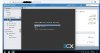
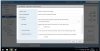
Hi guys, I have a problem with 3CX V16 when installing on a Lenovo server (ThinkSystem SR630 - [7X02CTO1WW] -)(ESXi 6.7.0 (Build 8169922) ), when you click on the install, it gives a gray screen. And nothing is possible to do just a reboot, I have tried everything. how can you help?
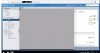
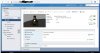
3.jpg
 

Attachments

  • 1.jpg
    1.jpg
    139.5 KB · Views: 14
  • 2.jpg
    2.jpg
    115.8 KB · Views: 15
So I'm not a VMWare guy but in your first picture it says 'No network information'. Does that mean you didn't give the VM a network card or network access? If so, that might be the issue. Also are you using the ISO?
 
As above, give the virtual machine a network connection that has access to the internet
 
Hello colleagues, thank you for responding.
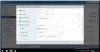
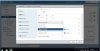
When creating a VM, he himself gives an Internet port for the VM, and there is Internet access.
ISO image is working, I checked it on HP DL360 gen 10
 

Attachments

  • Ethernet 2.jpg
    Ethernet 2.jpg
    122.4 KB · Views: 11
  • Ethernet.jpg
    Ethernet.jpg
    148.7 KB · Views: 11
Hi Sahib,

Did you download the latest ISO directly from our website or is this an older ISO ?
 
Hi Sahib,

Is your VM using BIOS or UEFI mode? I would try BIOS if it is using UEFI as I had issues installing Debian 9 on some newer machines and usually have to change it.
test.PNG
 
  • Like
Reactions: Evolute IT
Hi jcostlow and hi Guys
I am very sorry for not being in touch for so long
So guys,
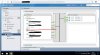
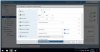
I changed the SCSI controller
I changed the video controller
I even changed the bios
rebooted host
changed iso files.
Does anyone have that previous version? please send the download link
 

Attachments

  • BIOS.jpg
    BIOS.jpg
    129.5 KB · Views: 3
  • Sata.jpg
    Sata.jpg
    126.4 KB · Views: 3
  • VGA.jpg
    VGA.jpg
    130.3 KB · Views: 3
What network adapter did you select?
 
I changed internet ports, except SR-IOV
 

Attachments

  • ethernet port.jpg
    ethernet port.jpg
    117.8 KB · Views: 4
i changed to E1000e didn't work. I have ESXi 6.7
 
So I'm betting this is a Debian issue. 3CX is basically a script on top of a standard Debian install. So I'd download the vanilla Debian ISO and try to install. If the same thing happens, you'll want to go to the Debian forums to ask there.
 
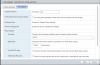
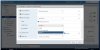
Hi guys. i solved the problem. the problem was that I had to choose :
Compotibility : ESXi 6.0
Guest OS version : Linux 7
After that everything worked
 

Attachments

  • 3cx.jpg
    3cx.jpg
    140.4 KB · Views: 10
What were you using previously on this screen when creating a VM?
 
Status
Not open for further replies.

Forum statistics

Threads
111,994
Messages
590,183
Members
164,934
Latest member
bunthoeun.may