- Joined
- Dec 16, 2009
- Messages
- 257
- Reaction score
- 0
v10, RC. MyPhone installed locally, desktop components installed, and Outlook plugin installed. When I right click on a contact in Outlook I get the Call With 3CX option. When I click it, the softphone (v6) pops up and shows the call being made, but almost right away the provider comes back with "the number you are calling is not in service". When I check the 3CX server log it looks like the number it is trying to call is wrong. It is prepending %20 to the number.
Making route(s) to <sip 480)%[email protected]:5060>
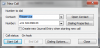
Below is the Outlook contact and the server log. This exact same contact worked fine with v9. This started yesterday when we upgraded to v10 RC.

Making route(s) to <sip
480)%[email protected]:5060>Below is the Outlook contact and the server log. This exact same contact worked fine with v9. This started yesterday when we upgraded to v10 RC.
Code:
13:20:14.588  [CM503008]: Call(16): Call is terminated
13:20:10.527  [CM503007]: Call(16): Device joined: sip:[email protected]:5060
13:20:10.469  [CM505003]: Provider:[Airband] Device info: Device Not Identified: User Agent not matched; Capabilities:[reinvite, replaces, able-no-sdp, recvonly] UserAgent: [] PBX contact: [sip:[email protected]:5060]
13:20:10.468  [CM503002]: Call(16): Alerting sip:[email protected]:5060
13:20:10.344  [CM503025]: Call(16): Calling VoIPline:(480) 353-XXXX@(Ln.10000@Airband)@[Dev:sip:[email protected]:5060]
13:20:10.198  [CM503004]: Call(16): Route 1: VoIPline:(480) 353-XXXX@(Ln.10000@Airband)@[Dev:sip:[email protected]:5060]
13:20:10.195  [CM503010]: Making route(s) to <sip:(480)%[email protected]:5060>
13:20:09.161  [CM505001]: Ext.247: Device info: Device Not Identified: User Agent not matched; Capabilities:[reinvite, replaces, able-no-sdp, recvonly] UserAgent: [3CXPhone 6.0.18815.0] PBX contact: [sip:[email protected]:5060]
13:20:09.160  [CM503002]: Call(17): Alerting sip:[email protected]:51221;rinstance=bc01a6c0aee6d9f6
13:20:09.140  [CM503007]: Call(16): Device joined: sip:[email protected]:51221;rinstance=bc01a6c0aee6d9f6
13:20:09.139  [CM503007]: Call(16): Device joined: sip:[email protected]:40600;rinstance=51516f1aaf81bb4d
13:20:09.121  [CM505001]: Ext.247: Device info: Device Not Identified: User Agent not matched; Capabilities:[reinvite, replaces, able-no-sdp, recvonly] UserAgent: [3CXPhone 6.0.18815.0] PBX contact: [sip:[email protected]:5060]
13:20:09.120  [CM503002]: Call(16): Alerting sip:[email protected]:51221;rinstance=bc01a6c0aee6d9f6
13:20:08.975  [CM503025]: Call(17): Calling Ext:Int.247@[Dev:sip:[email protected]:51221;rinstance=bc01a6c0aee6d9f6]
13:20:08.960  [CM503025]: Call(16): Calling Ext:Int.247@[Dev:sip:[email protected]:51221;rinstance=bc01a6c0aee6d9f6]
13:20:08.928  [CM503004]: Call(17): Route 1: Ext:Int.247@[Dev:sip:[email protected]:51221;rinstance=bc01a6c0aee6d9f6]
13:20:08.926  [CM503010]: Making route(s) to <sip:*[email protected]:5060;nofwd=1>
13:20:08.925  [CM503004]: Call(16): Route 1: Ext:Int.247@[Dev:sip:[email protected]:51221;rinstance=bc01a6c0aee6d9f6]
13:20:08.923  [CM503010]: Making route(s) to <sip:*[email protected]:5060;nofwd=1>
13:20:08.919  [CM505001]: Ext.MakeCall: Device info: Device Identified: [Man: 3CX Ltd.;Mod: 3CX MakeCall helper;Rev: General] Capabilities:[reinvite, replaces, able-no-sdp, recvonly] UserAgent: [3CX MakeCall helper] PBX contact: [sip:[email protected]:5060]
13:20:08.918  [CM503001]: Call(17): Incoming call from Ext.MakeCall to <sip:*[email protected]:5060;nofwd=1>
13:20:08.905  [CM505001]: Ext.MakeCall: Device info: Device Identified: [Man: 3CX Ltd.;Mod: 3CX MakeCall helper;Rev: General] Capabilities:[reinvite, replaces, able-no-sdp, recvonly] UserAgent: [3CX MakeCall helper] PBX contact: [sip:[email protected]:5060]
13:20:08.904  [CM503001]: Call(16): Incoming call from Ext.MakeCall to <sip:*[email protected]:5060;nofwd=1>