Issues Installing NetInstall Debian

Status
Not open for further replies.

ricksimnett

Customer
Joined
Aug 30, 2019
Messages
28
Reaction score
3
Hey Guys,
so I am having an insane amount of trouble just getting 3cx to install. Here is the scenario:

  1. Setup a VM with the netinstaller. It worked fine. Screwed up and set 3 digit extension instead of 4.
  2. Deleted VM.
  3. Setup new VM same ISO image, same IP, same everything actually.
  4. Netinstall goes all the way through its process, it restarts asks which 3cx package I want (production). Then goes through that portion of the install and then restarts.
  5. When it restarts (step 17 in the guide), the login prompt for debian shows up, but none of the 3cx branding shows up. Nor does it ask for the setup method (choose 1 or 2).
  6. If I login to the server, I see 3cx services running but cannot access 5015 or anything to continue with the setup.

I have done this process 3 times, and am always dead in the water at the end. Any idea whats causing this?

Thanks in advance.
 
Hi @ricksimnett

The part at which you are stuck requires an internet connection and a working DNS resolver.

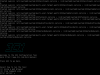
After step 16 is over (reboot) the machine should not ask you to login to Debian, it should boot up and go straight into the wizard again and start downloading the 3CX installation files, after which, you should reach step 17 that gives you the installation options. Once you pick Stable and proceed, it will finish the installation of 3CX and again reboot without asking you to login to Debian. At that point you will see this screen which is effectively step 18:
12399

Just make sure you have our latest version of the 3CX Debian ISO, download again if not sure.

What VM are you currently running? Below are the supported ones

https://www.3cx.com/docs/manual/phone-system-installation-windows/#h.5hoy5wwhhk5c
 
Last edited:
  • Like
Reactions: Evolute IT
Hi @ricksimnett

The part at which you are stuck requires an internet connection and a working DNS resolver.

After step 16 is over (reboot) the machine should not ask you to login to Debian, it should boot up and go straight into the wizard again and start downloading the 3CX installation files, after which, you should reach step 17 that gives you the installation options. Once you pick Stable and proceed, it will finish the installation of 3CX and again reboot without asking you to login to Debian. At that point you will see this screen which is effectively step 18:
View attachment 12399

Just make sure you have our latest version of the 3CX Debian ISO, download again if not sure.

What VM are you currently running? Below are the supported ones

https://www.3cx.com/docs/manual/phone-system-installation-windows/#h.5hoy5wwhhk5c
John,
We get all the way through everything you talked about - but after it reboots (after the 3cx installation) we are looking at the login prompt - not the screenshot you posted above.

Thats where the process ends for us. I will try updating the ISO - but the same ISO is what I used to install this on Friday of last week.

I will post the results.

Thanks.
 
Thanks, let us know how it goes. What VM are you currently using by the way?
 
Openstack (libvirt, kvm, qemu) - Ubuntu 18.04 is the host
 
On a different note - is 3cx compatible with an Ubuntu install instead of Debian? Can I just setup the repos, and push an install that way? (we run everything ubuntu - so it would be cool if we could - even though its about the same as debian).
 
We do not support Ubuntu, it's not really tested or recommended for a production environment and I'm not sure the dependencies will even load/install under it. We build and test around Debian so honestly I cannot recommend a different OS that might cause unexpected behavior.

Meanwhile I'm not sure if the hypervisor is the issue here, but KVM should be fine.
Do you have possibility to install it on Hyper-V or maybe VMware just as a test?
 
John,
Understood. I did test it actually on my laptop using Hyper-V yesterday - same issue. Thats why I thought the original repo issue reply made sense to me.

We do have our NFR instance also running in the same openstack environment and that installed without a hitch and it runs great.

Its just since last Friday (our last successful install) that we can no longer get it to go all the way through. I have one of my guys downloading a new copy of the netinstall and will attempt another install in the not too distant future. I will let you know what the outcome is.

Thanks.
 
Is your main instance on the same subnet, and on the same SIP port?
 
same subnet yes (/20). IPS are totally different (statically defined) - no NAT. Ports on the instances were both set to 5060.
 
Thanks, let us know how it goes. What VM are you currently using by the way?
John,
After downloading the fresh ISO, the install did go through. One question - after the install - before any extensions or phones or trunks or anything has been setup. Is there a way to change the extension format from 3 digit to 4 or 5 digit?

Thanks.
 
Unless something changed recently the only officially supported way is to reinstall and choose the correct extension length during the installation.
 
  • Like
Reactions: ricksimnett
Hi Rick,

Once installed and the web config tool completes, this becomes committed to the extension length you selected. You can call the wizard again manually, but we don't recommend that. No point risking it at that stage since its a freshly installed PBX you might as well do it right from the beginning.

If you are familiar with apt on Debian you can purge the PBX and install it manually again, if not just trash the VM and start fresh.
 
  • Like
Reactions: ricksimnett
Status
Not open for further replies.

Latest Posts

Forum statistics

Threads
111,933
Messages
589,817
Members
164,810
Latest member
astrobalaji