local mcu unavailable V20 527 ENT

illcs

Bronze Partner
Joined
Feb 19, 2019
Messages
38
Reaction score
9
V20 527 ENT
Went to test webinar today mcu was red, rebooted both 3cx and mcu no success.

Switched to 3cx mcu for the testing now when we hover over add meeting server it is not actionable.

Was this disabled in the recent beta?
 
Hi there,

We'll need the exact version of your PBX. Also please check whether the MCU certificates are expired or not.

You can find some useful info in this thread
 
  • Like
Reactions: GregG_3CX
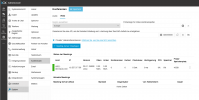
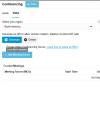
@LeonidasG_3CX i can't provide that info, remember I went to do a webinar discovered the mcu was red in 3cx restarted mcu still red had meeting so switched to 3cx mcu for the meeting, when I went back later popup says "local mcu disabled" when i try to add a new local mcu. Local mcu vm is still live though just can't add to 3cx as demonstrated below.

1738937200421.png
 
@LeonidasG_3CX i can't provide that info, remember I went to do a webinar discovered the mcu was red in 3cx restarted mcu still red had meeting so switched to 3cx mcu for the meeting, when I went back later popup says "local mcu disabled" when i try to add a new local mcu. Local mcu vm is still live though just can't add to 3cx as demonstrated below.

View attachment 46335
Check the box "Private..."
 
@ConceptsWeb they need to make that box darker I only noticed it after you pointed it out, it's very visible when you mouse over but as you can see not as dark as the region box. thank you for helping us older folk out...

@LeonidasG_3CX added back in still red

1738938201748.png
 
@LeonidasG_3CX ran

/opt/3cxwm/setup/le-posthook.sh

ls -la /opt/3cxwm/cert.

total 16
drwxr-xr-x 2 root root 4096 Feb 7 15:09 .
drwxr-xr-x 6 root root 4096 Oct 28 22:15 ..
-rw-r--r-- 1 www-data www-data 2847 Feb 7 15:09 server.crt
lrwxrwxrwx 1 root root 55 Feb 7 15:09 server.crt.live -> /etc/letsencrypt/live/xxxxxx-wmr.my3cx.net/fullchain.pem
-rw-r--r-- 1 www-data www-data 241 Feb 7 15:09 server.key
lrwxrwxrwx 1 root root 53 Feb 7 15:09 server.key.live -> /etc/letsencrypt/live/xxxxx-wmr.my3cx.net/privkey.pem

still no go..

next steps
 
At this point to reduce the steps of troubleshooting what i can suggest is to do the following:
  1. Delete any MCUs from that list.
  2. Create a new fresh VM Debian 12.
  3. Create a new MCU by pressing the "Add" button.
  4. Follow the instructions given by the PBX after pressing the "Add" MCU button.
  5. This should work.
If it doesn't work in that case you need to verify that you followed the instructions correctly e.g opening ports, using Deb 12. Please ensure you don't install the MCU on the same VM where another application is serving on 443.
 
  • Like
Reactions: GregG_3CX
We can do that, but it doesn't build confidence because we don't know what took it offline and the certs were fine. The mcu may not be used for a period and then like this situation it was needed, and it was down,is there an alert notification that can be set so it not an emergency.
 
The issue is currently solved.

MCU was not using the newly updated certificate even though the certificate files were actually updated and in place.

SSL certificate update was forced with these commands (as root):

chmod +x /opt/3cxwm/setup/le-posthook.sh
/usr/bin/certbot certonly --standalone --preferred-challenges http -d CUSTOMERUNIQUEID-wmr.my3cx.net --post-hook /opt/3cxwm/setup/le-posthook.sh

certbot verified that the certificate was not expired.

During SSL verification, MCU protection system blocked SSL scanner, so firewall rules was deleted and server rebooted:

rm /etc/iptables/rules.v4
reboot

After reboot, local meeting server functionality is restored.

We'd still like to troubleshoot this behavior because it's totally not expected: please provide privately server logs, located in /var/lib/3cxpbx/WebMeeting/Logs

Thanks!
 
  • Like
Reactions: illcs

Latest Posts

Forum statistics

Threads
111,973
Messages
590,075
Members
164,895
Latest member
jasonkkrause