Login access denied. Too many incorrect login attempts. Try later or contact the Administrator.

Status
Not open for further replies.

abdul448

Free User
Joined
Oct 17, 2019
Messages
13
Reaction score
0
I have tried on different PC's but it is not login. I can able to login SSH. But can't able to login with same username & password on webpage.
 
Hi,
surely your IP is blacklisted due to too many failed tries. Did you tried from several PC's on same LAN? if so this is always your same public IP which is used so this test is not good.
Try from elsewhere whith other public adress or from 4G on mobile.
Once in MC see on dashboard if your ip is blakclisted, then delete this entry to be able to connect
 
Hi @abdul448

SSH is not the same as the management console. The management console is protected by a number of wrong logins, whereas SSH is protected by the OS. So you will either have to wait for the possible blacklisting to expire, or log in from a different IP address (ie. via an LTE connection on your phone).

Who got locked out? The admin account or a user account?
 
Ok thanks. It's working.
I have another issue. Can't able to access Extension from outside. Here 5060 is block from ISP. How to configure extensions manually by using Port 5090 on mobile phones to use external. I have forward ports on router. Extension is connecting but calling is not working due to Port 5060.
 
Hi @abdul448

If you are using the latest android/iOS client, they do not need 5060 so you should be ok.

They will use your tunnel port (5090 by default). You must update your PBX to the latest version, and also use the latest mobile app.
 
I have test on Latest Android.iOS Client. Port is Important to access extension externally.

No It is showing as Port 5060. Installed latest PBX & Lastest mobile app.

Is there a way to configure extension manually on mobile app.
 
After changing Port from 5060 to 5090 and If I Close mobile app. I have open mobile app again port is changing from 5090 to 5060.
 
Is there any option to configure extension manually to access external extension.
 
we already have Elastrix IP PBX 2.5 older version. Installed 3CX trail version to test external extension from outside company.
 
Ok before we proceed further, can you give me your exact versions?

PBX: ?
App: ?
 
A bit too late now but worth noting that 3CX now has a "forgot password" icon if you login incorrectly 1 or 2 times, if you select this it will send the username and password to the admins email address.

Since its inclusion I had hoped we'd see less and less of posts stating that users are locked out of their PBX.
 
A bit too late now but worth noting that 3CX now has a "forgot password" icon if you login incorrectly 1 or 2 times, if you select this it will send the username and password to the admins email address.

Since its inclusion I had hoped we'd see less and less of posts stating that users are locked out of their PBX.

Already issue solved. But I am having other issue.
 
Already issue solved. But I am having other issue.

Yes this is just a side note in the event it happens to you (or others again).
 
Ok great. Now without changing any settings:

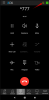
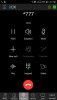
If you call *777 from your app, do you see the yellow lock icon?

12857
 
yes. I can see yellow lock.
 

Attachments

  • WhatsApp Image 2019-10-24 at 1.32.31 PM.jpeg
    WhatsApp Image 2019-10-24 at 1.32.31 PM.jpeg
    38.1 KB · Views: 3
Ok this confirms it, 5090 is working on your mobile.

You do not need to change anything!
 
If I am checking on PBX Port is showing as 5060.
 
Yes there is a reason for that:

1) The client calls using the tunnel (5090)

2) On the other side of the tunnel 5090 is converted to 5060 (but only internally on the PBX, the ISP cannot see this)

So 5060 exists, but only encapsulated inside the encrypted tunnel where the ISP cannot see anything.

To confirm it by yourself: If you run a capture, and call *777 then when you look at the capture you will only see traffic from the mobile's IP reaching the PBX IP at 5090.
 
Android External Extension is working fine. But iOS Mobile Data is not connecting Externally. Mobile App Version 16.0.1.606
 
Status
Not open for further replies.

Forum statistics

Threads
112,363
Messages
592,121
Members
165,536
Latest member
Wecare_ITA