Lot of hack attempt

Status
Not open for further replies.

AWS2P

Silver Partner
Advanced Certified
Joined
Jan 9, 2014
Messages
5,077
Reaction score
1,096
I've several pbx who have been targetted by lot of hack attempt (21 IP) this past night from 22:05 to 05:48, all the pbxs are with global blacklist enabled, is it something normal?
have you got same behavior this night?
example for one pbx
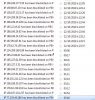
12827
 
Last edited:
Hackers will target you outside of office hours, since this is when often no one is around to notice.

Things you can check/do are:

* Ensure 5060 is not globally open to all on your firewall/ACL list, a lot of scanners will be looking for this.
Limit to only trusted IP addresses.

* You can setup a global blacklist for all and just whitelist on demand - is this what you are saying you have done ?

* Ensure your SIP trunking provider supports call barring, capping of calls and costs outside of office hours also in the event that the PBX is breached.

If you run a Wireshark capture on the PBX you will see the attempts and what they are trying to do.
 
Thanks Edd for advices,
for now i've just restricted 5060 to SIP provider IP, global blacklist PBX feature was already enabled .

Country calls are locked on France, SIP provider is real time watching about custom use and block everything suspicious.
 
I would run a PCAP from the PBX for 10 or 15 minutes and just see if there is anything dodgy going on.

Look at the SIP INVITE for the user-agent, often you will see if it is a scanner if it is coming from user-agents such as "ppl sip" or "sip viscous".
 
From this night
User-Agent: 3CXPhoneSystem (most seen)
User-Agent: Avaya (2 or 3 time)
User-Agent: Linksys-SPA942 (2 time)
 
OK so most likely in the event of the hardware (I have seen avaya myself before) they are trying to register the devices to extensions on your system.

Ensure also that you regenerate all your passwords on extensions. I have seen some systems where they have the same for extension number, password and VM PIN - not good at all!!!
 
Pwd and PIN are 3cx generated nothing similar everywhere.

My question is about how is it possible to have several numerous attacks having global blacklist enabled, StefanW said to me attacks have drastically decreased, when i see result in one night i'm not so sure.
 
What I know and can only assume about multiple hack attempts is if that a hacker has multiple servers each with its own public IP address, these servers can consecutively hammer a system if it finds a vulnerability, giving a better chance of success - more systems/IP's = more success.

This is what could be happening here.
 
Edd I can understand this, but where is the global blacklist action (prevention) in that case it seems to be totally nonefficient, am i wrong?
hackers haver perhaps found a way to play around global blacklist ?

I have seen same IPs attacks almost on 3 PBX.
 
A little education here. Not knowing the exact methodology 3CX uses because they don't share. That being said everything looks to be working as intentend for the following reasons:

  • Attackers like to operate off-hours because there's a lower chance anyone is looking.
  • You will typically see attacks in bunches because most often this scripted attacks (or realistically probes) are run from compromised machines (aka botnets).
  • You are seeing this on global blacklisted enabled machines because they aren't global blacklisted.... yet. I don't think anyone signed up for real-time, eat my bandwidth blacklist service. More than likely 3CX sends the intrusion logs on a daily cycle (like when SSL renewals run or the update check runs) and then those get processed centrally. Addresses found on multiple submissions that hit some magic number (which no one but 3CX knows but @BrenttG found accidently). Then hopefully it goes through some sort of sanity check, perhaps a manual review (not likely), and then parsed into some format and made available for download for global blackist enabled machines at which point they will be blocked.
In the above I say daily but it could be hourly, could be weekly, who knows. What i do know is on average, since the global blacklist was made available and enabled, I have seen a decrease in attempts. I saw a similar spike as you last night but understanding the above, it wasn't a cause for worry. I noted it but I would only be concerned if you see the same behavior over time.
 
Last edited:
@cobaltit There seems to be a time delay, i think they do have some kind of review process, or at least they seem to add them in batches. In any case @aws2p You should be ok, the fact those were blocked means the system automatically reported them to 3CX, which will get them into the block list in time.
 
We see them also since yesterday, a closer look shows that they all come from Digital Ocean IP ranges, the global blacklist seems to block the whole /16 ranges which is excellent.
Digital Ocean has a serious issue I think, I've opened a few abuse tickets but so far no answer from them so we'll block until they solve it their whole ASN.
 
Digital Ocean has a serious issue I think, I've opened a few abuse tickets but so far no answer from them so we'll block until they solve it their whole ASN.

Hackers use stolen credit cards to buy their cheap VPS's in mass using scripted transactions, and then use them as a miniature botnet, i have seen this numerous times before where suddenly a whole range of similar IPs begins massive scanning activity and brute force attacks, and most of these hosting companies have 90% of their techs on a Level 1 skill level, meaning they are helpless against the hackers.

It has also occurred before that a hosting company's ASN gets BGP spoofed and the attackers temporarily become the holder of all those IPs to launch attacks that are harder to trace, but this method is far more advanced level and not something 90% of the hackers even know how to do... And most IT Managers/CTOs, at so many corporations i see don't even know these things are possible, and think we are making it up, or trying to scare them.... Heads in the sand...
 
Thanks all for detailled answers, effectively since global blacklist is enabled , blacklisted IP volume seems to stay stable to low, like one or 2 IPs during few days, so I was very surprised suddenly to have 20 IPs in only one night. Never got this since a lot of time.

for now my 5060 are only open to sip provider, so should be quiet this night and next
 
Hi,
this morning new attack on one pbx with 7 IP in the last 2 hours
12855
This PBX is using 5060 but ISP changed recently his port reservation and let me know 5060 is for their phone use now, So i can't do anymore NAT rule using 5060.

What do i need to do to change SIP PBX port? do i need to backup and reinstall, is it the only way to do a clean job ? I need to reprovision all the phones, PBX is W10 on premise .
 
Last edited:
Hi everyone,

Regarding the Global Blacklist, for obvious reasons I cannot explain how exactly we assess which IPs go in the Global Blacklist and which ones not.

The only thing I can say is that we take the Local Blacklist data shared from the whole of our users that have this option enabled, then depending on some metrics we choose to either include or not an IP in the Global list.

The Global Blacklist does not mean that you should neglect security. You should still do everything you were doing in the past:
  • Limiting SIP Port only to the IPs that you need it
  • Secure SIP Auth IDs and passwords (and change regularly)
  • etc...
The Global Blacklist adds an additional layer of security, but still the "first line of defense" is still your local security settings.
 
Hi @NickD_3CX , no problems with good security practice and use of Global Blacklist but strange fact is since the last days attacks are increasing a lot.
 
Hi @NickD_3CX , no problems with good security practice and use of Global Blacklist but strange fact is since the last days attacks are increasing a lot.
What can I say, Xmas is approaching and the hackers want to buy the new iPhone. Let's not give it to them!
 
  • Love
Reactions: AWS2P
Do you have any advices for question asked in #15 ?
 
This PBX is using 5060 but ISP changed recently his port reservation and let me know 5060 is for their phone use now, So i can't do anymore NAT rule using 5060.

What do i need to do to change SIP PBX port? do i need to backup and reinstall, is it the only way to do a clean job ? I need to reprovision all the phones, PBX is W10 on premise .

Reinstall, restore backup, and choose new ports
 
  • Like
Reactions: NickD_3CX and AWS2P
Status
Not open for further replies.

Forum statistics

Threads
112,363
Messages
592,122
Members
165,536
Latest member
Wecare_ITA