- Joined
- Feb 17, 2020
- Messages
- 10
- Reaction score
- 1
Hi there,
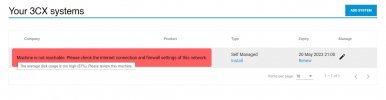
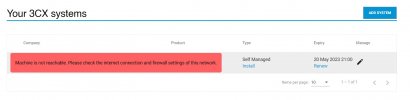
We have been running our 3CX on Google Cloud but recently we migrated our system to Digital Ocean. Everything seems to be working perfectly fine. We are able to make/receive calls as well. But for some reason in the 3CX portal it gives this error message "Machine is not reachable. Please check the internet connection and firewall settings of this network." Is there any way to fix that?
Best,
We have been running our 3CX on Google Cloud but recently we migrated our system to Digital Ocean. Everything seems to be working perfectly fine. We are able to make/receive calls as well. But for some reason in the 3CX portal it gives this error message "Machine is not reachable. Please check the internet connection and firewall settings of this network." Is there any way to fix that?
Best,
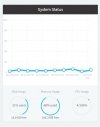
 Also I just noticed it gives a message regarding disk usage as well that the disk usage is at 87%. But in the Management Console I can see that the disk usage is at 31% Please check the attached screenshots.