Main Voice Mail Extension.

Status
Not open for further replies.

VPCIII

Joined
Feb 6, 2018
Messages
14
Reaction score
2
I am having trouble resetting the main voicemail pin. I dont see it listed in extension and when in Settings/Voicemail there is no setting for the pin. Obviously cant change it from an extension without the pin.
I have a 2 digit extension system so it is 99 however 99 is not listed as an extension..
Up until now they would be forwarded to email this worked fine but lately the emails have been delayed up to 5 hours..
I am also not able to change the email server to my internal server.
When testing email I am getting an error about 8 of 10 tries. I have verified they are being sent through the same static public IP.
 
I am also not able to change the email server to my internal server.

Are you using the standard edition key, you are only allowed to use 3CX's in built SMTP server with this version as per: https://www.3cx.com/ordering/pricing/

Also in regards to a 2 digit extension range - I never recommend this as you will be limited to the amount of extensions you can offer if your customer were to expand (the system also takes some of that range for system extensions as well) 3 digit or above if possible.
 
The "Voicemail extension" (99,999,9999, etc) is a System Extension in 3CX, which runs the Voicemail Service. There is no PIN. It is used to run the voicemail for normal Extensions you create in the Extensions section.

If you want a "General Voicemail" for use the by system, you can create a new extension, say 98, and use that extension. We try to avoid this, as 3CX now offers Ring Group and Call Queue voicemail routing, but sometimes it is still the best method to accomplish some objectives.

On many systems, we use the Receptionist/Operator extension as the "general voicemail" and have the user record their greetings with this in mind. (Name and Greeting.)

Hope this helps.

Tim Schulte
ACCENTLOGIC
 
thanks for your quick replies. I would like to upgrade my license so that I can use my own email server if the 3CX server is that busy.
my immediate problem is I want to give certain users access to the general vmail. Can I forward that vmail to a group? Is there other way to give users access to that voicemail? I dont se a way to route it to a ring group or anywhere except email.
 
thanks for your quick replies. I would like to upgrade my license so that I can use my own email server if the 3CX server is that busy.
my immediate problem is I want to give certain users access to the general vmail. Can I forward that vmail to a group? Is there other way to give users access to that voicemail? I dont se a way to route it to a ring group or anywhere except email.

Simply use the operator extension as global voicemail and configure it to send an email with the vmail as attachment to a mailing list. Then everyone in the list will get the message in their inbox. This is how we do it.

Currently there is no way to forward a message to multiple extensions automatically.

Also, you will need a Pro key to use your own SMTP. If you upgrade, you will just pay the difference between both. DM me if you need, I am a 3CX Partner.
 
You may want to upgrade to access various features, such as voicemail transcription to text, but you should not have any issue with the 3CX SMTP servers - they use SendGrid, which can handle enormous volumes of email with no issue.

Did you create a new extension to use as the "general voicemail"? Example, create an extension 98, give it a PIN and give that ping to users who need to check that voicemail. You can setup voicemail to email and have that route to a distribution group that you have setup on your mail server.

You cannot use extension 99 - don't even thing about it - that is only used for users to call and check voicemail, or for transferring calls to leave a voicemail.

If you have setup a Ring Group, let's say you created a Ring Group for Incoming Calls and it's system extension number 81, you can set the Destination if No Answer to Voicemail box for Extension and choose extension 81. Each of the members of that ring group will get the voicemail sent to them by email. Ring Group and Call Queue voicemail boxes do not have a PIN and only support sending the voicemail by email - there is no other way to check the messages.

Tim Schulte
ACCENTLOGIC
 
You may want to upgrade to access various features, such as voicemail transcription to text, but you should not have any issue with the 3CX SMTP servers - they use SendGrid, which can handle enormous volumes of email with no issue.

Did you create a new extension to use as the "general voicemail"? Example, create an extension 98, give it a PIN and give that ping to users who need to check that voicemail. You can setup voicemail to email and have that route to a distribution group that you have setup on your mail server.

You cannot use extension 99 - don't even thing about it - that is only used for users to call and check voicemail, or for transferring calls to leave a voicemail.

If you have setup a Ring Group, let's say you created a Ring Group for Incoming Calls and it's system extension number 81, you can set the Destination if No Answer to Voicemail box for Extension and choose extension 81. Each of the members of that ring group will get the voicemail sent to them by email. Ring Group and Call Queue voicemail boxes do not have a PIN and only support sending the voicemail by email - there is no other way to check the messages.

Tim Schulte
ACCENTLOGIC

Pretty much what I just wrote.
 
  • Haha
Reactions: craigreilly
  • Wow
Reactions: craigreilly
Can I forward that vmail to a group? Is there other way to give users access to that voicemail? I dont se a way to route it to a ring group or anywhere except email.
Additionally to what is mentioned above you can have users check the voicemail of a different extension. Create an extension or use an existing one that all voicemails will route to. Then give the users the voicemail pin for that extension. When a user dials 99 (voicemail extension) have them press #. The system will them prompt the to enter the extension number and then the PIN for the extension that receives the emails. This way they can check for voicemails without getting an email. The disadvantage is that once a user hears a voicemail it will not appear as "New" for the others.
 
  • Like
Reactions: accentlogic
thanks for the great responses, the work around for voicemail is fine but I am still having a problem with emails. Since my Fax's are also forwarded via email I am still having the same problem. sometime coming through 10 hours after being received. When I test email it fails 5 of 6 times, using wireshark,
I think I may have a clue to what is wrong I have a system with 4 NIC cards, ATT SIP, COX SIP, INTERNAL PHONES, & INTERNET FACEING. I am thinking I could add an entry to the ARP table if I knew the IP address of one of the SMTP servers. Does anyone have that information?
 
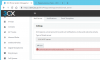
IS anyone familiar with this error "AuthenticationInvalidCredentials: 5.7.0 Denied" or" Exception of type 'ManagementConsoleJS.Exceptions.ObjectNotFoundException' was thrown. "
 

Attachments

  • EmailFailure.png
    EmailFailure.png
    26.5 KB · Views: 6
Last edited:
Sounds like missing parameters. 3CX will need to help you on that.
 
IS anyone familiar with this error "AuthenticationInvalidCredentials: 5.7.0 Denied"
This means that the the IP the email request comes from does not match the IP the PBX used to activate to the activation server. When this happens the PBX is not able to authenticate to the SMTP server so this error is generated.

'ManagementConsoleJS.Exceptions.ObjectNotFoundException'
We will need to see the entire error exception to be able to determine what is causing this and the action you perform that triggers the error.
 
  • Like
Reactions: Evolute IT
Status
Not open for further replies.

Forum statistics

Threads
111,914
Messages
589,709
Members
164,783
Latest member
GothamUser