Mass provision of Snom phones via Snoms SRAPS portal

Status
Not open for further replies.

Chris A

Bronze Partner
Advanced Certified
Joined
Jul 6, 2020
Messages
49
Reaction score
6
So I am messing around with the Snom SRAPS portal which allows me to push out a redirection URL to any factory defaulted Snom device. I can create a profile and apply that profile to many MAC addresses. I am confused about the URL I should use for the redirection server. This link in the manual seems to show the setup of a single phone in this portal, having you input the full STUN address of a specific phone's Mac.
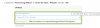
1594009628076.png

Is it possible to set a URL in the Snom SRAPS portal to point multiple phones to the same URL? I would like to use this portal to drop ship multiple phones and have them automatically check into our 3cx server. Once in the 3CX server I will fully manage the phone from 3CX vs Snom's SRAPS portal
 
I'm not sure what part is confusing to you. If you follow the 3CX steps, does it work for a single phone? If you setup a second extension does that work as well? Does the URL change? (HINT: The answers are yes/yes/no)

All SRAPs or any manufacturers RPS service does is give instructions to a factory defaulted phone to tell it where to find the config file. 3CX has already shown you where to find that provisioning path.

Now that being said, SRAPs is likely of limited value to you and 3CX already uses SRAPs as you can see here:

https://www.3cx.com/sip-phones/snom-710-720-760/

The main benefit of using SRAPS directly would be if you have a lot of remote phones in different locations and you don't want to rely on the users to use the extension/VM PIN method of provisioning them by following the welcome email instructions. Do note that if Snom SRAPS is anything like the Yealink RPS/DM then you'd want to add the MAC in SRAPS first. If you add the MAC in 3CX it will push that into the 3CX managed SRAPS account and then you won't be able to enter it into your own.
 
Hi Chris,

If you setup an extension in the management console as STUN (which means you provide the MAC of a specific device assigned to that extension) then you would not need to use SRAPS.

We automatically forward the MAC+URL to the manufacturer's provisioning server (check your Event log to see the event taking place).

This means that when the user plugs in the phone, it will attempt to auto-provision itself once the user enters the correct login credentials (an extra layer of security).

BTW If you manage the phone sites and have site to site VPN then none of the above would even be necessary. There is also DHCP Option 66 in this case, it all comes down to the specific use-case your organization needs.
 
I was not aware the link did not change when adding multiple phones because I did not multiple phones. Now that I have 3-4 demo units in my lab I can see the STUN provisioning URL does not change, my fault there!

As for keeping things in my own SRAPs portal I just like having the all my devices in my SRAPS vs 3CX SRAPs. This allows me more flexibility should I need to do something outside the 3CX platform. Once the phone is in 3CX I plan to mainly manage from there.

I see the LAN provision link uses port 5000, while the STUN port uses 5001. Is it possible I can create two provisioning profiles in SRAPs each pointing to a different URL? One would be for LAN and the other the STUN setup. If a user needs to move outside the LAN with their phone I can change the provisioning profile, have them factory default the phone and call it a day. Or vice versa.
 
Hi Chris,

You are looking for a solution for an already solved problem so to speak :)

This is entirely unnecessary because in LAN environments you provision via PnP or if you want LAN auto provisioning you use option 66 on your DHCP Server (feeds the phone a URL upon connecting to the network).

RPS servers (like Snom's SRAPS) are used only for remote phones that have no other way of reaching the PBX than then internet, to pass a single URL to them and redirect them to where they need to go and get provisioned.
 
Hi Chris,

You are looking for a solution for an already solved problem so to speak :)

This is entirely unnecessary because in LAN environments you provision via PnP or if you want LAN auto provisioning you use option 66 on your DHCP Server (feeds the phone a URL upon connecting to the network).

RPS servers (like Snom's SRAPS) are used only for remote phones that have no other way of reaching the PBX than then internet, to pass a single URL to them and redirect them to where they need to go and get provisioned.

I think I have it working solely using the SRAPs so I don't have to mess with any DHCP options. My PBX will be in my data center and I have a couple offices linked in via VPN. My public fqdn will resolve the internal IP when on my networks via my DNS server, I don't like hard coding anything with IP.
 
Yep, that should also work well in this case - if you use a split DNS solution they will still find their way to the server.

If all the remote phones use VPN and appear local to the PBX, then I would argue that you may not even need to use SRAPS at all (in case provisioning is the only thing you want). The devices will show up in your management console via the VPN and you can quickly assign them to your preferred extension.
 
Status
Not open for further replies.

Forum statistics

Threads
111,954
Messages
589,921
Members
164,851
Latest member
DrunkeMeister