Missing QR Code in Welcome Email

Status
Not open for further replies.
Thanks - you are quite correct - I had not installed the Update 5 alpha.... In the management console it was saying the system was up to date …. but when I made it check it offered the Alpha... I was thinking not to install it.... since it was Alpha …. and I felt the problem was probably more related to an Exchange/Outlook issue than 3CX.... your email bolstered me to install the Alpha - and all seems to be working perfectly again. Thanks and apologies for wasting peoples time. :-(
 
Well I wasn't saying to install the Update 5 alpha as that shouldn't be run in production systems. I was simply saying the 3CX already identified the issue and has it fixed. You should wait till at least beta or preferably the release depending on your comfort level. Folks should be able to survive without the QR code for a few more weeks.
 
We are experiencing the same issue here. Unfortunately because of the covid-19 virus as of coming monday we need to roll out a lot of users for remote work. This means that because of the missing qr-code from the welcome mail this has become a manual labour.

Is there a quick fix? (that not involves installing an Alpha into a production environment)
 
We are experiencing the same issue here. Unfortunately because of the covid-19 virus as of coming monday we need to roll out a lot of users for remote work. This means that because of the missing qr-code from the welcome mail this has become a manual labour.

Is there a quick fix? (that not involves installing an Alpha into a production environment)
Get them to log in to their web client and get it from there

1584115883234.png
 
I think this thread covers everything. You have two options. Upgrade to the Alpha at your own risk, or change the email template so the instructions guide them into logging into the web client and then scanning the QR code. But since the configuration attachment is in the welcome email I don't really use the QR code anyways. Kinda hard to scan the code on the same device you are configuring.
 
the qrcode tag is missing in the latest builds in the templates. adding it manually resolves it.
 
@infused

Are you referring to the current Alpha version builds?
 
no, appears to be the latest stable builds. We've deployed a couple all with the same issue.
 
Not sure how you deployed, but it should not be missing on a fresh deployment done from scratch.

Try sending them with the 3CX SMTP, they will be attached to the email.
 
Any solution is now too late. I have manually copied the QR-codes from the console with a screen shot and sent it out to every user requesting a QR-Code.
 
Glad it will be fixed in Update 5; many people needing the mobile apps with the current situation right now.
 
  • Like
Reactions: JohnS_3CX
A quick workaround is to simply put the QR Code back into the email template so it appears embedded rather than attached;

<div style="bottom:5px;">
%%QRTAG%%
</div>
 
  • Like
Reactions: cobaltit
Can I just say that this has really screwed us over in the last few days. Not only is the QR code missing, but the email text still says it's attached to the email. I've had users trying to scan the weblink QR code in the PDF file and getting even more confused.

The fact it's fixed in an Alpha version is utterly irrelevant and shouldn't even be being mentioned.

There's been too much fiddling with the Welcome Emails without telling people.
 
The fact it's fixed in an Alpha version is utterly irrelevant and shouldn't even be being mentioned.

So it shouldn't be mentioned and people can just keep reporting it as a bug over and over and over? No it's definitely relevant. 3CX knows it's broken and fixed it in the next update. I think that's very good information to know. Now why they didn't think of doing a quick fix like @pact gave us and just patching that is another question.
 
* Update: Never mind, after disabling action items the QR code is still not visible.

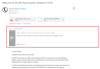
Is it not possible that Outlook sees the Attachment as an "Action Item"? See screenshot.

1585577035515.png
 
A quick workaround is to simply put the QR Code back into the email template so it appears embedded rather than attached;

<div style="bottom:5px;">
%%QRTAG%%
</div>

This is perfect.

this should be the answer to this thread and it should be closed until next update.
 
  • Like
Reactions: MarcoMSI
We are also now starting to see this, but not sure its an o365.
All our email accounts are on office 365, I have just gone to provision anew ext and from my own outlook client, no QR code, but if I look on the same email on my iPad using built in mail client, the QR code it there.
Its as if outlook is just not showing the QR code.
So I tried this on our own install (we are using the new Beta) and the QR code is showing.
We are using the QR code a lot more now as customers are now working from home so are reliant on the ISO and Android APP, they cannot scan the QR code from the email on their phone so have to get access to it from an email on the computer. Sure they can log into the web client to get it, but thats not how it should work.
Just done the same test on our own platform running the BETA and this does show the QR code in the outlook client.
 
We are also now starting to see this, but not sure its an o365.
All our email accounts are on office 365, I have just gone to provision anew ext and from my own outlook client, no QR code, but if I look on the same email on my iPad using built in mail client, the QR code it there.
Its as if outlook is just not showing the QR code.
So I tried this on our own install (we are using the new Beta) and the QR code is showing.
We are using the QR code a lot more now as customers are now working from home so are reliant on the ISO and Android APP, they cannot scan the QR code from the email on their phone so have to get access to it from an email on the computer. Sure they can log into the web client to get it, but thats not how it should work.
Just done the same test on our own platform running the BETA and this does show the QR code in the outlook client.

This has been discussed and addressed mate. Wait for the hotfix, log in to web client or insert the text mentioned above to the welcome email template for the time being.
 
Status
Not open for further replies.

Forum statistics

Threads
111,943
Messages
589,860
Members
164,832
Latest member
Boblatino