Moving from Windows to Linux Can I use the config

Status
Not open for further replies.

Jonners

Free User
Joined
Apr 10, 2019
Messages
62
Reaction score
9
Dear all
I need some help and advise, please. I have been using the free version of 3CX for some years now on a virtual Windows 7 PC, (I use Linux xfce4 and Virtual Box) and bar some initial setting up issues it has worked flawlessly, so much so that I have forgotten all about it, only having issues as one does with Windows.

But now my WIndows7 is end of life so it looks like the time to migrate away from Windows and using VM and to move over to the Debian build of 3CX. So I have some questions.

  1. Does the configuration/Backup I have made still work on the Debian build. I'd rather just use what I have already created than try and re-invent the wheel.
  2. The Debian version seems to come with the OS, does it also come without it, as I already have it installed, all I really need is the phone SW in Linux.
That's it for now. Thank you.
 
Hello @Jonners

Backups are compatible between OS versions so you can use your windows backup to install the debian version. Just make sure you have a current backup and that your backup can be restored in the 3CX version you are installing.

I would recommend always using the 3CX ISO to install the PBX but you can manually install it by following this guide: https://www.3cx.com/docs/manual/installing-debian-linux-pbx/
 
  • Like
Reactions: Jeff Koertzen
THANK YOU..... I'll give that a go. In a way, I'll be sorry to see the VM go, but it's always a pain and if this works it should smooth out a lot of operating overhead, esp getting rid of Windows.

Thank you.
 
Sadly it failed to install. I get errors.

3cxpbx:

Depends: libssl1.0.2 but it is not installable

Conflicts: apache2 but 2.4.34-1ubuntu2.1 is to be installed

Conflicts: libssl1.0.0 but 1.0.2n-1ubuntu6.2 is to be installed

Package 'libicu52' has no installation candidate

E: Version ‘7.38.0-4+deb8u5’ for ‘libcurl3’ was not found


3cxpbx : Depends: libicu52 but it is not installable

Depends: libcurl3 (< 7.39.0) but it is not installable

Any ideas, please?
 
What Debian version are you running? Also is this a clean installation or are you running additional software on the machine? The PBX machine should be dedicated to the 3CX PBX and not run any additional services.
 
AH, that may answer the problem. I am trying to install on the main OS on the machine which has a load of other apps. I'll try creating a VM using the complete OS and revert. Thank you.
 
  • Like
Reactions: YiannisH_3CX
This has not gone well. I have been struggling to get the image to install in my VM and in putting the Windows VM back u have realized the new one has built in the same directory and overwritten the Windows files. Trying to see if I can restore from a 2014 back up....
 
OK, so I managed to find a saved version, dated back to August 2014 and have managed to reinstate it, and sorted out some minor config changes, backed up....

Also managed to install the Debian and 3CX and just about to upload my back up, BUT it is too old, and the current version can not accept it. So, how do I find out what version of 3CX I am on? It is not clear.

And how am I going to upload the backup without having to install all the versions...? I am suspecting min is v6....

Thank you.. :)
 
OK, making EXTREMELY slow progress.
Unfortunately, I had an accident and deleted my profiles etc so have to start from scratch.

I tried the Debian/3CX disc and that didn't work for me. When I did get it up and running I couldn't get the 3CX to start automatically on startup and the OS was command line, which I do not want or like.

I tried the instructions to install on a xfce OS, which is a Debian based OS, but firstly I found the source deb to be the wrong address, found the correct one on another site, but when I installed or tried to install I was getting dependency errors. Tried installing manually, but could not find one, keys were not being recognised, and so it went on. FINALLY..... I installed a PURE Debian OS, ignored the option during install to use one of the derivatives (inc xfce) and just went for the base.

That worked and since I have installed 3CX and been adding extensions FXO/FXSs, SIP providers etc....

Now I am getting to the complex bits, trying to recreate what I had before and getting the last services to work.
  1. My LINKSYS (Cisco) FXO will not register. Using the same settings as before, but had to change the password as the new 3CX insists on >3 characters, but it refuses to register. All other devices and providers work, but not this. Why and how to fix, please?
  2. I want to CONTINUE to use a directory on a hard drive on the host machine for voice mails and recorded messages. I can not seem to access it, the 3CX does not allow anything outside the image. How do I get access, please? This is needed as I want to back it up, make accessible via other channels and keep some files, etc, and the VM is MAX 50Gb
  3. I am going to struggle to set up everything as I had it before, is there a way of opening an old config file to get the details...?
 
OK, so now have all set up, but not working properly.

  1. The two FXOs will not register. And I can not see why.
  2. Inbound calls do not ring. They ring for the caller, but they are not heard/seen on 3CX, this could be due to 1 above.
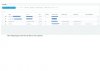
  3. Dash shows error, but given the above, I am not surprised, note pngs attached
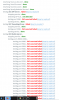
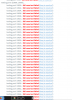
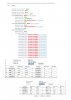
  4. One of the errors is Firewall, note pngs attached. This is odd because the firewall and forwarding look fine and have been in operation for about 8 years untouched working with the other 3CX... I have no idea how to or what to change, PLEASE HELP.
  5. Lastly, how are the outbound rules applied. If I have several numbers to put in the rule, how are they separated.: , or space or . or ; ???????????
 

Attachments

  • Dash.jpg
    Dash.jpg
    151.9 KB · Views: 7
  • Firewall Testa.png
    Firewall Testa.png
    48.7 KB · Views: 7
  • Firewall Testb.png
    Firewall Testb.png
    25.1 KB · Views: 7
  • Firewall Testc.png
    Firewall Testc.png
    23.1 KB · Views: 8
  • Firewall Testd.png
    Firewall Testd.png
    27.9 KB · Views: 8
  • Port Forward.jpg
    Port Forward.jpg
    155.7 KB · Views: 9
Are all 3cx phones and fxos on same local LAN ?
Screen copy for forwarding rules is coming from which device brand and model?

Of course if incoming calls rings on fxos which are not not registred this is normal nothing happens on 3cx side

don't know if your Linksys is SPA 3102 but there's an old post here perhaps it may help
https://www.3cx.com/community/threads/linksys-spa-3102-doesnt-connect-to-3cx-solved.45593/

is the private IP for 3cx in static mode? is it the same it was before on both ends ?

Range ports for RTP (audio ports) increase , for now you need to open 9000 to 10999 UDP (this is not what you have in your actual rule)

Can you give us a screen copy of trunks (mask sensitives info)

inbound rules are read from top to bottom, please give an example of what you have or want to do
https://www.3cx.com/blog/voip-howto/outbound-rules-a-complete-example/
 
Last edited:
Thank you for getting back. MUCH appreciated.

1.
Are all 3cx phones and fxos on same local LAN ?
Yes

2.
Screen copy for forwarding rules is coming from which device brand and model?
Draytek 2860

3.
Of course if incoming calls rings on fxos which are not not registred this is normal nothing happens on 3cx side

don't know if your Linksys is SPA 3102 but there's an old post here perhaps it may help
https://www.3cx.com/community/threads/linksys-spa-3102-doesnt-connect-to-3cx-solved.45593/
Well it was an obvious one, but I have learned to not assume anything, so gave all the symptoms. Have increased the UDP 9000 to 10999 range. So hopefully will resolve.

4.
is the private IP for 3cx in static mode? is it the same it was before on both ends ?
Yes, everything is static and no changes. I am hoping below solves things.

5.
Range ports for RTP (audio ports) increase , for now you need to open 9000 to 10999 UDP (this is not what you have in your actual rule)

6.
Can you give us a screen copy of trunks (mask sensitives info)
OK, shall do. I am getting calls going out, now, just not going where I want yet, until the tables are completed. PLEASE NOTE point 8 below.

7.
inbound rules are read from top to bottom, please give an example of what you have or want to do
https://www.3cx.com/blog/voip-howto/outbound-rules-a-complete-example/
Yes, know that and the link doesn't answer the query. I set up a whole range of rules to route for lowest tariff, but have lost that now, so starting from scratch. The tool is different, not that I am surprised and want to know two things before I start spending a lot of time writing rules.
  1. Where I input what the system is to look for, is each separated (like sending a email to multiple people) by a , (comma) a . (fullstop) a ; (semi colon) a : (colon) or what, or is it one rule for every possibility? There is no information on this.
  2. I seem to have one old backup saved (2014) and it might have all the routing in it. Is there a way of opening it so I can copy/reproduce the work?

  1. I have a further problem. I shut down the VM yesterday and rebooted. When it came back up, the 3CX was not working:
  2. Why would this happen?
  3. How do I prevent this?
  4. How do I start it?
 
UPDATE to above

3.
Of course if incoming calls rings on fxos which are not not registred this is normal nothing happens on 3cx side

don't know if your Linksys is SPA 3102 but there's an old post here perhaps it may help
https://www.3cx.com/community/threads/linksys-spa-3102-doesnt-connect-to-3cx-solved.45593/
Well it was an obvious one, but I have learned to not assume anything, so gave all the symptoms. Have increased the UDP 9000 to 10999 range. But still not working. Please see attached.


5.
Range ports for RTP (audio ports) increase , for now you need to open 9000 to 10999 UDP (this is not what you have in your actual rule)
Ports all increased, please see screen shots attached. Firewall test still fails.

6.
Can you give us a screen copy of trunks (mask sensitives info)
Attached. Though, I found the problem and all are registered. See screen shot attached.

7.
inbound rules are read from top to bottom, please give an example of what you have or want to do
https://www.3cx.com/blog/voip-howto/outbound-rules-a-complete-example/
Yes, know that and the link doesn't answer the query. I set up a whole range of rules to route for lowest tariff, but have lost that now, so starting from scratch. The tool is different, not that I am surprised and want to know two things before I start spending a lot of time writing rules.
  1. Where I input what the system is to look for, is each separated (like sending a email to multiple people) by a , (comma) a . (fullstop) a ; (semi colon) a : (colon) or what, or is it one rule for every possibility? There is no information on this.
  2. I seem to have one old backup saved (2014) and it might have all the routing in it. Is there a way of opening it so I can copy/reproduce the work?
8. I have a further problem. I shut down the VM yesterday and rebooted. When it came back up, the 3CX was not working - it has worked now, but I am concerned how fragile it is:
  1. Why would this happen?
  2. How do I prevent this?
  3. How do I start it?
So questions; 3, 5, 7 and 8 outstanding, if you can help, please.
 

Attachments

  • Port Opening and Test Fail.jpg
    Port Opening and Test Fail.jpg
    291.4 KB · Views: 4
  • SIP Trunks.jpg
    SIP Trunks.jpg
    97.9 KB · Views: 4
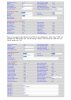
  • Linksys (Cisco) FXO registration settings.jpg
    Linksys (Cisco) FXO registration settings.jpg
    312.5 KB · Views: 3
Hi Jonners,

You are using a PSTN Gateway, this acts as your trunk provider as far as your PBX is concerned so the ports should not affect you in this case since all your phones are local. If you use any remote phones or SIP trunk providers over the internet then the ports will affect your functionality (might not be able to register or have no audio). You might also have issues running your remote clients or provisioning remote phones.

As for the 3CX Server not starting automatically that's something you will need to further troubleshoot. Ensure that you have enough RAM to begin with and a relatively fast drive, don't give it less than 2GB RAM and don't install anything else on that machine whatsoever, keep it dedicated to your PBX.
https://www.3cx.com/docs/recommended-hardware-specifications-for-3cx/

If you are on Hyper-V please read this too: https://www.3cx.com/docs/installing-microsoft-hyper-v/

I would recommend you start with a clean installation on a blank VM, using the 3CX ISO. Ensure you follow the guide here: https://www.3cx.com/docs/manual/installing-debian-linux-pbx/
 
On VM problems, i've no knowledge, so impossible for me to help you.

For your old backup from 2014, do you know which 3cx version it was done with, perhaps if it's a version i have always windows exe sources i can send you the file to restore your backup on same old 3CX and almost you can check what your outbound rules were at this time.

3CX release i have start in 12.5 to 16
 
Hi JohnS
Thank you for getting back.

Re each of your points below.

Q3 & 5:
Hi Jonners,

You are using a PSTN Gateway, this acts as your trunk provider as far as your PBX is concerned so the ports should not affect you in this case since all your phones are local. If you use any remote phones or SIP trunk providers over the internet then the ports will affect your functionality (might not be able to register or have no audio). You might also have issues running your remote clients or provisioning remote phones.
That makes plenty of sense. I have 2 x FXO/FXS on the LAN for the 2 x PSTN lines and they are now registered. Was a tiny change to "yes" on one of the FXO/FXS parameters, as per above.

And I have 2 x SIP Service providers, both are registered OK, and only used for outbound calls.

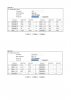
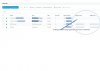
BUT the FXS/FXOs are not able to pass calls on to the 3CX fopr some reason. Please also see attached.

Q8:
As for the 3CX Server not starting automatically that's something you will need to further troubleshoot. Ensure that you have enough RAM to begin with and a relatively fast drive, don't give it less than 2GB RAM and don't install anything else on that machine whatsoever, keep it dedicated to your PBX.
https://www.3cx.com/docs/recommended-hardware-specifications-for-3cx/
I'm OK with this. 8 core processor and 16G of RAM, so have shared a good % with the VM, plenty without depriving the host. I have nothing else running on the VM bar the 3CX.

Will check this out, thank you.

I would recommend you start with a clean installation on a blank VM, using the 3CX ISO. Ensure you follow the guide here: https://www.3cx.com/docs/manual/installing-debian-linux-pbx/

I tried the ISO, and couldn't get on with it. I have had a go at building a number of times and have found the best, esp for a noon like me, is the Debian ISO and then follow the 3CX install for the switch. That works a treat, is simple both to install and operate, bar these tweaks.

So re my points above: 3, 5, 7 and 8
3 and 5 which I think are one, I am still struggling with.
7 I think I have found the answer
8 as per above, low priority and looking in to.

So any help on 3 & 5, that of the FXO/FXSs and the inability for inbound calls to reach the 3CX even though they appeared registered, please?
 

Attachments

  • FXS-FXO Register.jpg
    FXS-FXO Register.jpg
    125.4 KB · Views: 3
Draytek gave us nothing but trouble, and even when configured properly, would sometimes mis-behave, we replaced them with pfsense, and our reliability has gone up ten fold.
 
Don't use Draytek , so no experience, you give us your open ports surely on Firewall side but do you need also to add NAT rules to forward outside traffic to good Private IP ?
perhaps it's why nothing is good in firewall checker
 
Draytek gave us nothing but trouble, and even when configured properly, would sometimes mis-behave, we replaced them with pfsense, and our reliability has gone up ten fold.
I've used them for about 20 years, this one (and still using the one before, but as a LAN switch WiFi gateway) has been truly reliable. Never an issue and when I have had problems with 3rd party HW they have thrown everything at it to help. We used them at a High Street bank and the world's largest police force. No issues. A nice, robust machine, though can be complicated to set up as there are multiple ways of doing the same thing. But we all have different experiences. Not keen on replacing the router, though I can't see it being that. If anything I suspect it's between the Linksys/Cisco FXS/FXO and the new 3CX ip-pbx... ALways say, what has changed, and the 3CX is the only the thing.

That said, any thoughts on the issues, please?
 
Hi JohnS
Thank you for getting back.

Re each of your points below.

1.
Hi Jonners,

You are using a PSTN Gateway, this acts as your trunk provider as far as your PBX is concerned so the ports should not affect you in this case since all your phones are local. If you use any remote phones or SIP trunk providers over the internet then the ports will affect your functionality (might not be able to register or have no audio). You might also have issues running your remote clients or provisioning remote phones.
That makes plenty of sense. I have 2 x FXO/FXS on the LAN for the 2 x PSTN lines and they are now registered. Was a tiny change to "yes" on one of the FXO/FXS parameters, as per above.

And I have 2 x SIP Service providers, both are registered OK, and only used for outbound calls.

As for the 3CX Server not starting automatically that's something you will need to further troubleshoot. Ensure that you have enough RAM to begin with and a relatively fast drive, don't give it less than 2GB RAM and don't install anything else on that machine whatsoever, keep it dedicated to your PBX.
https://www.3cx.com/docs/recommended-hardware-specifications-for-3cx/
I'll take a look at that. Last time it did boot up OK, so may have just been a one off, though still need to know why and how to get round if it happens again.

Will check this too.

I would recommend you start with a clean installation on a blank VM, using the 3CX ISO. Ensure you follow the guide here: https://www.3cx.com/docs/manual/installing-debian-linux-pbx/

I tried the ISO, and couldn't get on with it. I have had a go at building a number of times and have found the best, esop for a noon like me, is the Debian ISO and then follow the 3CX install for the switch. That works a treat, is simple both to install and operate, bar these tweaks.

So re my points above
 
Status
Not open for further replies.

Latest Posts

Forum statistics

Threads
112,359
Messages
592,096
Members
165,532
Latest member
hughesdouglas