- Joined
- Apr 19, 2019
- Messages
- 4
- Reaction score
- 0
I'm having trouble with getting Caller ID to show up on outbound calls. Inbound Caller ID works great, Outbound calls can be made just show up as either "Unknown" or "No Caller ID"
I have tried a variety of changes to settings in both Flowroute SIP Trunk settings as well as in 3CX configuration Outbound parameters.
In 3CX SIP Trunk Settings
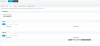
(...my3cx.us/#/app/siptrunks) for Flowroute I have entered in the "Default Caller ID" setting under "Caller ID"
(...my3cx.us/#/app/trunk_editor/1/formatting)
for Flowroute I have entered in the "Default Caller ID" setting under "Caller ID"
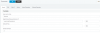
In 3CX SIP Trunk Outbound Parameters I have added / modified a few values as per some suggestions about SIP headers from Flowroute support.
(...my3cx.us/#/app/trunk_editor/3/outbound_parameters)
[See attached]
I have tried to run some packet capture from the router to see what is being sent out, I don't see these SIP header values anywhere - not sure if I should be able to in the traffic logs. I see other stuff related to the call origination (e.g. I can see the number I'm trying to call a Verizon Cell phone # in the headers request being sent out.... )
Now that I'm writing this should I try some sort of packet capture at the 3CX site????? Hoste AWS-Lightsail instance?)
If anyone has any insight or best practices/next steps to try to resolve it would be much appreciated? When I did the initial install I basically just left all of the settings pretty default and set up accordingly and most everything else just 'works' but the Outbound Caller ID has been a bugaboo for a couple weeks.
Thanks!!!!
3CXPhoneSystem 16.0.0.1581 (1581)
By The Way Here is some info about Flowroute CNAM Lookups that are happening....:
I have CNAM Storage set in DID settings
I see CNAM lookups e.g.
---
Here is a response I got from Flowroute Support about this.
--------------------------------------------------------------------------------
Hi Brian,
We transmit Caller-ID as we receive it from your equipment in one of the following header fields (in order of preference): “P-Asserted-Identity”, “Remote-Party-ID” or “From”.
CNAM is a reverse lookup done by the receiving caller, so while most provide this service, not every carrier will honor it.
Additionally you might find your answer in our articles on how to configure your 3CX system to work with Flowroute, please see the our Knowledge Base articles under:
https://support.flowroute.com/customer/portal/articles/search?q=3cx
Kind regards,
Michael W.
Customer Success - Support Engineer
----------------
I have tried a variety of changes to settings in both Flowroute SIP Trunk settings as well as in 3CX configuration Outbound parameters.
In 3CX SIP Trunk Settings
(...my3cx.us/#/app/siptrunks) for Flowroute I have entered in the "Default Caller ID" setting under "Caller ID"
(...my3cx.us/#/app/trunk_editor/1/formatting)
for Flowroute I have entered in the "Default Caller ID" setting under "Caller ID"
In 3CX SIP Trunk Outbound Parameters I have added / modified a few values as per some suggestions about SIP headers from Flowroute support.
(...my3cx.us/#/app/trunk_editor/3/outbound_parameters)
[See attached]
I have tried to run some packet capture from the router to see what is being sent out, I don't see these SIP header values anywhere - not sure if I should be able to in the traffic logs. I see other stuff related to the call origination (e.g. I can see the number I'm trying to call a Verizon Cell phone # in the headers request being sent out.... )
Now that I'm writing this should I try some sort of packet capture at the 3CX site????? Hoste AWS-Lightsail instance?)
If anyone has any insight or best practices/next steps to try to resolve it would be much appreciated? When I did the initial install I basically just left all of the settings pretty default and set up accordingly and most everything else just 'works' but the Outbound Caller ID has been a bugaboo for a couple weeks.
Thanks!!!!
3CXPhoneSystem 16.0.0.1581 (1581)
By The Way Here is some info about Flowroute CNAM Lookups that are happening....:
I have CNAM Storage set in DID settings
I see CNAM lookups e.g.
| 2019-04-30 | 18 | -$0.07020000 | N/A |
| 2019-04-29 | 42 | -$0.16380000 |
Here is a response I got from Flowroute Support about this.
--------------------------------------------------------------------------------
Hi Brian,
We transmit Caller-ID as we receive it from your equipment in one of the following header fields (in order of preference): “P-Asserted-Identity”, “Remote-Party-ID” or “From”.
CNAM is a reverse lookup done by the receiving caller, so while most provide this service, not every carrier will honor it.
Additionally you might find your answer in our articles on how to configure your 3CX system to work with Flowroute, please see the our Knowledge Base articles under:
https://support.flowroute.com/customer/portal/articles/search?q=3cx
Kind regards,
Michael W.
Customer Success - Support Engineer
----------------