


- Joined
- Jul 4, 2017
- Messages
- 41
- Reaction score
- 1
Hi Guys
Not sure if anyone has run into this issue on here but thought I'd ask.
We cant seem to get the 3cx provisioning URL to apply in a Cisco Router. The switch is not managed by us but rather our clients network engineers. We are only doing the voice and internet breakout.
It seems the router wont accept special characters. like the :// after https and the : after the port.
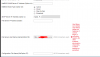
Attached is a image of the error.
Does anyone know a workaround to this? There is quite a lot of phones and it would make life a lot easier if we could add the option 66.
Thanks
Not sure if anyone has run into this issue on here but thought I'd ask.
We cant seem to get the 3cx provisioning URL to apply in a Cisco Router. The switch is not managed by us but rather our clients network engineers. We are only doing the voice and internet breakout.
It seems the router wont accept special characters. like the :// after https and the : after the port.
Attached is a image of the error.
Does anyone know a workaround to this? There is quite a lot of phones and it would make life a lot easier if we could add the option 66.
Thanks
Attachments
Last edited:


