Outgoing calls do not working

Wecare_ITA

SMB User
Joined
Oct 29, 2026
Messages
2
Reaction score
0

Issue​

Outgoing calls not permitted after porting with VoipVoice

Current facts​

Provider: VoipVoice

Scope: incoming calls are working, but outgoing calls are not

Observed error: not permitted by the administrator

Outcome​

Outcome unconfirmed.


in my SMB:
TRUNK:


Outbound Rules


Can you help me?

Thanks
Alessandro
 
Last edited by a moderator:
Hello Wecare_ITA,

Please check the (admin) outbound rules, if the trunk is still correctly in the list of outbound rules.
For example place a '0' for the first digit. ('Chiamate a numeri che iniziano con il prefisso')

Paulo
 
Some extra option, just in case it is not the 'outbound rules' (that was my first guess):

1) At user level
Admin -> Users -> [Select User] -> Options. ensure the option "Disable External Calls" is unchecked.

2) At trunk level
Check Trunk Status: Go to Admin -> SIP Trunks and ensure the trunk is green (Registered)
Check Activity Log: Go to the Event Log (or Dashboard) and look for the failed call with error 403 or something like this.

If all fails, goto the SIP Trunk, and start the SIP Trunk Checker, to investigate from here.

Paulo
 
hi,
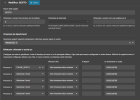
i have add 0
1793271954665.png

and i call the smartphone told me " Not line to call" , if i call a office the not permitted by the administrator
 
Hi,

Just to be sure about a few things:
The number you dial out starts with 0, like 081939xxx
The phone you use to dial out, is member of the department 'WeCare SZS'
The Trunk with name 'TRUNK_SESTO', is green and working.
Make sure you can send this outbound number to the Provider: '0293218733'... you can also try to use '390293218733' ?? or leave empty.
Please check with information from provider, how to send your own nunber.

Paulo
 

Forum statistics

Threads
112,363
Messages
592,117
Members
165,536
Latest member
Wecare_ITA