Solved Parking call via dial code not working

Status
Not open for further replies.

Sunny_99

Free User
Joined
Jun 4, 2020
Messages
27
Reaction score
3
Hello All,

i have a problem to park an ongoing call via dial code. During a call, i try to park the call by "<Transfer> *00", but it's not working. After a short while i got a voice warning "your call was forbidden by the administrator" ( I don't know the exact words in english, because my system is german).

The activity log shows:
Code:
12/07/2020 12:02:34 PM - [CM503008]: Call(C:673): Call is terminated
12/07/2020 12:02:34 PM - Leg L:673.3[EndCall:EndCall] is terminated: Cause: BYE from 127.0.0.1:5483
12/07/2020 12:02:31 PM - [CM503007]: Call(C:673): EndCall:EndCall has joined, contact <sip:[email protected]:5483/UDP>
12/07/2020 12:02:31 PM - [CM503007]: Call(C:673): Extn:19 has joined, contact <sip:[email protected]:5060/udp>
12/07/2020 12:02:31 PM - L:673.3[EndCall:EndCall] has joined to L:673.1[Extn:19]
12/07/2020 12:02:31 PM - [CM503002]: Call(C:673): Alerting EndCall:EndCall by contact <sip:[email protected]:5483/UDP>
12/07/2020 12:02:31 PM - [CM503025]: Call(C:673): Calling T:EndCall:EndCall@[Dev:sip:[email protected]:5483;rinstance=84962b04f5a8650e] for L:673.1[Extn:19]
12/07/2020 12:02:31 PM - L:673.1[Extn:19] failed to reach ParkOrb:*0, reason Forbidden
12/07/2020 12:02:31 PM - Leg L:673.2[ParkOrb:*0] is terminated: Cause: 403 Forbidden/INVITE from 127.0.0.1:5483
12/07/2020 12:02:31 PM - Call to T:ParkOrb:*0@[Dev:sip:*[email protected]:5483;rinstance=ba92bf2d696f112f] from L:673.1[Extn:19] failed, cause: Cause: 403 Forbidden/INVITE from 127.0.0.1:5483
12/07/2020 12:02:31 PM - [CM503003]: Call(C:673): Call to <sip:*[email protected]:5060> has failed; Cause: 403 Forbidden/INVITE from 127.0.0.1:5483
12/07/2020 12:02:31 PM - [CM505001]: Endpoint ParkOrb:*0: Device info: Device Not Identified: User Agent not matched; Capabilities:[reinvite, replaces, able-no-sdp, recvonly] UserAgent: [3CX Parking Orbit] PBX contact: [sip:*[email protected]:5060]
12/07/2020 12:02:31 PM - [CM503002]: Call(C:673): Alerting ParkOrb:*0 by contact <sip:*[email protected]:5483/UDP>
12/07/2020 12:02:30 PM - [CM503025]: Call(C:673): Calling T:ParkOrb:*0@[Dev:sip:*[email protected]:5483;rinstance=ba92bf2d696f112f] for L:673.1[Extn:19]
12/07/2020 12:02:30 PM - [CM503027]: Call(C:673): From: Extn:19 ("A+D" <sip:[email protected]:5060>)  to  T:ParkOrb:*0@[Dev:sip:*[email protected]:5483;rinstance=ba92bf2d696f112f]
12/07/2020 12:02:30 PM - [CM503004]: Call(C:673): Route 1: from L:673.1[Extn:19] to T:ParkOrb:*0@[Dev:sip:*[email protected]:5483;rinstance=ba92bf2d696f112f]
12/07/2020 12:02:30 PM - [Flow] Call(C:673): has built target endpoint: ParkOrb:*0 for call from L:673.1[Extn:19]
12/07/2020 12:02:30 PM - [Flow] Target endpoint for *00 is ParkOrb:*0
12/07/2020 12:02:30 PM - [CM503010]: Call(C:673): Making route(s) from Extn:19 to <sip:*[email protected]:5060/UDP>

What happens: I call from 12 to 19, pick-up the call and hit "<Transfer> *00". The call itself got registered, but then got denied with the error message "[Extn:19] failed to reach ParkOrb:*0, reason Forbidden".

If i do the same thing via the SwitchBoard, everything is running ok:
Code:
12/07/2020 12:29:53 PM - Leg L:675.2[Extn:19] is terminated: Cause: BYE from local
12/07/2020 12:29:53 PM - [CM503007]: Call(C:675): ParkOrb:SP0 has joined, contact <sip:[email protected]:5483/UDP>
12/07/2020 12:29:53 PM - L:675.4[ParkOrb:SP0] has joined to L:675.1[Extn:12]
12/07/2020 12:29:53 PM - [CM505001]: Endpoint ParkOrb:SP0: Device info: Device Not Identified: User Agent not matched; Capabilities:[reinvite, replaces, able-no-sdp, recvonly] UserAgent: [3CX Parking Orbit] PBX contact: [sip:[email protected]:5060]
12/07/2020 12:29:53 PM - [CM503002]: Call(C:675): Alerting ParkOrb:SP0 by contact <sip:[email protected]:5483/UDP>
12/07/2020 12:29:53 PM - [CM503025]: Call(C:675): Calling T:ParkOrb:SP0@[Dev:sip:[email protected]:5483;rinstance=4eb11c3ce5ead64c] for L:675.1[Extn:12]
12/07/2020 12:29:52 PM - [CM503027]: Call(C:675): From: Extn:12 (<sip:[email protected]:5060>)  to  T:ParkOrb:SP0@[Dev:sip:[email protected]:5483;rinstance=4eb11c3ce5ead64c]
12/07/2020 12:29:52 PM - [CM503004]: Call(C:675): Route 1: from L:675.1[Extn:12] to T:ParkOrb:SP0@[Dev:sip:[email protected]:5483;rinstance=4eb11c3ce5ead64c]
12/07/2020 12:29:52 PM - [Flow] Call(C:675): has built target endpoint: ParkOrb:SP0 for call from L:675.1[Extn:12]
12/07/2020 12:29:52 PM - [Flow] Target endpoint for SP0 is ParkOrb:SP0
12/07/2020 12:29:52 PM - [CM503010]: Call(C:675): Making route(s) from Extn:12 to <sip:[email protected]:5060/UDP>


Any ideas what goes wrong?


All the best

Jens
 
Hi Jens,

So this happens only when using call pickup? Or does it happen with direct calls to you too?
 
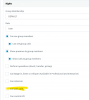
Does extension have this right?

1607507472605.png
 
So this happens only when using call pickup? Or does it happen with direct calls to you too?

I was not a call pickup. I started the call at Ext:12 and called Ext:19. At Ext:19 i answered the call, then i tried to park the call also at Ext:19.


All the best

Jens
 
What are you using on extension 19? Device / client ? Please give us some more details
 
Hello Kieferschild,

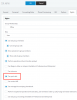
i think the rights are ok....

View attachment 19511

All the best

Jens

It's possible that when you're pressing Transfer, is doing an attended transfer which would give you this prompt. Can you figure out how to do a blind transfer? Also, let us know the device you're using as per John's request.

Can you press Transfer, *00, Transfer?

I suspect your "transfer, *00" is calling *00 instead of transferring to.

if you just call *00 from your phone you'll get the same prompt.
 
  • Like
Reactions: JohnS_3CX
It's possible that when you're pressing Transfer, is doing an attended transfer

Exactly, this is guaranteed to fail. It must be a blind transfer otherwise it will be forbidden.
 
  • Like
Reactions: Evolute IT
What are you using on extension 19? Device / client ? Please give us some more details

Hello JohnS,

the 3CX is running on Amazon AWS Lightsail, a SBC is running at the local network. All local company phones are logged into the SBC.

Ext:12 is an Fanvil X4G VoIP-Phone
Ext:19 is an Alcatel Temporis 301G VoIP-Phone

In parallel a 3CXPhoneForWindows is hooked to the extension(s).

If i switch the direction (calling from Ext:19 to Ext:12, answer on Ext:12 and trying to park the call via dial codes) it don't work. The problem is not only between Ext:12 and 19, using these two extension is because i have them installed on my desk...

BTW: most of our company phones are POST (old analog) phones connected to the 3CX via two Grandstream HT818. On these phones the parking dial codes don't work also, but i think it is because there is no <Transfer> i can send in advance. It would be nice if the R (or Flash) key could be used for that purpose, but that's another story.

All the best

Jens
 
Thanks Jens,

It looks like you are not using a supported phone for extension 19 so we can't take that one into consideration.

I would like to investigate further using Ext:12 is an Fanvil X4G.

Please tell me:

- the firmware version of the X4
- your PBX version
- whether you are using custom templates or not
- how is the X4 provisioned, automatically via SBC or did you use some other way?
 
Can you press Transfer, *00, Transfer?
I suspect your "transfer, *00" is calling *00 instead of transferring to.
If you just call *00 from your phone you'll get the same prompt.

Hello Kieferschild,
hello JohnS,

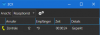
it's exactly as you said! Dialing "*00" gives me the "forbidden" error, dialing "<Transfer> *00 <Tranfer>" park the call. To unpark the call i have to dial "*10" (no <Transfer> needed).

1607523675068.png
(It would be nice to see who has parked the call....)

Great, thanks for your help.

I miss the smartness of the R-key on my old ISDN-pbx / analog phones. One key does it all ;-) Now pressing the R-key on the analog phone always breaks the ongoing call. I couldn't find any setup option for that neither in the 3CX pbx nor in the Grandstreams.

All the best

Jens
 
Analog phones will always be behind in features, I suggest to transition to using clients (windows/web/mobile) or at least use phones that are in our supported list.

Those phones get tested to be compatible and provide you with all the modern features you would expect.

Ok so everything works as expected now?
 
R flash some gateways can translate to Bxfre but this is something between the Handset Tone and the capabilities of the ATA. Best to check the admin guide of the ATA...
 
This is what I do for phones that can only dial.

Make a dummy extension lets say ext 550.
First name, "sharked parking 0" under forwarding rules set all options to Forward to number SP0

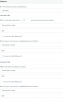
Example, if someone needs to pickup shared parking 0 they just need to dial number 550.


1607525407413.png
 
I would like to investigate further using Ext:12 is an Fanvil X4G.
Please tell me:
....

Hello JohnS,

- the firmware version of the X4
2.10.1.6836
- your PBX version
16.0.6.655
- whether you are using custom templates or not
no
- how is the X4 provisioned, automatically via SBC or did you use some other
No provisioning, neither for the phones nor for the Grandstreams. I found the provisioning especailly for Grandstreams more bad than good. I tried to create a custom template, but in the end i could not see the advantage of the provisioning.


All the best

Jens
 
R flash some gateways can translate to Bxfre

Hello Stefan,

do you know an ATA adapter with that kind of capability?

I could not find any information about this functionality. Today i found a Cisco document talking about this topic, but the devices are all "not on sale".

All the best

Jens
 
Hi @Sunny_99

The manual for the Grandstream ATA has some hand information about how to perform transfers.

The provisioning of the X4 must be done with a factory reset phone, using the 3CX supported way otherwise we are facing unknown factors that may be causing problems
https://www.3cx.com/sip-phones/fanvil-x3-x5/

Once done like the document above you then

1. Answer call on X4
2. Press XFER
3. Dial *00
4. Press XFER again and you should see on the screen "Transfer Success"
 
This is what I do for phones that can only dial.

Make a dummy extension lets say ext 550.
First name, "sharked parking 0" under forwarding rules set all options to Forward to number SP0

Example, if someone needs to pickup shared parking 0 they just need to dial number 550.

Hello 3cxnub,

nice try. Dial 550 and get eaten by a shark... ;-)

But that can only be used to unpark a call.

This will not work with the analog phones to park a call, because in an ongoing call there is no method to leave the call without ending the call (at least with the Grandstreams i have).

All the best

Jens
 
Hi @Sunny_99

The manual for the Grandstream ATA has some hand information about how to perform transfers.

Hello JohnS,

ok, i will RTFM for the Grandstream more intense. Thanks for the advise.

Is a provisioned Grandstream preset to use the flash key in the right way?

That would be the only reason to go back and provisioning the device. The provisioning of the GS has 2 major flaws: no fix ip-number (only dhcp), no german tone set. The provisioning options seems to be very small compared to the endless list you have in "raw" mode.

The same goes for the X4. More options at provisioning, but also lots of options that are blocked. I had the X4 provisioned before, but i went back. The only thing i miss are the SPx parking lots onto the BLF keys.

And as you said, dailing "<Transfer> *00 <Transfer" send a call to parking no. "0". Even with the unprovisioned Fanvil X4.

All the best

Jens
 
On the devices attached to the HT818 you can try to press down the hook for ~1 second (flash), then dial this, and then hang up:

* 8 7 * 0 0 #

*87 = Blind transfer
*00 = Your destination, parking orbit
# = execute
 
Status
Not open for further replies.

Forum statistics

Threads
111,974
Messages
590,081
Members
164,899
Latest member
mazet