Placeing call on HOLD results in dialtone in handset

Status
Not open for further replies.

EzPCConcepts

SMB User
Joined
Apr 17, 2020
Messages
33
Reaction score
1
I am a newbie here and hope this is just an oversight on my part and may need new glasses. Have 3CX up and running and have for the most part configured 5 Snom SNO-D765 phones via SipTrunk services. I still have some things to figure out but am having an issue I did not expect. When I put a call oh HOLD via the hold button on the phone it started a new call and I hear a dial tone in the hand set. I had not manipulated any special settings other then those associated with the inital setup so I am thinking it might be something specific I have to change for the phone that I am using but when I access the codes section I have not found any reference to the hold key... thank you in advance for your time and assistance.
 
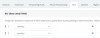
in extension did you tick accept multiples calls?
View attachment 15637
Oh my.... no I did not... however I did set this up now and still have the same issue. Maybe I don't have the DID association right? I have 4 DIDs and the main all setup separately under inbound rules all phones ring but if I get 2 calls at the same time they one end up in voicemail
 
@EzPCConcepts
Stay away from parking orbits and setup BLF's for Shared Parking. Usually much easier to deal with and shows a visual of a call on hold.
 
@EzPCConcepts
Stay away from parking orbits and setup BLF's for Shared Parking. Usually much easier to deal with and shows a visual of a call on hold.
Yes I did that thank you... however the issue remains. If 2 calls come in at the same time one gets answered the other goes immediately to voicemail. Might I have something setup wrong with my DID section? I thought I had to setup inbound rules for each of my DIDs maybe that is the probleom?
 
is the Voicemail from 3CX OR is it a provider voicemail.
the DIDs may not be set to roll by the provider.
 
The provider is a 3cx partner Sip Trunk... and the prior setup was initially setup for did roll over I suppose I can open up a support ticket with them to check...
 
is it only one DID going to this RG or your 4 DIDs are ?
When you say a second call is coming, is it on same DID ?
Can you explain in detail your call flow ?
How many SC on your trunk?

How many extensions do you have in RG, what ring mode used ? did you check each to see if accept multiples calls is ticked?
in extensions do you have almost 2 BLF for lines set?
1587289479443.png
 
There is one main DID for the office with 3 secondary DID. SipTrunk has DID rollover setup and the PBX is getting the 2 individual calls and according to them the PBX is responding that it is getting 2 different calls
Right now there is no digital receptionist. 5 extensions in a ring group all accept multiple calls. A call comes in all extension ring. If one extension picks up the 1st call a 2nd call rings the remaining 4 extensions. All phones have call forwarding set to route unanswered calls to 1st ext If the 1st extension does not answer it goes to 1st extension voicemail. Not sure what SC is nor where to find the ring mode.
 
is it only one DID going to this RG or your 4 DIDs are ?
When you say a second call is coming, is it on same DID ?
Can you explain in detail your call flow ?
How many SC on your trunk?

How many extensions do you have in RG, what ring mode used ? did you check each to see if accept multiples calls is ticked?
in extensions do you have almost 2 BLF for lines set?
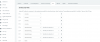
View attachment 15642
I have 4 BLF lines setBLF Call Parking Key Setup.PNG
 
can you check you music on hold if it has been as "progressive tone" if yes, change it to another music and try again.
It was set to onhold.wav. Changed it to Empty.wav same results
 
is it only one DID going to this RG or your 4 DIDs are ?
When you say a second call is coming, is it on same DID ?
Can you explain in detail your call flow ?
How many SC on your trunk?

How many extensions do you have in RG, what ring mode used ? did you check each to see if accept multiples calls is ticked?
in extensions do you have almost 2 BLF for lines set?
View attachment 15642
There is one main DID for the office with 3 secondary DID. SipTrunk has DID rollover setup and the PBX is getting the 2 individual calls and according to them the PBX is responding that it is getting 2 different calls
Right now there is no digital receptionist. 5 extensions in a ring group all accept multiple calls. A call comes in all extension ring. If one extension picks up the 1st call a 2nd call rings the remaining 4 extensions. All phones have call forwarding set to route unanswered calls to 1st ext If the 1st extension does not answer it goes to 1st extension voicemail. At this time using 2 SCs. Ring mode is ring all extensions
 
I believe the mystery is over. I have been working with SipTrunk support along side the forum here and I recalled that on this account we were using a Cisco SP8000 and that there was a "setting" that had to be disabled on the back end for simultaneous calls to occur. That setting called Contact Override places the DID in the URI instead of the trunk number and it was disabled for use with the SP8000. This was most likely preventing 3CX from being able to route the calls correctly. Once they enabled Contact Override and I reset my Inbound rules it seemed simultaneous calls were working now.
So my setup now is as follows:
1 Calls come into a Main Ring Group with 1 extension that rings
2. If that extension does not answer it forwards to a 2nd extension.
3. If that extension does not answer it sends it back to the 1st extension
4. If no answer again on the 1st extension it goes to voicemail
5. If 2 calls come in at the same time one goes to 1st extension the other goes to 2nd extension
6. Upon no answer they each send their respective calls to the other extension
7. If both are not answered both go to voicemail
 
If deskphones are near and everyone can hear a phone ringing then you can pickup from everywhere dialing *20* no need to run on the phone ringing . (to keep it easy , you can set a BLF with this short code)
 
If deskphones are near and everyone can hear a phone ringing then you can pickup from everywhere dialing *20* no need to run on the phone ringing . (to keep it easy , you can set a BLF with this short code)
Thank you for that actually I was searching for an example of setting up a BLF for that so far I have not found one... would you happen to have a good source for that?
 
I found this thread while trying to answer the dial tone on hold mystery, so I hope it's acceptable to drift the thread back to its original subject. I had the same complaint about our Snom D785 phones playing dialtone when you have a call holding locally at your phone.

Some responses above suggested hanging up the receiver. All that you accomplish by doing that is that the speakerphone plays the dialtone louder. Pressing the speakerphone button in an attempt to hang up on the dialtone has no effect. Snom phones just do not like you to forget that you have someone on hold, I guess.

Our use case that makes this a problem is when a call comes in and the receptionist knows that I'm not at my desk, for example because she just saw me walk out of my office to consult a colleague. It's easier for her to find me in person to ask if I can take the call, before transferring it to me. The dialtone playing out loud that entire time is annoying and, if a client happens to be waiting in the reception area, it gives a slightly unprofessional appearance to how the phones work.

I found a setting in the Snom phone for this. Here is the documentation: https://service.snom.com/display/wiki/cw_dialtone

On the current 3CX-approved firmware for the D785, the setting can be found in the phone's web interface under Setup -> Advanced -> Audio -> Dialtone During Hold.

Turning that setting off gives the phone the same behavior except that it is silent, so you can hang up the receiver and not hear a loud dialtone while you do whatever you need to do before transferring or returning to the call.

Shared parking works for this scenario, but it is still nice to turn off that dialtone.

Now, the question is whether I need to set anything in 3CX to make the Snom setting persist.
 
  • Like
Reactions: EzPCConcepts
I found this thread while trying to answer the dial tone on hold mystery, so I hope it's acceptable to drift the thread back to its original subject. I had the same complaint about our Snom D785 phones playing dialtone when you have a call holding locally at your phone.

Some responses above suggested hanging up the receiver. All that you accomplish by doing that is that the speakerphone plays the dialtone louder. Pressing the speakerphone button in an attempt to hang up on the dialtone has no effect. Snom phones just do not like you to forget that you have someone on hold, I guess.

Our use case that makes this a problem is when a call comes in and the receptionist knows that I'm not at my desk, for example because she just saw me walk out of my office to consult a colleague. It's easier for her to find me in person to ask if I can take the call, before transferring it to me. The dialtone playing out loud that entire time is annoying and, if a client happens to be waiting in the reception area, it gives a slightly unprofessional appearance to how the phones work.

I found a setting in the Snom phone for this. Here is the documentation: https://service.snom.com/display/wiki/cw_dialtone

On the current 3CX-approved firmware for the D785, the setting can be found in the phone's web interface under Setup -> Advanced -> Audio -> Dialtone During Hold.

Turning that setting off gives the phone the same behavior except that it is silent, so you can hang up the receiver and not hear a loud dialtone while you do whatever you need to do before transferring or returning to the call.

Shared parking works for this scenario, but it is still nice to turn off that dialtone.

Now, the question is whether I need to set anything in 3CX to make the Snom setting persist.

Thank you iamtheari for posting that great information. Part of my initial expectation was IMO flawed as I was applying stand telephone thinking to a PBX system. I believe the dial tone purpose is to signal to the user that another action is required. I have since put into play the call parking feature to address this. Also it makes sense that if I get a call and need to forward that call to another extension or to an external number hearing the dial tone signals to me that I can proceed. Some things that I am still looking for are templates for the Snom phones specifically one to printing out labels for the BLF keys. Since you are a fellow Snom phone owner do you know where such a template can be had?
 
Thank you iamtheari for posting that great information. Part of my initial expectation was IMO flawed as I was applying stand telephone thinking to a PBX system. I believe the dial tone purpose is to signal to the user that another action is required. I have since put into play the call parking feature to address this. Also it makes sense that if I get a call and need to forward that call to another extension or to an external number hearing the dial tone signals to me that I can proceed. Some things that I am still looking for are templates for the Snom phones specifically one to printing out labels for the BLF keys. Since you are a fellow Snom phone owner do you know where such a template can be had?
I'm a newer Snom user than you so I don't know much. We went with the D785 because of the second screen for the BLF keys, so they are self-labeling.
 
Regarding Snom in specific, it is normal to hear the dial tone when you put a call on hold.
 
Status
Not open for further replies.

Forum statistics

Threads
112,030
Messages
590,382
Members
164,980
Latest member
carterloudermilk