I found this thread while trying to answer the dial tone on hold mystery, so I hope it's acceptable to drift the thread back to its original subject. I had the same complaint about our Snom D785 phones playing dialtone when you have a call holding locally at your phone.
Some responses above suggested hanging up the receiver. All that you accomplish by doing that is that the speakerphone plays the dialtone louder. Pressing the speakerphone button in an attempt to hang up on the dialtone has no effect. Snom phones just do not like you to forget that you have someone on hold, I guess.
Our use case that makes this a problem is when a call comes in and the receptionist knows that I'm not at my desk, for example because she just saw me walk out of my office to consult a colleague. It's easier for her to find me in person to ask if I can take the call, before transferring it to me. The dialtone playing out loud that entire time is annoying and, if a client happens to be waiting in the reception area, it gives a slightly unprofessional appearance to how the phones work.
I found a setting in the Snom phone for this. Here is the documentation:
https://service.snom.com/display/wiki/cw_dialtone
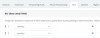
On the current 3CX-approved firmware for the D785, the setting can be found in the phone's web interface under Setup -> Advanced -> Audio -> Dialtone During Hold.
Turning that setting off gives the phone the same behavior except that it is silent, so you can hang up the receiver and not hear a loud dialtone while you do whatever you need to do before transferring or returning to the call.
Shared parking works for this scenario, but it is still nice to turn off that dialtone.
Now, the question is whether I need to set anything in 3CX to make the Snom setting persist.