Pop-up notifications not working on Chrome Browser

ARamdass

Gold Partner
Advanced Certified
Joined
Jan 27, 2022
Messages
13
Reaction score
1
Hi,

It seems pop-up notifications have stopped working from the Chrome browser as well as PWA installed from chrome.
No issues with it when using Edge.

Tested from different systems with v20 update 5 to update 6 beta (619) all same result.
Notification only comes up after missed call.

Anyone else experiencing this issue? Work arounds welcomed.
 
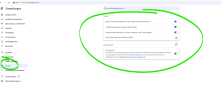
over Chrome there are some additional settings to allow. I fight with this problem for a couple of days. Although that the PWA ist installed, allowed, auto start and sign in are active, in windows 11 as well everything for 3CX is allowed, I had to go to site settings inside Chrome. I had to additionally allow a lot of things. Then it worked.

View attachment 48794

I've changed them from Ask and Block to allow and then, refresh the webpage and the PWA app. Then it worked.
Did you set all of this to allow?
 
All notification settings have been allowed. Still no pop-up on incoming call for
Chrome browser version 144.0.7559.113 and PWA installed via chrome.
Current work around is still to use Microsoft Edge.
 
Hi all, i had the same problem, i did try all here and other things and after a long try end error - with the chrome pwa i did get it running as follows - edge and everything other worked, only with chrome, no popup on ring only after a missed call.

On Chrome Settings - System - everything here was enabled from the beginning! I disabled everything, saved it - and only reenabled the first option, running apps in background. even it was enabled bevore, now it works fine with the popup - so for me no notification rule oder policy - it was this setting change that get it worked

1782156664602.png
 

Forum statistics

Threads
112,011
Messages
590,285
Members
164,954
Latest member
UHA