- Joined
- Apr 8, 2019
- Messages
- 7
- Reaction score
- 0
I had version 15 and everything was working fine. After upgrading to version 16, I have a problem.
We have a few grandstream gxp 2130 phones. These phones were in version 15 as a custom template because v 15 did not support them. They were working fine. After the upgrade, these phones are ringing continuously/randomly (it showed they were calling themselves). I found that they were showing up as unprovisioned in the 3CX gui. I removed the phones from the extension and added them back and added the mac address (which was also missing after the upgrade). Rebooting the phones after this change made them stop ringing. Today, I had to reboot the internet at our school. When the internet came back, they started ringing again (calling themselves) and I had to reboot them. This is annoying. I can’t have them keep ringing if any interruption happens to the network connection. Any idea why that is happening? They have firmware 1.0.7. I tried upgrading to version 1.0.9. The phones reboot but they don’t upgrade.
I tried factory reset but didn’t help.
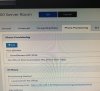
Another problem is that the extension shows up twice on the phone screen. I am attaching images with configuration.
Finally, I added an email address to one of the extensions and tried clicking on send welcome email so I can start using the 3CX app. The send welcome email button remained a darker gray color for a long time and I never received the welcome email. I tried twice.
Any help is appreciated.
Thanks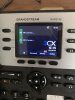


We have a few grandstream gxp 2130 phones. These phones were in version 15 as a custom template because v 15 did not support them. They were working fine. After the upgrade, these phones are ringing continuously/randomly (it showed they were calling themselves). I found that they were showing up as unprovisioned in the 3CX gui. I removed the phones from the extension and added them back and added the mac address (which was also missing after the upgrade). Rebooting the phones after this change made them stop ringing. Today, I had to reboot the internet at our school. When the internet came back, they started ringing again (calling themselves) and I had to reboot them. This is annoying. I can’t have them keep ringing if any interruption happens to the network connection. Any idea why that is happening? They have firmware 1.0.7. I tried upgrading to version 1.0.9. The phones reboot but they don’t upgrade.
I tried factory reset but didn’t help.
Another problem is that the extension shows up twice on the phone screen. I am attaching images with configuration.
Finally, I added an email address to one of the extensions and tried clicking on send welcome email so I can start using the 3CX app. The send welcome email button remained a darker gray color for a long time and I never received the welcome email. I tried twice.
Any help is appreciated.
Thanks