Solved Problems with Audio

Status
Not open for further replies.

thames

Customer
Basic Certified
Joined
Apr 4, 2011
Messages
175
Reaction score
12
Hi Folks

I'm going around in circles so thought I would drop a request for help from the experts here. I am having awful problems with provisioning phones on my local LAN when the PBX is hosted on Google's Cloud Platform. I am running a Debian 9 instance there with the PBX running on it. I have checked the firewall and it says all passed OK.

On my local LAN in the office, I have three phones. Because I'm using STUN for remote phones I've chosen that in the setup and provisioned the phones using the RPS. All worked fine. I've logged into the phones and they are apparently set up correctly. So.... here's the question:

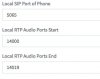
I have started on the 1st of the three phones with SIP 5065. The second is on 5066 and the third on 5067. IS this the correct way to do this?

Then, in the RTP port section:

Phone 1: 14000 - 14009
Phone 2: 14010 - 14019
Phone 3: 14020 - 14029

Is this correct setup?

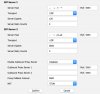
On the Google firewall I set up rules as per the attached inline jpg.

I thought I'd better look at the local office firewall. Made sure SIP ALG was off. Then wondered if I need to create port forwarding rules to the remote phones. I created:

From PBX public IP to Local LAN:
Allow: 5060 - 5069 (for SIP ports incoming)
Allow: 9000 - 14999 (for RTP incoming)

All outgoing services are allowed.

I don't have much more hair to pull out so hope someone can save me! :)

Many thanks in anticipation of some help.

Cheers
Chris3cx_gcp_firewall.jpg
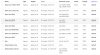
 
GC VM rules seems ok, but you can always run the Firewall Checker to be sure about the server-side Firewall.

The SIP and RTP port logic you followed for the remote STUN phones is correct, however since a few firmwares back, some phones (e.g. Yealink) require a local port range of >10 ports. So try the following:

Phone 1: SIP 5065, RTP 14000 - 14019 (20 ports)
Phone 2: SIP 5066, RTP 14020 - 14039 (20 ports)
Phone 3: SIP 5067, RTP 14040 - 14059 (20 ports)
etc....

Then on the Remote Location firewall:
Forwarding Rule 1: 5065 UDP/TCP + 14000-14019 UDP forward to LAN IP of Phone 1
Forwarding Rule 2: 5066 UDP/TCP + 14020-14039 UDP forward to LAN IP of Phone 2
Forwarding Rule 3: 5067 UDP/TCP + 14040-14059 UDP forward to LAN IP of Phone 3
etc....
 
  • Like
Reactions: thames
Hi Chris,

See this info courtesy of Charalambos from 3CX Support.

1) make sure that you have a Static Public ip Address or a resolvable FQDN so in the Phone Provisioning URL there is a valid external Public/FQDN address with the port 5000/5001 open in order to get the http provisioning file.


2) in the provisioning tab of each extension make sure that the Local SIP Port of Phone is different between the extensions that you have selected to register through STUN method and are behind the same Public ip address: (1st 5065, 2nd 5066, 3rd 5067, etc.. ) as well the Local RTP Audio Ports Start ( 1st 14000-140011, 2nd 14012-14023, 3rd 14024-14035, etc.. )


3) please note that each phone model has specific URL format and different "Provisioning Server" field on the web Interface of the phone. For more information please check the link on our website and specificaly the section Provisioning a remote extension in STUN Mode : http://www.3cx.com/blog/docs/provisioning-a-remote-extension/


4) Make sure that since each phone has dedicated ports, on the remote firewall you have to make a Static NAT and Static Port Forwarding to the Private ip address of each phone.


5) Enable the PBX Delivers audio on each extension on the Management Console >> Edit extension >> Other tab.


6) Ensure that in front of the PBX and on the remote router/firewall option SIP.ALG is disabled.


7) As you are using Yealink phones and these are on firmware correct filware then you will need 12 RTP ports for each extension.


Step no2 :


1) In the Management Console each Remote STUN Extensions must have a unique Local SIP Port and Unique RTP Port range and the RTP Port range must be 10 ports (for Yealink phones 12 ports, you do not currently have it this way) per remote site. This means that if we only had Yealink phones that would be e.g.:


- Ext A should have Local SIP Port: 5065 and RTP Port Range: 14000-14011 (12 ports)

- Ext B should have Local SIP Port: 5066 and RTP Port Range: 14012-14023 (12 ports)

- Ext C should have Local SIP Port: 5067 and RTP Port Range: 14024-14035 (12 ports)

- Ext D should have Local SIP Port: 5068 and RTP Port Range: 14036-14047 (12 ports)

- etc...


2) Once you have done this, then on the Remote Location Router/Firewall behind which the phones are residing, you must:

- Disable SIP ALG or any similar port remapping feature.


- Create NAT/Port Forwarding Rules so that, as per the above example:


--- Ports 5065 TCP/UDP and 14000-14011 UDP are forwarded to the IP of Ext A

--- Ports 5066 TCP/UDP and 14012-14023 UDP are forwarded to the IP of Ext B

--- Ports 5067 TCP/UDP and 14024-14035 UDP are forwarded to the IP of Ext C

--- Ports 5068 TCP/UDP and 14036-14047 UDP are forwarded to the IP of Ext D

--- etc...


- This also implies that the the phones/endpoints should have Static LAN IPs assigned to them.


3) Re provision all Phones.
 
  • Like
Reactions: thames
You will need to forward each phones incoming SIP and RTP ports to it's IP address on the local LAN as the firewall will need to know where to send the data - static IPs for the phones will be required for this work.

I've been running a similar setup with reasonable success for the past 9 months (with 4 phones) but I'm looking to move to SBC this weekend.

EDIT: Beaten to it by the posts above (with more comprehensive answers) lol!
 
Hi there - and many thanks for the fast responses. I have looked at the router (It's a Vigor 2862ac) and, confusingly, it has several places for port forwarding apparently.

Port redirection
In here I have the following setup:
Single IP
Protocol = TCP
Public Port = 5065
Source IP = Any
Private IP = IP of desktop phone 192.168.0.102
Private Port = 5065

Because the router doesn't allow me to put TCP/UDP as the protocol, I have added another Port Redirection rule identical to above except it's UDP rather than TCP.

If I boot the phone, it doesn't work. The account doesn't register with the PBX and everything doesn't work. If I go into the phone web interface and enter 5060 as the SIP port, the phone immediately registers with the PBX but there is a delay with audio when I make a call to an extension in another office on a separate network.

I rang SEG Support for the Draytek router and the support person said I should be using OPEN PORTS on the router and that I should disable firewall and port redirection.

So... next step. Into the Open Ports under the NAT menu.
(See attached jpg)

Still no joy here unless I go back to 5060. It does work but I get about a 5 second delay from the time someone picks up the internal extension I dial. Just to clarify, the other extension is on another broadband line using a Netgear router.

So how do I get the Draytek to do the job for the 5065 ports and the RTP?

Cheers
Chris3cx_gcp_local_open_ports_Draytek.jpg

EDITED TO SAY: If I put the 5060 into the open ports "thing" on the router, it removes the audio delay. But... still want to know why the 5065 is not working.
 
Last edited:
Hi,

Did you delete your other NAT rules? You should be doing the NAT rules from Open Ports as SEG suggested.

Once you've got the local SIP and RTP ports open in the Draytek, this is all you need to do here. unless this is the DHCP server too then reserve the IP of the phone. Are you sure its deffo WAN1 too?

Check the local SIP port on 3CX is 5065, factory reset your phone and reprovision it. Is it a Yealink?

I'd give your 3CX a restart too, it should be registering with 5060 if you've specified the local SIP port as 6065. Also, because you've been messing about with ports on the Draytek, give that a restart.

Did you enable PBX delivers audio?

Disable SIP ALG On Draytek: http://www.surevoip.co.uk/support/wiki/troubleshooting:sip_alg:draytek_3.8.5
 
Last edited:
  • Like
Reactions: thames
I’m using the 2860 and just disabled ALG and used Open Ports.

From previous experience with Drayteks I would factory reset the router and start afresh, especially as you’ve been “messing around” with the forwarding etc.

As asked above, are you using the Draytek for DHCP? I’ve disabled the DHCP server on ours as we’ve got a Windows domain server with that role that I’ve used to dish out the static IPs to the phones.
 
  • Like
Reactions: thames
I’ve just remotely logged into our router and looked at our setup - for the RTP ports change it to UDP, leave the 5065 as TCP/UDP.

Make sure that you’ve set the same range of RTP ports in the rule as you have for the extension in the PBX.

Also, you will have to set up an Open Port rule for each phone separately.

Here’s mine for example:
 

Attachments

  • 85C3FA3C-DBF8-46CC-94B8-39676E3EAE13.png
    85C3FA3C-DBF8-46CC-94B8-39676E3EAE13.png
    1 MB · Views: 23
  • D1856A2D-7D11-493F-8EFA-7029F9285521.png
    D1856A2D-7D11-493F-8EFA-7029F9285521.png
    1 MB · Views: 24
  • Like
Reactions: thames
3cx_gcp_local_open_ports_Draytek.jpg Hi Folks

Thanks so much for the responses. Brilliant.

OK
- The router now has no rules active in the firewall filter section for the phones.
- Port Redirection has only VNC ports open for access to computers on the LAN.
- Open Ports now has the same thing as in my post above and all working.
- SIP/ALG has nothing in the "enabled" box
- Phone is set to static IP 192.168.0.102

However, if I take out the Open Ports rule for 5060, the phone immediately de-registers from the PBX. Stumped.... Could it be setup for that extension on the PBX? I have the STUN port in the phone setup on 5060. That might have come from the PBX?

Cheers
Chris
 
Set the phone in 3CX to be 5065, set the open port to suit, and reprove son the phone so it’s using 5065
 
Hi Justin - see screenshot inline - the PBX is set to 5065 for that extension. There is the open port (see image above) set for 5065. However, if I remove the 5060 from the Open Ports, the phone immediately de-registers. I don't really understand this.

localSipPort.jpg

EDIT TO SAY: If I change the SIP ports on the Yealink to 5065, the phone de-registers.
 
Last edited:
Just to check then, you change the port to be 5065 in the open ports of the router, you reboot it and the phone won’t register?
 
Apologies - I meant if I change the ports on the phone to 5065, the phone de-registers. Confusing myself here!

Yealink_Account_Settings.jpg
 
How are you provisioning the phone? Via auto provisioning from 3CX or manually?

And what phone is it?
 
The amount of time everyone has spent documenting these answers, I think we would have been better off spending on crowd funding a Raspberry Pi for you.
 
How are you provisioning the phone? Via auto provisioning from 3CX or manually?

And what phone is it?
Justin - I auto provisioned the phone from the PBX. The phone is a Yealink T27P.

The amount of time everyone has spent documenting these answers, I think we would have been better off spending on crowd funding a Raspberry Pi for you.

Not sure how to take that. Should I not be asking for help in this forum? A Raspberry PI wouldn't resolve my problem. I run 3CX from a Google Instance on Debian9.

Cheers
Chris
 
It would - I use them all the time, on VMs, Google, AWS, on site Windows 10 (for the remote sites to connect back via).

Fit and forget with a Pi.
 
Have you double checked the firewall setup at the server end with the firewall checker?

Also, just noticed that you have set up more than the required 12 RTP ports for the Yealinks

This weekend I’ve got to reload our 3CX on our cloud server as we can’t update to Debian 9 directly (host issue) so I’m taking the opportunity to setup a SBC.
 
  • Like
Reactions: thames
Have you double checked the firewall setup at the server end with the firewall checker?

Yessir! Firewall check passes every time.

Also, just noticed that you have set up more than the required 12 RTP ports for the Yealinks

Yes - one person advised 20 and someone else advised 12. I went for the 20 :D
I'll change it in case that's the rogue setting, thanks.

This weekend I’ve got to reload our 3CX on our cloud server as we can’t update to Debian 9 directly (host issue) so I’m taking the opportunity to setup a SBC.

I have a Pi here which I have used as an SBC and to be honest I really would like to not have to install an SBC each time we install a 3CX system, hence my trying hard to get the remote STUN setup to work.

Cheers
Chris
 
I have a Pi here which I have used as an SBC and to be honest I really would like to not have to install an SBC each time we install a 3CX system, hence my trying hard to get the remote STUN setup to work.

So you'd rather go against the 3CX recommendations which is a SBC for more than one remote phone at a site AND you think this current exercise is easier than putting in a Pi? I don't know how much your time is worth but for me the time it takes to put a unique range in every extension and then make the changes in the firewall for port forwarding and then setting a static IP or DHCP reservation to make sure the phone keeps that IP costs more than a Pi.

But if you really don't want to put a Pi in then do a VPN tunnel to your instance.
 
  • Like
Reactions: rfcomms and leejor
Status
Not open for further replies.

Forum statistics

Threads
112,095
Messages
590,726
Members
165,071
Latest member
RobertDung