provisioning problems

Status
Not open for further replies.

4CareICT

SMB User
Advanced Certified
Joined
Jun 19, 2020
Messages
7
Reaction score
0
Hi,

i have got problems with provisioning:
new yealink 46s ( or other t46 )
newest version of 3cx
newest firmware on phones.

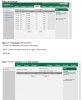
after provisioning i could not add other accounts in the phone or add DSSkey
see attachment

i don't know what to do.

kind regards, Henk
 

Attachments

  • Knipsel.JPG
    Knipsel.JPG
    65.4 KB · Views: 6
Are your phones LAN?

If you fill out the BLF fields in the EXT settings do they fill out?

Im wondering if the phone templates remove the BLF fields if none are used with it being custom 3CX/Yealink templates.
 
the phones are LAN.

Could it be that the last update of the templates wich 3cx introduced are corrupt? is that what you mean?
 
Hi,

Please share the specifics

- PBX Version
- Exact phone model and firmware version
- How did you provision them
 
pbx = enterprise annual 16.0,5.619
yealink t46g 28.82.0.130
i provisioned with stun. the link from 3cx filled in in the server field of the phone.
 
pbx = enterprise annual 16.0,5.619
yealink t46g 28.82.0.130
i provisioned with stun. the link from 3cx filled in in the server field of the phone.
If the phones are LAN, you don't provision them as STUN, but as Local LAN. The provisioning URL will be a local one.
 
If it is a LAN phone, then delete it from the extension Provisioning tab, then reset the device, and once it appears in your Phones tab simply select it and click Assign Ext.

This will take you to the extension provisioning settings and it will fill in the MAC and model correctly. Before you press OK, you can switch to the BLFs tab and add any BLF you want. Finally, press ok and the phone should provision automatically with the BLFs populated
 
  • Like
Reactions: Evolute IT
but it does not matter isn't it? the way to provision? i did before always stun and that works always. i have to add extra accounts in the phone and dsskey because in the phone i could add which line must be choosen for example an emergancy line.
@John did you check the attachment?
 
Yes it could matter and I see no reason to do it STUN when it is clearly LAN, it will not always work depending on the network conditions, you are relying on a mechanism that is not designed to work in a LAN environment.

But don't let that distract you for now. I would say to use the steps I mentioned above and check that the phone works correctly first.

The password of the phone UI (After provisioning) will change, and you can reveal it via the management console's Phones tab
1592836519654.png


Note: we do not support adding multiple 3CX extensions on the same device. It may misbehave.
 
  • Like
Reactions: Evolute IT
Ok, i will try this tomorrow. Thanks in advance
 
Note: we do not support adding multiple 3CX extensions on the same device. It may misbehave.
The phone itself works. Lines work too. BLF works too.

uaCSTA DND is another story lol
 
Status
Not open for further replies.

Forum statistics

Threads
111,953
Messages
589,914
Members
164,850
Latest member
masvty