QR Code

Status
Not open for further replies.

Brock_4118

Customer
Joined
Jul 16, 2019
Messages
61
Reaction score
7
Where can i find the QR code to configure extension in mobile ?
i am using 15.5.5 version
 
If you send a welcome email it will appear in that.

Also, you can get the QR code of an extension via the MGMT console > EXT Settings.

They can probably get in via webclient too
 
in Welcome email you have config file in attachment, just double click on it to set App doing nothing else.
 
Hi Brock,

Note that the QR code is dynamic and changes based on the address you use to access the management console. If it does not work via FQDN URL then log on using the local IP or switch the phone to LTE mode only (no WiFi)
 
Thank you all for quick response,
I know the way i can configure through config file but just wanted to see where i can get QR coz i haven't seen it in Extension Settings in MGMT nor even in webclient when i logged into particular extension webclient.
Anywhere else should i look or am i missing something ?
 
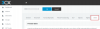
It's here under client. If you don't have it then you may have to update your PBX to a newer edition

12759
 
  • Like
Reactions: bruno.degomme
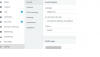
Here i the screenshot of webclient setting
 

Attachments

  • 3cx.png
    3cx.png
    17.8 KB · Views: 40
OK so i don't see client option in management console,
seems like need to upgrade the PBX.
 
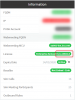
You must have this as a minimum:
12761
 
Ok guys so i got it, in order to get QR code feature i need to upgrade my Management Console PB,
If i upgrade the current PBX, will it gonna affect my current settings or do i have to reconfigured the whole PBX ? i have never upgrade it & also how much time does it take to upgrade ?
 
Status
Not open for further replies.

Members Online Now

No members online now.

Forum statistics

Threads
111,831
Messages
589,277
Members
164,660
Latest member
RJenkinsROCK