- Joined
- Apr 16, 2019
- Messages
- 38
- Reaction score
- 2
Good Morning Support,
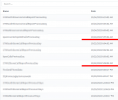
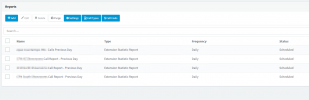
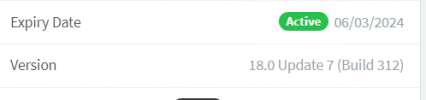
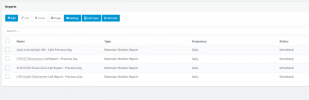
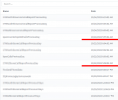
I am hoping you can help us figure out an issue with our reports not sending correctly. We originally had multiple reports setup, some would run daily, others at the beginning of the week, for the week previous. After upgrading to 18.0 U7 (build 312) our reports are not running daily. They will run consistently every 48hrs, but not every 24. I have gone through and deleted ALL of the reports, and only recreated a few, set them to daily and waited. As expected we receive them every 48hrs. Time on the PBX is accurate and matches within milliseconds of the time on our DC's and NTP.
Thank you!
I am hoping you can help us figure out an issue with our reports not sending correctly. We originally had multiple reports setup, some would run daily, others at the beginning of the week, for the week previous. After upgrading to 18.0 U7 (build 312) our reports are not running daily. They will run consistently every 48hrs, but not every 24. I have gone through and deleted ALL of the reports, and only recreated a few, set them to daily and waited. As expected we receive them every 48hrs. Time on the PBX is accurate and matches within milliseconds of the time on our DC's and NTP.
- 3CX Version, Professional Annual
- Server OS, Windows Server 2016 Std
- Is the 3CX Server Hosted and where? On-premises
- IP Phone Make/Model/Firmware version, Yealink T46 & Grandstream GXP2130
- Provisioning Method: Local
- Trunk Provider or VoIP Gateway Make/Model, Flowroute and Telnyx SIP trunks
- Has the Firewall Checker passed: YES
- Are custom Phone Templates being used: NO
Thank you!