Solved Scheduled Report Issue

Status
Not open for further replies.

jcostlow

Gold Partner
Advanced Certified
Joined
Jul 11, 2020
Messages
396
Reaction score
152
  • 3CX Version, Enterprise Annual 18.0.1880
  • Server OS, Debian 10
  • Is the 3CX Server Hosted and where? On-premises
  • IP Phone Make/Model/Firmware version, Snom D735 v10.1.73.16
  • Provisioning Method: Local
  • Trunk Provider or VoIP Gateway Make/Model, AT&T & Net2Phone
  • Has the Firewall Checker passed: YES
  • Are custom Phone Templates being used: NO

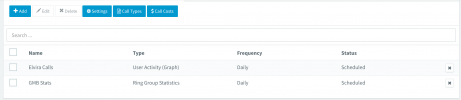
We have a customer that wanted some basic reports daily so I scheduled them to run nightly at 7 PM. Tonight was the first night it ran and it did so as scheduled. For some reason it ran again 2 hours later and has ran every few minutes since. I will probably delete the scheduled reports to make it stop but not sure why it is doing this.
 

Attachments

  • Screen Shot 2021-09-26 at 12.00.40 AM.png
    Screen Shot 2021-09-26 at 12.00.40 AM.png
    220.6 KB · Views: 23
  • Screen Shot 2021-09-26 at 12.00.18 AM.png
    Screen Shot 2021-09-26 at 12.00.18 AM.png
    84.6 KB · Views: 23
Hi @jcostlow,

Were the reports made on v16 then you upgraded to v18?

If you delete them and recreate them, do they still repeat?

If it continues to duplicate reports, have you tried restarting services?
 
Hi @VasilisV_3CX

The reports were made recently and we have been on v18 for a while now.

I deleted the reports to stop them from running so I will recreate to see if it happens again.
 
I have deleted the scheduled reports and re-added. It did it again last night.

Reports ran at 7 as scheduled and then 2 hours later started running every few minutes until 2:38 this morning. I just restarted all services.
 
Hi @jcostlow,

Are you running this machine on Hyper-V by chance?
 
No, it is running on VMware ESXi.
 
I am having the same issue, a report scheduled to run once a day and another once a week. They both run multiple times a day. I have tried deleting and recreating the reports with no luck.
 
Hi @jmckell,

With the report in question, do you have multiple recipients for the report? If yes, can you remove them and test with only one?
 
I have only one recipient per report.
 
I will PM you shortly too then @jmckell.
 
Just an update and I will pass along to the ticket I made. I put the system in verbose mode and made the same reports with multiple recipients this morning. It only ran once as expected.

Tonight the report set to run didn't run at all. I have set the system back to low level logging and will download the support info for the ticket.
 
  • Like
Reactions: VasilisV_3CX
I figured I would post an update in case anyone else is having the issue.

At first I had the report setup with multiple recipients and after talking with support I changed to one report per recipient to see if that helped. Issue was the same.

Got the update today that the issue is with the R&D team.
 
Good that you brought this up, we will try and update this thread once it has been addressed.
 
I too have this same issue.
  • 3CX Version, Enterprise Annual 18.0.1880
  • Server OS, Debian 10
  • Hardware: VMWare eSXI
  • Is the 3CX Server Hosted and where? On-premises
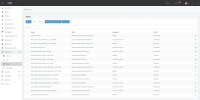
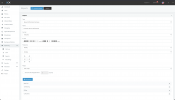
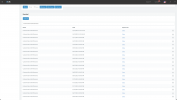
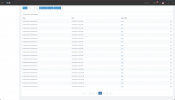
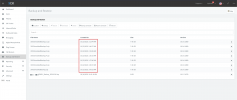
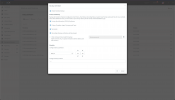
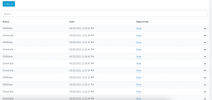
I upgraded our v16 3CX to v18 using the updater built into the management console (webGUI) and then I rebooted the VM after the upgrade was completed to ensure all services were running properly. I have many scheduled reports, some of them to single recipients, some to multiple recipients. I did the upgrade on 10/13/2021 around 11pm MDT, and the reports ran at their regularly scheduled intervals for a while until 10/18/2021 at 12:34am MDT and then it started running all of my scheduled reports every few seconds/minutes for quite some time. It has done this daily since then. I have attached some screenshots showing this issue.

(on a side note, I saw on another forum post that if you upgraded from v16 to v18 the firewall was supposed to stay on iptables but mine was converted to nftables and unfortunately not everything translated so I had to repair some of the rules in order to regain SSH access)
 

Attachments

  • 3cx List of Scheduled Reports.png
    3cx List of Scheduled Reports.png
    571.4 KB · Views: 13
  • 3cx Scheduled Report Details.png
    3cx Scheduled Report Details.png
    325.8 KB · Views: 13
  • 3cx Report Run Log pt1.png
    3cx Report Run Log pt1.png
    527.7 KB · Views: 11
  • 3cx Report Run Log pt2.png
    3cx Report Run Log pt2.png
    525.8 KB · Views: 14
I am not sure about your firewall issue as I haven't had that come up with any I upgraded. My ticket is still open and with R&D for the reports.
 
@jcostlow: Yeah I wasn't sure if anyone else had something up with their firewall after the upgrade. The only thing that happened was that I had some source address subnets allows (/23, /24, etc.) for SSH and the subnet mask was lost in translation so it was only allowing the network IP and not the entire subnet. Easy enough fix, but annoying to encounter. This was still unrelated as my issues persist even after resolving the firewall issue.
----

@3cx: I am still having scheduler issues and I think there is something deeper wrong in v18, as it looks like this issue also expands to Scheduled Backups as well. These don't seem to run as frequently as the reports do, but that is probably due to the amount of time it takes to complete the backup via SFTP.
 

Attachments

  • 3cx_backups_repeating.png
    3cx_backups_repeating.png
    355.7 KB · Views: 5
  • 3cx_backups_details.png
    3cx_backups_details.png
    530.4 KB · Views: 4
@NickD_3CX Is this still with R&D? If so is there any update? I am also having this issue when it comes to reports sent at the correct time and backups running at the correct time.
 
  • Like
Reactions: Namik Eker
@NickD_3CX Is this still with R&D? If so is there any update? I am also having this issue when it comes to reports sent at the correct time and backups running at the correct time.
I checked it is still being worked on. We will try and get it into V18 U2, but I will try and confirm this when the issue is fixed and tested.
 
  • Like
Reactions: Namik Eker
Small update, we have a fix that will be coming with V18 Update 2.

This apparently is caused by small "time driftings" of the 3CX Server.

Until U2, as a measure to minimize this from happening, check that the Host Clocks don't "jump" or "rewind" time.
VMs can be especially sensitive to this, so install things like VMWare tools and in the case of Hyper-V VMs, make sure you have done this.

With V18U2 though, you should be fine.
 
  • Like
Reactions: Evolute IT
Status
Not open for further replies.

Forum statistics

Threads
111,974
Messages
590,081
Members
164,899
Latest member
mazet