- Joined
- Apr 6, 2020
- Messages
- 4
- Reaction score
- 0
Hi,
I may have inadvertently done something stupid.
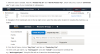
I read somewhere that the IOS app uses tunnel and not SSL/TLS… I am not able to dial out. So I thought I'd turn off the Secure SIP/TLS checkbox, thinking I'd just revert/flip it back on if nothing changed.
Of course, when doing that the large string of characters in the keys disappears.
It's a phone system with a 3CX supplied FQDN.
Any tips? Or have I royally shafted myself?
Cheers!
I may have inadvertently done something stupid.
I read somewhere that the IOS app uses tunnel and not SSL/TLS… I am not able to dial out. So I thought I'd turn off the Secure SIP/TLS checkbox, thinking I'd just revert/flip it back on if nothing changed.
Of course, when doing that the large string of characters in the keys disappears.
It's a phone system with a 3CX supplied FQDN.
Any tips? Or have I royally shafted myself?
Cheers!