- Joined
- Jan 22, 2023
- Messages
- 18
- Reaction score
- 0
Dears,
I need your assist to resolve this issue as after rebooting my 3cx machine on ESXi I couldn't able to sign in again with the error "server error" however I didn't make any updates or changes, so I need a way to backup my data "specially recordings" to a new 3cx machine.
Second Point:-
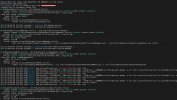
When I connected to 3cx old machine through ssh and download my recordings and uploaded them to the new machine I received an error when downloading the recordings however the path is correct "/var/lib/3cxpbx/Instance1/Data/Recordings/" and system currently saves the new records on it but the old records "which I uploaded manually" isn't working even after restarting the machine and all services
I need your assist to resolve this issue as after rebooting my 3cx machine on ESXi I couldn't able to sign in again with the error "server error" however I didn't make any updates or changes, so I need a way to backup my data "specially recordings" to a new 3cx machine.
Second Point:-
When I connected to 3cx old machine through ssh and download my recordings and uploaded them to the new machine I received an error when downloading the recordings however the path is correct "/var/lib/3cxpbx/Instance1/Data/Recordings/" and system currently saves the new records on it but the old records "which I uploaded manually" isn't working even after restarting the machine and all services