Set holidays by a user

Status
Not open for further replies.

David_K

Bronze Partner
Joined
Apr 3, 2019
Messages
198
Reaction score
27
Hello

I'm wondering if possible to give an employee the rights to record the message then switch the incoming calls to holiday mode by herself.

Today how it's configured is all incoming calls goes to a ring group where she is the 1st member
But it could be changed to a call queue if necessarry.

What I need :

- employee should be able to record the holiday message (from her phone)
- then she should be able to set the holiday mode ON/OFF

Customer asks me to write a simple procedure to allow this to happen.
They prefer to do it by themselves rather than asking us to do it.
 
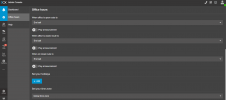
Hello @David_K you can delegate a user with the Receptionist Role, then from the webclient or desktop app the user will be able to configure the holidays, change the announcement, etc.

1690920039925.png


You can check more information about the different roles in this link and a table with the exact rights each role has here
 
  • Like
Reactions: David_K
Hello @David_K you can delegate a user with the Receptionist Role, then from the webclient or desktop app the user will be able to configure the holidays, change the announcement, etc.

View attachment 36589


You can check more information about the different roles in this link and a table with the exact rights each role has here

Thanks @Alejandro_3CX

But using this, when clicking "Set your holidays", it seems we can't choose the announcement so it would be the default HOL message that would be played?

That's not "exactly" what they need.
They like to change the message before leaving for holidays.

And even using this from her own extension will probably modify the settings only for HER extension? Not for the trunk?

What I did is :
- setup the trunk so that it forwards all incoming calls to her (she's the receptionnist so anyway that's the way it should be)
- asked her to personnalize her voicemail message
- asked her to activate DND when they leave for holidays, and desactivate it when they are back

This could have been improved because :

- outside of office hours it will NOT play her holiday message but the generic HOL message
- calls on other DIDs won't get that holiday message
- she can hit the DND key by mistake later, that will play an old holiday message :)

Way I could improve this is instead of using DND status, I could have used on of the 2 custom status thats available, it'll make it a bit more difficult to activate it "by mistake"

I want her to be the most autonomous possible. I don't want to have to change the PBX configuration by myself each time they have a global holiday.
 
Hi @David_K there are just two ways to configure holidays.

1) Global Holidays, it will be used for the whole system, in this way you can set a custom prompt for each holiday. This is configured only from the pbx management console --- settings ---- Language & Office Hours --- Configure Holidays and then you will need to enable the parameter Play holiday prompt when it's a global holiday within the SIP Trunk or Inbound Rule.

2) Specific Holidays per group. You do so from the web client or desktop app as the pic shared above. When you set a group holiday calls will go the out of office destination and you also can upload a prompt there to play an announcement that could be the holiday prompt.

The second option is the easy way so she can do it using her webclient or desktop app using the right Receptionist.

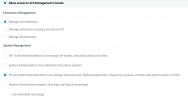
If you need the first option, then she would need a right to access the pbx management console as follows:

1691252027938.png
 
2) Specific Holidays per group. You do so from the web client or desktop app as the pic shared above. When you set a group holiday calls will go the out of office destination and you also can upload a prompt there to play an announcement that could be the holiday prompt.

The second option is the easy way so she can do it using her webclient or desktop app using the right Receptionist.

Thanks @Alejandro_3CX

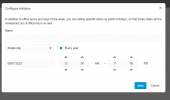
I got that, but as said, in our version, when you setup holidays from the Webclient there is no option to upload a prompt :

1691417138811.png
 
when you setup holidays from the Webclient there is no option to upload a prompt
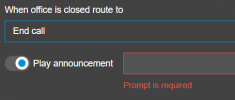
there is not an option to add a prompt for each holiday, but what I mentioned was that calls are going to be forwarded to the out of office destionation and from there you can enable the parameter Play Anouncement, and from there you can upload your desired anouncement in that holiday.

1691417625490.png
 
This thread was helpful today, so thanks.
I wrote a template for instructions. It isn't especially pretty, but is hopefully effective, and maybe it will help someone else:
3CX Users Guide To Holiday Greetings
 
Status
Not open for further replies.

Forum statistics

Threads
112,276
Messages
591,640
Members
165,395
Latest member
amazingbv