Softphone 20.0.460.0 - Not Registered

uhpadmin

Customer
Joined
May 22, 2017
Messages
48
Reaction score
2
I am doing some testing on the latest version and have the softphone installed on my windows machine.
I am able to login, but it is not showing as registered.
We use a mix of Chrome and Edge.
Is there an easy way to fix this?
Fixing on a per install basis is not an option.
 
On your web client, do you allow notifications as per this forum port?
 
not using the web client. will not be asking users to login there.
Is this a requirement?
 
Just to clarify, you provision the new softphone and it shows as unregistered?
 
yes. logged in as user and showing as unregistered.
 
Can you share some screenshots?
 
I`m logged in as a user
1714544458649.png
1714544430055.png
 
System Admin isn`t logged in but showing as registered
 
In the web client can you please allow the notifications?
 
Can this be done by group policy?
 
The notifications are on the browser, can you please enable and check?
 
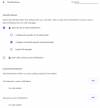
Is this the correct settings?
1714544731423.png
 
Yes, this is correct.
 
ok. so what else could it be?
 
Are they enabled and browser refreshed?
The issue is the same?
 
yes, that is the settings from Chrome on the PC where the user is logged in but showing as not registered.
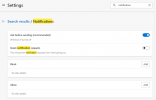
Edge is set like this,
1714545038436.png
 
Have you also allowed from here:

1714545229903.png
 
this is the webclient, right?
We are not using that.
 
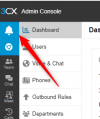
From where is the below screenshot?
1714545418813.png
 
this is from the webclient I am logged into as an admin.
On a separate PC, Angry Anderson is logged in on the softphone installed on Windows PC.
I have clicked the notification on my pc...
1714545570484.png
 

Forum statistics

Threads
111,974
Messages
590,081
Members
164,899
Latest member
mazet