SQL databases CRM integration | Guide

Status
Not open for further replies.

KaterinaK_3CX

Joined
Feb 24, 2016
Messages
246
Reaction score
36
Integrate your SQL databases CRM system with 3CX in order to:
  • Create a new contact automatically when a call is made or received from/to an unknown number
  • Have the customer record brought up to you automatically when you receive an inbound call
  • Launch calls straight from SQL databases via 3CX, using the 3CX Click2Call Browser extensions
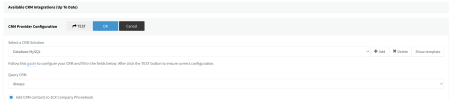
This guide takes you through the steps required to set up your Microsoft SQL Server, MySQL, MariaDB, and PostgreSQL databases with 3CX.

Read the guide.
 
Hi, this guide is great it works perfectly.

But the aggregation times between 3cx address book and ip phones are considerable, why is that?

Let me explain, I call the number 3cx, check the sql, find the number and in a few seconds create the contact according to my settings on the 3cx address book.

So far everything perfect.

If during the call and the contact is created in the 3cx directory, I decide to press 4 diverting the call to an extension or a group of extensions but the name and surname do not appear on the display until a second callback takes place why?

Why is it that during the transfer to the extension it does not check the 3cx directory before the call is transmitted to the extension already from the first bar?

Furthermore, the same behavior is replicated by the 3cx ios app.
 
Last edited:
The lookup in the phonebook is performed when the call starts. This is why you will not see any change until the next call. This is by design, to avoid too many lookups when in most cases there are no changes.
 
  • Like
Reactions: Evolute IT
Could it be done in another way? Maybe a suggestion using the CFD but without crm, exclusively with sql?

I report a bug when generating contacts on 3cx address book.

If I overwrite the database or delete all the contacts in the database having set me to always check the sql database, the 3cx system creates another contact, it does not overwrite the previous one even though the same number and email is used.
 

Attachments

  • Schermata 2022-09-07 alle 23.48.01.png
    Schermata 2022-09-07 alle 23.48.01.png
    1.1 MB · Views: 48
  • Schermata 2022-09-07 alle 23.51.48.png
    Schermata 2022-09-07 alle 23.51.48.png
    436.3 KB · Views: 46
  • Schermata 2022-09-07 alle 23.52.00.png
    Schermata 2022-09-07 alle 23.52.00.png
    328.6 KB · Views: 44
  • Schermata 2022-09-07 alle 23.55.32.png
    Schermata 2022-09-07 alle 23.55.32.png
    87.2 KB · Views: 47
Could it be done in another way? Maybe a suggestion using the CFD but without crm, exclusively with sql?
Unfortunately this is not something you can solve with the CFD....

I report a bug when generating contacts on 3cx address book.

If I overwrite the database or delete all the contacts in the database having set me to always check the sql database, the 3cx system creates another contact, it does not overwrite the previous one even though the same number and email is used.
In order to use the same contact, you need to return the same Contact ID. The email or phone number are not considered a "primary key" for this.
 
  • Like
Reactions: Evolute IT
On the first point inside the CDF recognized the number, I immediately disconnected the outgoing call, making the interlocutor appear as if the call did not really start.

Simulating this error, the system checks the database and creates the contact in the general address book.

Then I set up a heavy traffic message and ask the customer to call back in less than 30 seconds that the line will be free.

It would be useful with the next updates that when it routes the call, it retrieves the data of the person and simultaneously transfers them to the phone, so as to eliminate this "simulation of an unconnected line".


For the second point, I created another database called contacts, check, create and update the name, keeping the same starting id.
 
I solved :-)

The contact is now transmitted immediately during the first conversation, increasing the vpn resources to 2 vcore on digitalocean and restarting 3cx.

Providing the phone with direct sip - remote STUN
 
Hi! There's a way to sync all the contacts from the SQL Server to the 3CX Phonebook with a CLI command or something? Or I have to import/export from a CSV file? There's a risk of duplicate contacts by doing this? Many Thanks
 
Hi! There's a way to sync all the contacts from the SQL Server to the 3CX Phonebook with a CLI command or something? Or I have to import/export from a CSV file? There's a risk of duplicate contacts by doing this? Many Thanks
You will need to import from CSV file.
 
Hi! There's a way to sync all the contacts from the SQL Server to the 3CX Phonebook with a CLI command or something? Or I have to import/export from a CSV file? There's a risk of duplicate contacts by doing this? Many Thanks
As I practiced above in my initial comments you can link the sql database to the 3cx address book.

Without complex configurations, with the first incoming call it will check the database and if the contact is present in the database it creates the name in the address book.

With the second call, (IPPHONE ALLOWING) the contact will appear on the device display.

You simply have to create affinities between the db names and the crm import names, as per my examples.

I have also included the date, time and the service booked by the end customer on the device display among the customizations.

When the appointment date is out of date, cancel the appointment and service date and the name of the pure contact remains.
 
I'm trying to persist call information to a PostgreSQL database using Call Journaling.
I want to record these fields:
PhoneCallId, StartTime, EndTime, FromNumber, ToNumber, DirectionStatus, TransferCount
Previously these fields were directly available from "Call History" API endpoint.
Can I record them using Call Journaling?
What's the best practice for storing these data into an external database?
 
Last edited:
I'm trying to persist call information to a PostgreSQL database using Call Journaling.
I want to record these fields:
PhoneCallId, StartTime, EndTime, FromNumber, ToNumber, DirectionStatus, TransferCount
Previously these fields were directly available from "Call History" API endpoint.
Can I record them using Call Journaling?
What's the best practice for storing these data into an external database?
You have all those values except by TransferCount. This is the list of variables you have available:
https://www.3cx.com/docs/server-side-crm-template-xml-description/#h.vcivldjsa1lz
 
  • Like
Reactions: Evolute IT
You have all those values except by TransferCount. This is the list of variables you have available:
https://www.3cx.com/docs/server-side-crm-template-xml-description/#h.vcivldjsa1lz
Thank you for your response. TransferCount is a crucial statistic for me, and it can be derived from the chain value in the CDR. However, I am unable to infer the TransferCount value from the fields available in Call Journaling. I would appreciate your help in answering the following questions:

1 - Is there a way for me to retrieve the TransferCount information without having to read the CDR?
2 - If reading both the CDR and database is necessary, is there any guarantee on the order of data writing? Specifically, does 3CX always perform Call Journaling before or after writing to the CDR file?
3 - Could you explain the relationship between the TransferCount and the length of the chain field in the CDR? Is the TransferCount calculated as the length of chain, or as the length of chain minus two?
 
1 - Is there a way for me to retrieve the TransferCount information without having to read the CDR?
No, this information will not be provided through Call Journaling, and you can't calculate it either using the variables provided.
2 - If reading both the CDR and database is necessary, is there any guarantee on the order of data writing? Specifically, does 3CX always perform Call Journaling before or after writing to the CDR file?
You can't make assumptions here. Both actions are triggered simultaneously when the call ends, so any of them could be executed first.

3 - Could you explain the relationship between the TransferCount and the length of the chain field in the CDR? Is the TransferCount calculated as the length of chain, or as the length of chain minus two?
The chain field contains all the endpoints that were involved in the call. So, if the call was connected to a single extension (no transfers), you will have 1 entry. If the call was transferred once, you will have 2 endpoints. So the number of transfers should be the number of endpoints minus 1.
 
I am using Call Journaling and need to store the 'call id' in the database. I have searched through the documentation for a corresponding variable but was unable to find one. Could you please let me know if such a variable exists?
 
I am using Call Journaling and need to store the 'call id' in the database. I have searched through the documentation for a corresponding variable but was unable to find one. Could you please let me know if such a variable exists?
It does not
 
Can the variable CallType introduced in Call Journaling be calculated based on the information available in the CDR file? In other words, is there a mapping between the reason-terminated field provided in the CDR files and the corresponding CallType value in this context?
 
Can the variable CallType introduced in Call Journaling be calculated based on the information available in the CDR file? In other words, is there a mapping between the reason-terminated field provided in the CDR files and the corresponding CallType value in this context?
Not really. The call type is either Outbound (for answered outbound calls), Inbound (answered inbound calls, an IVR or queue answering a call will mark it answered there as well), Unanswered (outbound failed) and Missed for unanswered inbound calls.
 
  • Like
Reactions: edossantos
You have all those values except by TransferCount. This is the list of variables you have available:
https://www.3cx.com/docs/server-side-crm-template-xml-description/#h.vcivldjsa1lz
I am trying to establish a mapping between the items generated by Call Journaling and the CDR items. Ideally, I would like to include `history id` or `call id` in the Call Journaling items for this purpose. However, I have been unable to locate the corresponding variables or fields that contain this information. Is there an alternative approach that can help me achieve the desired mapping?
 
I am trying to establish a mapping between the items generated by Call Journaling and the CDR items. Ideally, I would like to include `history id` or `call id` in the Call Journaling items for this purpose. However, I have been unable to locate the corresponding variables or fields that contain this information. Is there an alternative approach that can help me achieve the desired mapping?
There's no consistent call ID in 3CX. You need to do the matching using CallStart UTC and the agent + caller number.
 
  • Like
Reactions: edossantos and mryf
Status
Not open for further replies.