


- Joined
- Aug 6, 2019
- Messages
- 68
- Reaction score
- 12
We have been getting this error for close to 3 weeks now every morning at roughly 4:30am:
"HTTPS Certificate renewal Failed - Network problem SSL certificate failed due to network conditions. Unable to reach Certificate Issuing Servers. The process to renew your certificate will start again in a couple of hours."
I have searched numerous posts here about this issue and have not found anything to resolve my issue. Our server OS is supported and I can't find anything in our firewall or content filtering that indicates that any traffic to or from anything related to "letsencrypt" is being blocked.
I see in my Inbox that we haven't received a message pertaining to a successful SSL cert renewal since 8/21/2020 which states that it valid for 90 days. If accurate, that expiration is coming up in less than 2 weeks.
For what it's worth, 3CX was upgraded to 16.0.6.655 a couple weeks ago (5 days after the cert issue started) for an unrelated reason.
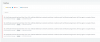
While the screenshot of the event log below only shows the last 4 days, this has been happening for 3 straight weeks.
Any help is GREATLY appreciated.
"HTTPS Certificate renewal Failed - Network problem SSL certificate failed due to network conditions. Unable to reach Certificate Issuing Servers. The process to renew your certificate will start again in a couple of hours."
I have searched numerous posts here about this issue and have not found anything to resolve my issue. Our server OS is supported and I can't find anything in our firewall or content filtering that indicates that any traffic to or from anything related to "letsencrypt" is being blocked.
I see in my Inbox that we haven't received a message pertaining to a successful SSL cert renewal since 8/21/2020 which states that it valid for 90 days. If accurate, that expiration is coming up in less than 2 weeks.
For what it's worth, 3CX was upgraded to 16.0.6.655 a couple weeks ago (5 days after the cert issue started) for an unrelated reason.
While the screenshot of the event log below only shows the last 4 days, this has been happening for 3 straight weeks.
Any help is GREATLY appreciated.
- 3CX Version, Enterprise Annual 16.0.6.655
- Server OS, Windows Server 2019 v1809
- VM Hosted locally
- Has the Firewall Checker passed: YES
- Are custom Phone Templates being used: NO


