Start chat button not working

Status
Not open for further replies.

rashedbrur

Free User
Joined
Dec 13, 2019
Messages
1
Reaction score
0
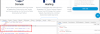
I have installed this plugin first time, searched forum. I marked this is awesome plugin. After installing the UI start chat button is not working. I inspected my code.
wp-live-chat-react, wp-live-chat-3, wp-live-chat-4 all these classes shows display none. Clicking the button this should display block. Thinking the click event on button not working. How can solve this issues? please help.
 

Attachments

  • Screenshot_2.png
    Screenshot_2.png
    76.6 KB · Views: 59
Hi there,

The plugin should work out of the box without any configuration. Please uninstall, re-install it and try to use it again without any configuration. If it still fails to work, please PM me a link to your website.
 
Bonjour,

J'ai installé 3cx le plugin WordPress 3CX Live Chat & Talk sur mon site wordpress mais cela ne fonctionne pas pour les visiteurs du site qui ont le bouton d'appel qui apparaît grisé et ne s'active pas. Sur mon PC, cependant, cela fonctionne. Pourrais-tu m'aider s'il te plait? Je cherche la solution depuis deux jours ..
 
[QUOTE = "LeonidasG, message: 309791, membre: 8144"]
Salut,

Le plugin devrait fonctionner hors de la boîte sans aucune configuration. Veuillez le désinstaller, le réinstaller et réessayer de l'utiliser sans aucune configuration. Si cela ne fonctionne toujours pas, envoyez-moi un lien vers votre site Web.
[/CITATION]

Je vous remercie. le site est www.job-a-venir.com Le site est accessible. sera-t-il possible de vous envoyer un nom d'utilisateur et un mot de passe en privé?
 
Thank you for your reply. I tried to uninstall and reinstall but still the same. the button for the call is grayed out and it also takes a long time to appear on the page. The site is www.job-a-venir.com. There is a need for a username and password to access the site.
Thank you very much for your help because I am a complete beginner and I absolutely need this site for my work on Monday ....
 
Are you using 3cx Express , or on-promise ?

If Express then it will work fine. but if on promise you need to test it from another Network.

this plug-in came with easy setup and no need for any configuration , and its working fine with me. please try again i will try to help you with this issue.
 
You must list your site in the plugin settings (on the 3cx server) to "whitelist" its communication to the 3CX server for this to work.
 
  • Like
Reactions: rickydg
You must list your site in the plugin settings (on the 3cx server) to "whitelist" its communication to the 3CX server for this to work.
I dont't exactly from which server 3cx receive the request, because I used a shared system to host my website (in my case WIX)
Is there some kind of wildcard to use ?
 
On the wordpress integration setup in 3CX Settings, you just type in your url of the wordpress site.

www.blah.com
 
You must list your site in the plugin settings (on the 3cx server) to "whitelist" its communication to the 3CX server for this to work.
THIS! This helped me after 30 minutes of head scratching :)
 
Status
Not open for further replies.

Members Online Now

No members online now.

Forum statistics

Threads
111,832
Messages
589,285
Members
164,662
Latest member
DejanMDS