SuiteCRM 7.13 with xml integration script to enable pop-up of account when client calls to user?

Status
Not open for further replies.

rsp#24

Forum User
Joined
Feb 22, 2024
Messages
32
Reaction score
1
Hello everyone,

I have SuiteCRM v7.13 with PHP 7.4. I want to enable account window pop-up for user when a client call.

I tried below code but it did not work for me.
Location: Settings->Integration->CRM->Server side->Add+(SuiteCRM)

CODE HERE

Could you please help me? :)
 

Attachments

This template is not supported by 3CX. What error are you getting? You need to provide more details to get help....
 
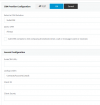
What will go at General Configuration tab?
 

Attachments

  • 1708618372278.png
    1708618372278.png
    20.6 KB · Views: 8
Server Error
3CX Management console is not responding. This may be be a browser issue - Clear your browser cache, refresh and try again.

I deleted cache and tried again and got same error.
I am using Chrome browser.
 
Do we need https URL for SuiteCRM URL?
 
That template was not developed by us, so we can't help on how you should configure it. You should contact the developer.
 
  • Like
Reactions: Evolute IT
Hello,

I am using Database MySQL under CRM Integration. So, I set-up my Contact URL Prefix and Suffix. It is correct, since I checked by running Test.

So will it open related contact page on CRM for our CRM users? How to use it? How to test it?

This Contact URL is considered the key for the contact in 3CX Contacts, and is used to update the contact if any change is detected in the database. Also, this Contact URL is shown in the 3CX Web Client, so if you have a web page to show the contact record, use these settings to create the URL to point to that page.

https://www.3cx.com/community/threads/contact-url-for-mssql-integration.70632/
 
Last edited:
When the agent receives the call, the Web Client will popup the URL returned in a new browser tab. You need to test this with calls coming from an external line.
 
Wow really :cool: That's what we want actually! I will let you know if it works.

 
Last edited:
When the agent receives the call, the Web Client will popup the URL returned in a new browser tab.

@edossantos, I tried it out. So, it is not popping up the URL returned in a new browser tab.

But, it is giving me (CRM) on dial pad. Then I need to click on it.

How to enable automatic contact pop-up?

 
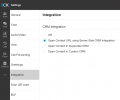
When you answer the call, that URL will be automatically launched, as long as you have the "server side integration" option selected in the Web Client > Settings > Integrations.
 
  • Like
Reactions: Evolute IT
Thank you, sir! I have set it to Open Contact URL using Server Side CRM Integration and I will test it and update you.

1708697356372.png

@edossantos

Is it possible to enable it for all users or every user have to enable this setting?
 
Awesome! :cool: :) It is working now!
 

Attachments

  • dance.gif
    dance.gif
    2.6 MB · Views: 3
Each user must configure this in their Web Client.
 
Thank you so much :D
 
Status
Not open for further replies.