


- Joined
- Jun 19, 2017
- Messages
- 6
- Reaction score
- 0
I have a small 3CX system with a couple of Yealink T48S phones connected. 3CX runs in AWS and the two T48S phones are in two different locations. Each location has a Raspberry Pi running SBC.
One of the T48S phones is still working properly. The other phone will no longer register. I've been traveling and I'm not sure when it stopped working, but it was on or shortly after the 15.5 Update 4.
I've completed a factory reset on the phone (multiple times) and I've removed the phone from the extension and phones list within 3CX. Upon reset, it shows up in the Phones list with 3CX. I try to assign it to an extension and it receives the configuration for that extension, but after reboot still says "No Service" and will not register. When I look back in the phone list, it has shown up again as a "New" phone.
Both T48S phones are on firmware version 66.82.0.20. Both were working fine for many months prior to this incident.
The one thing I have noticed is that the nonfunctional phone does say it's connecting from <IP>:5059 via SBC <IP>:5060 whereas the working phone shows port 5060 for both the phone and SBC IPs.

I don't see any attempt in the Activity or Event logs for this phone to register, but it is appearing in the phone list as I mentioned above.
I have also tried creating a new extension and registering it to that extension with the same result.
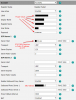
Once I assign it to the extension and it attempts to provision, I can login to the phone webui using the credentials assigned in 3CX and see that it has the proper SIP parameters -- it just won't actually register to the extension. The phone UI says "registration failed".
Any suggestions? Has anyone else run into this issue?
Thank you!
One of the T48S phones is still working properly. The other phone will no longer register. I've been traveling and I'm not sure when it stopped working, but it was on or shortly after the 15.5 Update 4.
I've completed a factory reset on the phone (multiple times) and I've removed the phone from the extension and phones list within 3CX. Upon reset, it shows up in the Phones list with 3CX. I try to assign it to an extension and it receives the configuration for that extension, but after reboot still says "No Service" and will not register. When I look back in the phone list, it has shown up again as a "New" phone.
Both T48S phones are on firmware version 66.82.0.20. Both were working fine for many months prior to this incident.
The one thing I have noticed is that the nonfunctional phone does say it's connecting from <IP>:5059 via SBC <IP>:5060 whereas the working phone shows port 5060 for both the phone and SBC IPs.
I don't see any attempt in the Activity or Event logs for this phone to register, but it is appearing in the phone list as I mentioned above.
I have also tried creating a new extension and registering it to that extension with the same result.
Once I assign it to the extension and it attempts to provision, I can login to the phone webui using the credentials assigned in 3CX and see that it has the proper SIP parameters -- it just won't actually register to the extension. The phone UI says "registration failed".
Any suggestions? Has anyone else run into this issue?
Thank you!


