Transcription for Voicemail on 3CX V20 - Pro, or Enterprise only?

Status
Not open for further replies.

sravasti

Customer
Joined
Dec 11, 2023
Messages
5
Reaction score
2
I am on a hosted install, PRO license, and configured Transcription via Google with the old method (using this documentation: https://www.3cx.com/docs/voicemail-transcription/). It worked fine on V18, update 9 .

Today I upgraded to V20, and proceeded to follow the documentation (https://www.3cx.com/docs/manual/google-speech-api-v2/) for Google API V2.

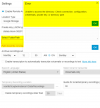
I hit an obstacle at the final step of configuring 3CX. Under step 5 item 4 says: "Select the option “Enable Transcription to automatically transcribe a Voicemail or a Recordings to text.” However, that option is greyed out and the hover tip says "Available in Enterprise only"

I've left two voicemails that were emailed to the user with audio file, but there was no transcription.

Everything else appears to be configured correctly - I was able to upload the json key and the bucket name populated in the 3CX window. On the Google side, I see that there was an authentication to the service account, but no subsequent traffic. I do not see any objects in my bucket. I don't see any errors under bucket "observability," only traffic that seems to be from me querying the bucket via the cloud console interface.

So - is "enable transcription to automatically transcribe voicemails or recordings to text" really only for Enterprise? Isn't voicemail transcription a feature of PRO? Or, is it likely a different issue?
1702340042199.png
 
Yes we know about this and we will be offering more transcription options
 

Attachments

  • 2024-04-03 15_05_18-Admin Console - 3CX and 13 more pages - Work - Microsoft​ Edge.png
    2024-04-03 15_05_18-Admin Console - 3CX and 13 more pages - Work - Microsoft​ Edge.png
    31.6 KB · Views: 47
@Alexg82 this error occurs when pressing the 3dots to go to the folder?
Have you followed instructions as per guideline here?
 
Yes when I press 3 dots i get the error message as per screenshot in the previous thread.
@Alexg82 this error occurs when pressing the 3dots to go to the folder?
Have you followed instructions as per guideline here?
Yes when I press 3 dots i get the error message as per screenshot in the previous thread.
 
This seems to be a permissions issue. Can you please ensure that you followed this guideline?
 
We just migrated to 3CX last month! Big fan and so far love the UI. But struggling a little bit with transcription. I was able to setup voicemail transcription for my organization in v20. However, it looks like I have to archive our recordings to our Google Storage. We don't want to archive our recorded calls, but still have Google do our transcription. Is there a way to turn off remote archiving while maintaining transcription for voicemails? If not, is it possible to add a button under the "Archive recording schedule"? Currently the options are daily, weekly, monthly, and immediate. Any chance we could just add a button that sets it for "Never"? Thanks!
 
Unless you are using Google for recordings there is no longer an option to use transcription using the split modalities as was available in V18.
For example, users using SharePoint in V20 for recordings are no longer offered the split configuration as they were in V18 and will have to wait to upgrade until they either restore the split option or they deploy other transcription engines like Copilot as @Nick Galea has suggested in other post... We have customers that will be held back because of this so we are hoping for a solution sooner than latter...
This is frustrating. We were wanting to keep our backups on our Sharepoint but I guess this will do for now
 
  • Like
Reactions: DemarestG
So with the update, I dont see a place to put the API key for transcription. How does that work now?
 
Hi Team
This is a bug. Should be in PRO and ENT.
Will be adjusted in the next update. Thank you so much for reporting.
Has this been adjusted yet? What version was the "next update"? We're on on-prem V20 Update 2 with a Pro license and there is no "Storage" menu within the "System" menu as indicated in https://www.3cx.com/docs/manual/google-speech-api-v2/

Also none of these docs indicate what 3CX version they apply to. Googling "3CX transcription" also found this https://www.3cx.com/docs/voicemail-transcription/, which is not in the "manuals" subfolder but again neither document makes any mention of what version of 3CX it is meant for.

So I then googled "3CX remote data storage" and found this document: https://www.3cx.com/docs/manual/remote-data-storage/, which says but there is no "Storage" item on our Dashboard.
 
Has this been adjusted yet? What version was the "next update"? We're on on-prem V20 Update 2 with a Pro license and there is no "Storage" menu within the "System" menu as indicated in https://www.3cx.com/docs/manual/google-speech-api-v2/

Also none of these docs indicate what 3CX version they apply to. Googling "3CX transcription" also found this https://www.3cx.com/docs/voicemail-transcription/, which is not in the "manuals" subfolder but again neither document makes any mention of what version of 3CX it is meant for.

So I then googled "3CX remote data storage" and found this document: https://www.3cx.com/docs/manual/remote-data-storage/, which says but there is no "Storage" item on our Dashboard.
Those docs are all for v20 U3 mostly. Which is currently in Alpha.
 
Has this been adjusted yet? What version was the "next update"? We're on on-prem V20 Update 2 with a Pro license and there is no "Storage" menu within the "System" menu as indicated in https://www.3cx.com/docs/manual/google-speech-api-v2/

Also none of these docs indicate what 3CX version they apply to. Googling "3CX transcription" also found this https://www.3cx.com/docs/voicemail-transcription/, which is not in the "manuals" subfolder but again neither document makes any mention of what version of 3CX it is meant for.

So I then googled "3CX remote data storage" and found this document: https://www.3cx.com/docs/manual/remote-data-storage/, which says but there is no "Storage" item on our Dashboard.

Yes, this bug was fixed some months ago.

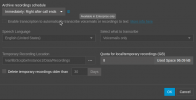
I am on (hosted) Pro Version 20.0 Update 2 (Build 715 Release). Our google storage configuration is set up in Admin > Recordings > Settings.

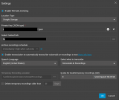
It looks like the documentation (https://www.3cx.com/docs/manual/google-speech-api-v2/) was recently edited, but I think that will work for Update 2 if you follow those steps but then enter the google information into Recordings > Settings

3cx_voicmail_transcript.png
 
  • Like
Reactions: Evolute IT
Hi All

I have a client using VM to Text and on the V20 upgrade it has lost this setup

New reading though all the post and looking at

https://www.3cx.com/docs/manual/google-speech-api-v2/

The guide is already out of date

You go System and Storage but there is no Storage under System

Can we please get a new Guide 3CX??????
 
@Anthony - Sedcom The guide is updated on 22 August 2024 and apply to the new Update 3 Beta version.
 
  • Like
Reactions: Evolute IT
Status
Not open for further replies.

Latest Posts

Forum statistics

Threads
111,953
Messages
589,917
Members
164,851
Latest member
DrunkeMeister