Trouble registering a Patton Analog FXO trunk

Status
Not open for further replies.

DASHIP

Free User
Joined
Mar 10, 2018
Messages
8
Reaction score
0
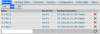
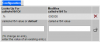
My configuration is very basic. I am using 3CX at home. I have a DSL internet connection on a single analog POTS line. I purchased a Patton SmartNode 4528 (4 x FXO, 4 x FXS) to use in conjunction with 3CX. I followed the instructions on adding the SIP trunk for the Patton Analog FXO including downloading the config to the Patton, but I am unable to get the Patton to register with 3CX. The issue seems to be related to authentication. The 3CX console shows that the Patton is not registered.
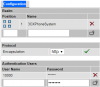
upload_2018-3-13_1-16-35.png
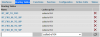
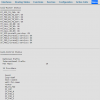
It does not show that a Register Sent event has happened, nor that there was a Last Failed Register event. However, the Blacklist shows that the IP of the Patton has been blacklisted due to too many attempts to register. I have removed the Patton from the blacklist several times, but it doesn't help, nor does clicking Refresh Registration.
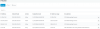
upload_2018-3-13_1-18-52.png
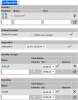
The authentication settings of the Patton are set to Register/Account based, although when I log into the Patton directly, I cannot find those settings anywhere.
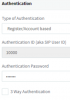
upload_2018-3-13_1-20-2.png
I tried setting the authentication to Do Not Require - IP Based, but that did not solve the problem. Interestingly, I am able to make outbound calls, but cannot receive inbound calls.

I thought it would be easy to set up an approved SIP gateway, but I can't seem to figure out this issue. BTW, I currently have the firewall turned off on the 3CX server, which is on the same 10.0.0.X subnet as the Patton gateway.

I would appreciate any help, ideas, or someone who knows where to find the Authentication settings in the Patton gateway web interface.
 
Hi DASHIP,

Unfortunately the "combi" Patton units are not supported by 3CX. Although the Patton's are an approved gateway brand, there are only certain models supported by 3CX:
https://www.3cx.com/voip-gateways/

Basically what this means is that 3CX does not have a template that will fully support the combination of both FXS and FXO (only separately). It sounds to me like you have auto-provisioned the Gateway from 3CX for perhaps FXO maybe ?

I am afraid your options for the Patton are either to manually configure it (which your distributor should be able to assist with - or Patton Directly). Or write a custom template (so perhaps take the FXO version and modify it for the FXS extensions) it should not be too difficult.

I would also check that your FXO line does not have PBX like functionality running on it - over here in the UK BT offer this as a service called "feature-line" this will definitely cause you issues if turned on.
 
Here is a link to a video going into the Web Based management of a Patton 4524. I'm going to assume that it is going to be similar on your model.


The fact that you are receiving calls would seem to indicate that basic network settings are probably correct. If you check the 3CX Activity Log for signs of registration, and don't see any, then the 3CX server IP (and port?) may not be correct. Once you begin to get (even failed) registrations, then you can work on the user/password part if incorrect.
 
Last edited:
Where I think that the video may offer some insight, be aware that it was taken on a unit running 6.2 version firmware. We are currently on SmartWare 6.10 firmware so there maybe differences.
 
Thanks to everyone who responded. I am using the latest firmware on the Patton. As I indicated above, the Patton is trying to connect and authenticate with the 3CX, which is why it is getting blacklisted. I think it is somehow using the wrong credentials, or it is related to user name, etc. I looked at the video, but unfortunately in the FXO setup, it is different, and actually disabled in the video. It looks like he is just using basic default config for most settings.

I apologize for this really long post, but don't know how else to show all the config options of the Patton, which are extensive to say the least. It is obviously a powerful and flexible device.

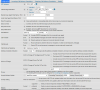
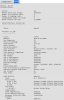
Here is my config:
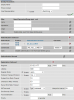
upload_2018-3-14_0-5-19.png

It looked to me like the user was just accepting the default settings for FXO, FXS, and SIP. Here is my SIP config:
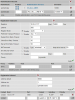
upload_2018-3-14_0-10-50.png

The routing tables look a bit different:
upload_2018-3-14_0-15-38.png

Functions:
upload_2018-3-14_0-19-8.png

Individual Function (MT_CALL_ID_00):
upload_2018-3-14_0-20-6.png

Services:
upload_2018-3-14_0-22-34.png

Status:
upload_2018-3-14_0-26-46.png

SIP Status / config
upload_2018-3-14_0-32-1.png

Location Service (Does it need a port defined?):
upload_2018-3-14_0-33-56.png

Identity 10000 (Does the authentication Inbound need to be set?):
upload_2018-3-14_0-36-54.png

AS_ALL_LINES user Config:
(Can't show as max attachments reached, will show on next post)
 
Last edited:
Identity_10000 Config continued:
There was also registration for Inbound, Call Outbound, and Call Inbound that were not set. I will mess with these settings to see if it helps.

AS_ALL_LINES user Config (This matches the 3CX config for the Patton Analog FXO. I reset the password on the 3CX and Patton to make sure they were the same):
upload_2018-3-14_0-40-3.png

Again, sorry for this uber-long post. I never realized how much config there would be on the Patton devices. They are far more powerful, and complicated than I expected. I will report back with my testing results.
 

Attachments

  • upload_2018-3-14_0-55-22.png
    upload_2018-3-14_0-55-22.png
    77.9 KB · Views: 15
Status
Not open for further replies.

Members Online Now

No members online now.

Forum statistics

Threads
111,832
Messages
589,286
Members
164,662
Latest member
DejanMDS