- Joined
- Mar 10, 2018
- Messages
- 8
- Reaction score
- 0
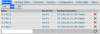
My configuration is very basic. I am using 3CX at home. I have a DSL internet connection on a single analog POTS line. I purchased a Patton SmartNode 4528 (4 x FXO, 4 x FXS) to use in conjunction with 3CX. I followed the instructions on adding the SIP trunk for the Patton Analog FXO including downloading the config to the Patton, but I am unable to get the Patton to register with 3CX. The issue seems to be related to authentication. The 3CX console shows that the Patton is not registered.

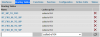
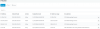
It does not show that a Register Sent event has happened, nor that there was a Last Failed Register event. However, the Blacklist shows that the IP of the Patton has been blacklisted due to too many attempts to register. I have removed the Patton from the blacklist several times, but it doesn't help, nor does clicking Refresh Registration.
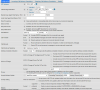
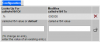
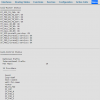
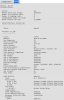
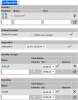
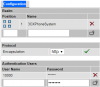
The authentication settings of the Patton are set to Register/Account based, although when I log into the Patton directly, I cannot find those settings anywhere.
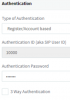
I tried setting the authentication to Do Not Require - IP Based, but that did not solve the problem. Interestingly, I am able to make outbound calls, but cannot receive inbound calls.
I thought it would be easy to set up an approved SIP gateway, but I can't seem to figure out this issue. BTW, I currently have the firewall turned off on the 3CX server, which is on the same 10.0.0.X subnet as the Patton gateway.
I would appreciate any help, ideas, or someone who knows where to find the Authentication settings in the Patton gateway web interface.
It does not show that a Register Sent event has happened, nor that there was a Last Failed Register event. However, the Blacklist shows that the IP of the Patton has been blacklisted due to too many attempts to register. I have removed the Patton from the blacklist several times, but it doesn't help, nor does clicking Refresh Registration.
The authentication settings of the Patton are set to Register/Account based, although when I log into the Patton directly, I cannot find those settings anywhere.
I tried setting the authentication to Do Not Require - IP Based, but that did not solve the problem. Interestingly, I am able to make outbound calls, but cannot receive inbound calls.
I thought it would be easy to set up an approved SIP gateway, but I can't seem to figure out this issue. BTW, I currently have the firewall turned off on the 3CX server, which is on the same 10.0.0.X subnet as the Patton gateway.
I would appreciate any help, ideas, or someone who knows where to find the Authentication settings in the Patton gateway web interface.