Unable to configure Grand stream GXW4104 with 3cx

Status
Not open for further replies.

srane.sushant

Silver Partner
Advanced Certified
Joined
Feb 25, 2020
Messages
78
Reaction score
11
Hello 3cx

First of all i followed SOP as per 3cx for "configuration fo grandstream gw with 3cx" on https://www.3cx.com/voip-gateways/grandstream-fxo/

No luck

I did a packet capture and found the following error.

Unsupported media type

1592994454246.png

And call just keep on ringing.

Some time i even got an error of Proxy required
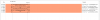
 
This would appear to be a Codec compatibility issue. Have you restricted the use of certain Codecs at some point, in the sets, Gateway, or 3CX? The 3CX Activity Log, (you may have to use Verbose mode), may provide additional information, about what is happening during the Codec negotiation.
 
Hello Leejor

Now getting following error

1593022462759.png
 
Did you make changes to a setting involving the password, or something else involed with registration?
 
Did you make changes to a setting involving the password, or something else involed with registration?
Hello

No. I try entering the password manually. As it was not showing registered on grandsream.

But still, its showing unregisters and only turn green if IP based is selected.
 
I would "factory" reset the device, follow the instructions in the link you posted, and try re-provisioning again
 
I would "factory" reset the device, follow the instructions in the link you posted, and try re-provisioning again
Hello Done many times no luck
 
Hi,

Perhaps you missed a step? What about the firmware?

Having invalid password or codec mismatch would imply the device was not provisioned correctly otherwise it would pick up what the PBX provided (both regarding codecs and authentication)

Please take another look at the guide and avoid making any changes if possible (to bring it up on full defaults).
 
Hi,

Perhaps you missed a step? What about the firmware?

Having invalid password or codec mismatch would imply the device was not provisioned correctly otherwise it would pick up what the PBX provided (both regarding codecs and authentication)

Please take another look at the guide and avoid making any changes if possible (to bring it up on full defaults).

No, I followed the guide multiple times with each and every step. Yes, even firmware is up to date. Now no more "GRANDSTREAM Devices" for our client or as a recommendation. I agree on im not that good in on VOIP and other CODED stuff. But what I believe "in IT product is only good and acceptable by the customer if it's easy to configure and more important Support team should be quick enough to help you"...(I logged a case with grand stream and still no response) In that case, I like the 3cx community where everyone comes together to help each other. I fix the issue using non-compatible VOIP gateway (DLINK VOIP DVG6004G)and it works. I just used SIP account registration and it worked.

Any way thank a lot for help and support... If Grandstream helpdesk contacts me or come up with some solution ill surely share it on 3cx Community.

Special thanks to @jakthree I followed his step mention and I think 3cx should make changes in there article as he suggested.
 
Hi,

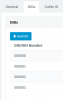
In step 6 did you include the numbers exactly like the screenshot or did you use your real numbers?
1593089633664.png

In addition what puzzles me if the guide was followed is why the captures showed the below
a) Codec negotiation failed (this shouldn't happen with default settings)
b) Authentication failed (this shouldn't happen with default settings)
 
Looking back at your second attachment, in particular, the IPs being used, it would seem, that the gateway is not on the same subnet, as the server. I'm wondering if that has something to do with the issues.
 
  • Like
Reactions: JohnS_3CX
Looking back at your second attachment, in particular, the IPs being used, it would seem, that the gateway is not on the same subnet, as the server. I'm wondering if that has something to do with the issues.
Both are connected over VPN. I asume its issue with Grandstream GW & My ISP ONT box not issue with 3cx..... As another Non Compatible Dlink GW is working absolute with no issue. Still no reply from Grandstream Helpdesk:mad:
 
By the way is it possible to capture on the PBX, and on the other side from LAN interface of the Grandstream?

Just so you can see if the captures match or maybe someone in the middle is changing the SIP messages (other than the IP addresses I mean)
 
Ive had issues before with Grandstream, SIP ALG on phone network router kills registration, assuming that your PBX is on a different LAN and has passed firewall checker
 
Just before Step 1 in the guide:

"The device must be local to 3CX, in the same subnet and/or locally routed subnet (including site to site VPN) "


You can technically use it in a locally routed subnet, so long as the routing is not impeded in any way
 
Status
Not open for further replies.

Members Online Now

No members online now.

Forum statistics

Threads
111,832
Messages
589,285
Members
164,662
Latest member
DejanMDS