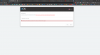
Unable to connect with 3CX License server. Check your network and try again.

Status
Not open for further replies.

OmarSaber

Free User
Joined
Aug 25, 2020
Messages
8
Reaction score
0
I tried to install several times but the same error appears

The vps server is running Debian 9-64X

I changed the dns to 8.8.8.8 and did not solve the problem?

Are there any solutions to this problem?

2020-12-22_142030.png
 
I am reinstalling Debian 10 and trying
 
What firewall are you using as it could be this blocking you. I would try looking at your logs if you can.
 
I did not make any firewall at all
 
Hi,

Where is the machine installed?
How does it connect to the internet?
Does the internet box have any limitations?
Does your ISP block traffic towards any destination?
 
Hi,

Where is the machine installed?
How does it connect to the internet?
Does the internet box have any limitations?
Does your ISP block traffic towards any destination?


I purchased a vps server from the OneProvider company, installed the Debian 9-64X system, and completely installed the 3cx, and when the settings come as in the picture attached to the topic, the license is not activated
 
Hi Omar,

We still do not know whether the VPS machine can reach the 3CX servers based on what you told us.

How did you install 3CX?
 
That is not the official way that we support, so I cannot tell you whether it will work or not.

I think you should delete the VM and start from scratch.

Does your VPS provider allow you to install an ISO on a machine?
 
The server does not allow uploading any ISO files, but it does provide files for operating systems
 
In this case you might as well leave the VM you have now, but you will need to troubleshoot the internet connection by yourself, I will not be able to help you on that part unfortunately.

Alternatively, you can cancel that machine altogether and get on one of the supported platforms.

Self Hosting – Supported Cloud Providers
https://www.3cx.com/partners/hosted-pbx-providers/
 
This server cannot be dispensed with
 
In that case you will have to troubleshoot manually, I don't think you have many options left.

My recommendation is:

- Ensure that 3CX is V16.0.7.1078
- You have to manually analyze the traffic from the PBX to activation.3cx.com
 
Status
Not open for further replies.

Latest Posts

Forum statistics

Threads
111,990
Messages
590,161
Members
164,925
Latest member
batarong