Unable to open contact URL

Status
Not open for further replies.

mirko.golfieri

Customer
Joined
Nov 9, 2020
Messages
8
Reaction score
0
Hello,
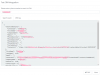
I've used 3CX CRM Template Generator to build the XML to upload into 3CX Management Console CRM Integration (2020-11-11 12 35 55.png)
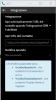
I've tested from 3CX Management Console CRM Integration and everything works fine (2020-11-11 12 37 56.png).
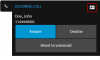
I've Chrome Extension configured to open URL when CRM integration is enabled (2020-11-11 12 36 40.png).
When I receive a call I 've a log in our web services, so they are called and the response is good, but the web client doesn't open a new tab with the contact url.

What to do to solve?

Thanks,
Mirko
 

Attachments

  • 2020-11-11 12 35 55.png
    2020-11-11 12 35 55.png
    42.1 KB · Views: 23
  • 2020-11-11 12 37 56.png
    2020-11-11 12 37 56.png
    25.2 KB · Views: 24
  • 2020-11-11 12 36 40.png
    2020-11-11 12 36 40.png
    13.3 KB · Views: 23
Do you see the contact card when you receive an inbound call from a matched contact?
1605118085354.png

Also, ensure that you don't have a normal contact matching the caller number already in 3CX Contacts.
 
Hello,
thanks a lot.
I've enabled CRM integration and also Exchange Contact integration and this is the problem.
The contact already exists in Exchange so the URL doesn't trigger up.
But, I've a question to understand better.

CRM integration permits to me to fill the 3CX contact with CRM contact, but only when I receive a call.
So, if I've someone to call and this one has never called me, I've to search his number somewhere else (CRM or Exchange).
This is why I've also enabled Exchange sync.
Does exists a way to fill 3CX contacts with all the CRM contacts?
 
Hello,
thanks a lot.
I've enabled CRM integration and also Exchange Contact integration and this is the problem.
The contact already exists in Exchange so the URL doesn't trigger up.
But, I've a question to understand better.

CRM integration permits to me to fill the 3CX contact with CRM contact, but only when I receive a call.
So, if I've someone to call and this one has never called me, I've to search his number somewhere else (CRM or Exchange).
This is why I've also enabled Exchange sync.
Does exists a way to fill 3CX contacts with all the CRM contacts?
That's correct, in case you want to call someone that has never called you, you will need to start the call from the CRM. You can use the click to call browser extensions for that.
 
Uhm,
it's not what I expect, I try to explain.

The use of a browser extension require some changes that could be very hard to apply to an existing software, especially if it's desktop and wirtten with legacy technology and used thorugh Terminal Server.

What I expect?
I expect to use both Exchange and CRM.
With Exchange I fill all my contact from public folder. Public folder is filled by CRM.
With CRM integration I expect to open web page contact url every time I identity someone with CRM web services, not only if the contact isn't present as Exchange contact.

I've seen that when there's an incoming call, the web services used to identify the contact is called, also if it exists as an Exchange contact and it's normal, I've to identify him.
Once I've identified, why don't call CRM contact url also if it's an Exchange contact?
Otherwise, why not supply a way to fill the 3CX contact with all the CRM contact?

Up to my modest and simple opinion it's something necessary. Today the integration is a good point, but not usable.

Mirko
 
Thanks for your feedback Mirko, we're aware of this being a problem in some cases.

The problem in this particular case is that, when you have an existing contact in 3CX Contacts (in your case the contact obtained from Exchange), it will be considered first, instead of considering the contact added from the CRM. This is due to the order in which they were created, the first existing contact takes precedence.
 
Hello,
I think it's not a problem related to order.
Since the call to the web services is always done, because you have to check if the contact exists, what is missing is simple the call to the founded contact url.

The use of extension, as I wrote before, it's not something useful.

I hope you would complete CRM integration. I think that a good approach is to use or Exchange or CRM. But this means that I need a way to fill 3CX contact with CRM contact, without waiting for a call
 
I think it's not a problem related to order.
Since the call to the web services is always done, because you have to check if the contact exists, what is missing is simple the call to the founded contact url.
Yes, the contact lookup against the CRM can be triggered anyway in this case, but the contact details passed to the Web Client will belong to the first existing contact. That's why you will see the CRM contact added to 3CX contacts, but not the popup.

The use of extension, as I wrote before, it's not something useful.
You also have the hot-key dialing feature available in the 3CX client for Windows, if your CRM is not web based.
 
  • Like
Reactions: Evolute IT
I hope you will take in account my suggestion that is quite simple and complete your solution.
At this moment I've to choose between
1. have all contacts from Exchange and no popup
2. have only the contacts created when someone call me, with the popup

The number 2 is totally uncomplete, imagine all my colleague that works without contact.

I sincerely open to receive a feedback from this thread when you will implements this solution, if you will implements it.

For now I'm sorry to choose Exchange
 
Is there any news regards this subject?
Thanks
Mirko
 
Status
Not open for further replies.

Latest Posts

Forum statistics

Threads
112,324
Messages
591,897
Members
165,475
Latest member
lastshadow