- Joined
- Nov 17, 2020
- Messages
- 25
- Reaction score
- 3
Hi All,
First new install from scratch in awhile. Installed v18 to start with as I'm more familar with it but will upgrade to v20 in the near future.
On Premise install, Fortigate 40F Router being used. Firewall test is ok. I can resolve the FQDN url while in the local lan so I believe I have the split DNS right. I just followed the guide on 3CX's website. I can provision the ios app on my phone and make an outgoing call fine.
Desk phones consist of:
x1 T54W
x3 W73H handsets
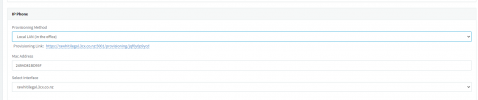
The deskphone appears in the phones tab in bold. When I assign the extension, The default background changes to the default black background with 3CX Logo, The correct time and date is now shown. Top left corner still shows no service. Logging into the phone directly says register failed. When I try doing a handset, I have the same kind of error. During setup I used a static local ip and used only Google DNS server IPs. External IP is static.
Not sure what I'm doing wrong at this point
First new install from scratch in awhile. Installed v18 to start with as I'm more familar with it but will upgrade to v20 in the near future.
On Premise install, Fortigate 40F Router being used. Firewall test is ok. I can resolve the FQDN url while in the local lan so I believe I have the split DNS right. I just followed the guide on 3CX's website. I can provision the ios app on my phone and make an outgoing call fine.
Desk phones consist of:
x1 T54W
x3 W73H handsets
The deskphone appears in the phones tab in bold. When I assign the extension, The default background changes to the default black background with 3CX Logo, The correct time and date is now shown. Top left corner still shows no service. Logging into the phone directly says register failed. When I try doing a handset, I have the same kind of error. During setup I used a static local ip and used only Google DNS server IPs. External IP is static.
Not sure what I'm doing wrong at this point