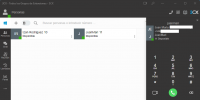
Update 2 Final: Search Across Contacts and Team Members

OK - FIXED.

It turns out the SBC version was out of date. once i updated it, all sprang into life.

Your advice was helpful - it focused me on the SBC which i hadn't realised has to track the PABX version.
Glad to hear it's working!
 
Antes de la ultima actualización al realizar transferencias desde mi extensión solo me aparecían los usuarios "agentes" de mi PBX. Ahora me aparece los contactos de mi agenda de contactos. Necesito que al realizar transferencias solo lo pueda a hacer a mis usuarios "agentes".
View attachment 26591

¿Cómo es posible que actualizando la centralita añadáis este cambio sin posibilidad de desactivarlo? Se me ha quejado un cliente que para realizar una transferencia a su compañero tenga que poner el nombre y apellidos completo para así evitar trasferir a sus clientes de su agenda.
Hi,

Just an update, we plan on fixing this for V18 Update 3 so the entries will appear in a similar order as they did in the previous version and in U1.

[EDIT]
In order to get this, after you update to U3 you will have to enable in the WebClient/PWA/Desktop App the option "Sort extensions by number" that is located in Settings --> View.
 
Last edited:
  • Like
Reactions: Evolute IT
Hi @Nick Galea, wondering if there's any update on the Mac version that you said is being fast tracked? Without the Chrome extension our Mac users are all having to use the web client, which they inevitably close during the day and don't realise till someone tells them they missed a call.

Is there some kind of beta that we could sign up to?

Thanks.
 
  • Like
Reactions: tron and Evolute IT
Antes de la ultima actualización al realizar transferencias desde mi extensión solo me aparecían los usuarios "agentes" de mi PBX. Ahora me aparece los contactos de mi agenda de contactos. Necesito que al realizar transferencias solo lo pueda a hacer a mis usuarios "agentes".
View attachment 26591

¿Cómo es posible que actualizando la centralita añadáis este cambio sin posibilidad de desactivarlo? Se me ha quejado un cliente que para realizar una transferencia a su compañero tenga que poner el nombre y apellidos completo para así evitar trasferir a sus clientes de su agenda.
Hi,

Just an update, we plan on fixing this for V18 Update 3 so the entries will appear in a similar order as they did in the previous version and in U1.
Hello Nick, version 3 is out. Before you install it Has this problem been fixed?
 
Hello Nick, version 3 is out. Before you install it Has this problem been fixed?
Yes, the matching now has been brought back to how it was in previous versions, although there are a few more things we will do in the future. What the user you quoted wants though is in, yes, just make sure that you Update the 3CX Server to U3 Beta AND that you install the Desktop App to the version that is bundled with U3 Beta.
 
Yes, the matching now has been brought back to how it was in previous versions, although there are a few more things we will do in the future. What the user you quoted wants though is in, yes, just make sure that you Update the 3CX Server to U3 Beta AND that you install the Desktop App to the version that is bundled with U3 Beta.
I have already updated it and it continues to prioritize contacts before people.
1645612892670.png
 
Hi @Izan Gastecom,

In your Webclient, click the 3 dots under the Panel tab, click Settings >> View >> Sort extensions by number. This should move your extensions above the contact.
 
Hi @Izan Gastecom,

In your Webclient, click the 3 dots under the Panel tab, click Settings >> View >> Sort extensions by number. This should move your extensions above the contact.
Yesss!!Thank you very much for the help.
 
  • Like
Reactions: VasilisV_3CX

Forum statistics

Threads
111,993
Messages
590,175
Members
164,931
Latest member
admintest