Update 3 ALPHA. The Admin Timesaver

AndreasP_3CX

Staff member
3CX Support
Joined
Feb 15, 2013
Messages
251
Reaction score
168

Better remote archiving & storage, E911 and Teams syncing.​

V20 U3 ALPHA presents itself and is ready for try-outs. This release focuses on making the admin’s life easier with improved remote archiving and storage, multi user editing, emergency E911, bi-directional Teams status syncing and more. Read on to find out what’s been adde...
Continue reading the Original Blog Post.
 
Chock-full to the brim with great stuff, respect!

There are a lot of things included here which none of us were expecting to ever see being added.
Please do take that as a great compliment, because we sure are looking forward to this, as well as the other aces you might have up your sleeve for the overall future of Version 20 post Update 3 and Update 4 as well as the new v20 App.

I am sure many other colleagues, partners and customers would agree.
 
Great new features!!!!!
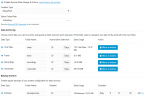
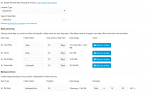
Heads up for those using SharePoint there has been a change to the folder structure, whereas before there were two primary folders, backup and recordings, you know have a root folder under which all others fall under by default not sure why "/" was selected for recordings by default but that was easily changed:

1723209463607.png
 

Attachments

  • 1723209063673.png
    1723209063673.png
    47.2 KB · Views: 20
What an amazing update! Once this goes final I can't imagine any reason to keep instances on v18. Can't wait to test a beta of this on our in house system.

I also like these updates from the changelog. The T34 and T44 phones are great additions to Yealink's product line and its nice that its now supported with 3CX.
  • Added Yealink T31W.
  • Added Yealink T34W.
  • Added Yealink T44U.
  • Added Yealink T44W.
 
Way to go 3CX!!! Christmas in August!! This is an incredible update. Super excited about the new E911 Geolocation feature - especially for our hotel and school clients.

Bulk edit, two-way Teams sync, call transcription to CRM, and so much more. Much appreciated!
 
Great news!
Celebrating the decision made years ago: become 3CX fan!
 
Call Processing Scripts moved to Call Scripts in Integrations.
 
this is great news!
quick question on the holiday.cs script. If I have multiple DIDs on a trunk, will the script apply to all of them or will we be able to select the DIDs we want to route the script to?
 
  • Like
Reactions: nikolascx
this is great news!
quick question on the holiday.cs script. If I have multiple DIDs on a trunk, will the script apply to all of them or will we be able to select the DIDs we want to route the script to?
You would need to modify the script to filter out DIDs. All calls for the trunk will go to the script.
 
I haven't spent much time with version 20, but over the last few days of working with some new systems (and, therefore, version 20), I've found that I'm liking it more and more. Being able to import Users, 'on top' of Users that already exist, such that edits can be done to large numbers of Users without having to do each one, one at a time, is a BIG deal to me. That would have actually been really handy today for a system that's still running on v18 (gotta get that one updated now).

Now, Update 3 is taking 3CX to a whole new level. Fantastic!

John
 
Yesss: disabling call and meet per user is available.

But not in bulk edit, like others like M365 ...
 
  • Like
Reactions: nikolascx
this is great news!
quick question on the holiday.cs script. If I have multiple DIDs on a trunk, will the script apply to all of them or will we be able to select the DIDs we want to route the script to?

Hi @guidoq
It will apply to all did's part of the trunk. So this is set at trunk level. Anything under that trunk will be intercepted.
 
Yesss: disabling call and meet per user is available.

But not in bulk edit, like others like M365 ...

It's tough to do it because we might screw the url links.. Better we avoid it for now. Why would you want talk links disabled?
Maybe we should make an option like this
"Add extension, without 3CXTALK" so when you add an extension, the checkbox is disabled...
 
You would need to modify the script to filter out DIDs. All calls for the trunk will go to the script.
We could make a script for this for download easily, give us a week or two
 
Yes I thought of this too.. Extending the script to filter did.
@guidoq - Can you give me a user story? What scenario made you ask this question?

Example: You want one of the did's to not have the holidays applied to it?

Maybe this applies even to office hours..
User story: I have a US trunk, and one did points to a merchant or user on the east coast, and another did points to a merchant on the west coast. These will have different in and out of office hours..
 
- Can you give me a user story?
I live in a flat above our shop and share my company's trunk, During holidays I want to be reachable on my "private" DID. So it is useful to filter DIDs.
 
Why would you want talk links disabled?
One quasi-scenario, we don’t publish extensions so tech support calls don’t land in one person’s voicemail if they are out. We want them to use the main number and be helped.

IOW if we’re working on a problem we don’t want to be interrupted.
 
Some great additions in this update! Does anyone know what the normal timeframe is to go from Alpha to Beta/Final release? I have a couple of 3CX builds that are in-progress that could benefit from a lot of these features.
 
  • Like
Reactions: nikolascx
I’d guess 2-4 weeks. Depends on the number of test releases etc.
 
  • Like
Reactions: nikolascx and jdart

Forum statistics

Threads
111,974
Messages
590,081
Members
164,899
Latest member
mazet