Update 4 is Here - Check out all the new features

Status
Not open for further replies.

nb

Support Team
Joined
Jun 7, 2007
Messages
2,510
Reaction score
392
About a week ago we released the BETA of Update 4 for V15.5, thanks to everyone who tried it out and gave us their feedback. Some of the most popular features included in the BETA are voicemail to text transcription, queue ringtones and multicast provisioning. In case you missed the BETA below is a list of features included in Update 4:
  • ...
 
Last edited by a moderator:
  • Like
Reactions: jed
serving a blank page can be a reason for been blacklisted, try from another IP (internal or public) to connect to the MC
 
Thanks.
I just tried from another IP... still the same there.
 
Login with root via SSH and try the following commands to stop all 3CX services and nginx:
3CXStopServices
service nginx stop

After, try to start them again:
3CXStartServices
service nginx start
 
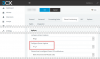
In relation to differing call queue ringtones can you advise where this is setup? The manual hasn't been updated and it is not on the queue management console itself nor on the more general settings page nor on the extensions tab so I am not sure where to look next....
 
In relation to differing call queue ringtones can you advise where this is setup? The manual hasn't been updated and it is not on the queue management console itself nor on the more general settings page nor on the extensions tab so I am not sure where to look next....

It is under the provision tab of the phone extension
 

Attachments

  • QueueRingtone.JPG
    QueueRingtone.JPG
    29.3 KB · Views: 17
In relation to differing call queue ringtones can you advise where this is setup? The manual hasn't been updated and it is not on the queue management console itself nor on the more general settings page nor on the extensions tab so I am not sure where to look next....
For the placement of this setting, we followed the logic that by the time we want this to be potentially different per extension, per device, we placed in the Phone Provisioning tab of the Extension Settings.
upload_2018-3-29_17-56-22.png
 
How to do it for 3cx client IOS and Android?
 
Login with root via SSH and try the following commands to stop all 3CX services and nginx:
3CXStopServices
service nginx stop

After, try to start them again:
3CXStartServices
service nginx start

Still no joy. nginx is running but serving up a blank page.
I think I will have to reinstall from the iso.
 
Hi,
I'm not seeing SP4 in my 3CX management console, but I've not installed SP3 yet (still on SP2). Do I need to install 3 first or should the SPs be cumulative?
 
Last edited:
Do I need to install 3 first or should the SPs be cumulative?
You have to install them sequentially, so SP3 --> SP3.1 (hotfix) --> SP4.
Basically keep updating whatever you see in the Management Console until you don't see any more updates.
 
  • Like
Reactions: Lewis Burgess
i would really like the ability to disable the trunk warning. we use a very reputable carrier that had a falling out with 3cx, and now our customers that have access to the system are asking WTF is this warning.

can we modify the parameters on the system to allow generic trunks to not trip a warning please!!!
 
Referring to the Multicast Paging Group, how do we provision a BLF through 3CX to use the multicast address (NOT the extension as that goes through 3CX and won't work at remote locations)?

I would say that the ability to configure unlimited multicast listening groups per phone should be considered. A drop down with checkboxes would be one method to accommodate this without cluttering the interface.

I think most customers would agree that they'd be willing to have a configuration page 'as long as the Old Testament' if it gave us the management options we want and eliminate custom templates. I think this is a small step in that direction. After the initial setup of a phone, we don't have to touch this page much so making it do what we need is more important than how the web page appears.
 
Multicast buttons are important when setting up remote offices or when PBX is in the cloud.
 
  • Like
Reactions: giwm
@nb

Might want to update the links in the blog post to use the new CDN URL (downloads-global.3cx.com) instead of downloads.3cx.com
 
  • Like
Reactions: jed
Multicast buttons are important when setting up remote offices or when PBX is in the cloud.

Ah, I'd not thought of the cloud PBX side, as I just have the remote offices instance. Maybe the cloud will finally be the driving force on this.
 
  • Like
Reactions: craigreilly
i would really like the ability to disable the trunk warning. we use a very reputable carrier that had a falling out with 3cx, and now our customers that have access to the system are asking WTF is this warning.

can we modify the parameters on the system to allow generic trunks to not trip a warning please!!!

I would also like this changed. My sip provider is not likely to get "supported" by 3cx. Everything is working, so everything should be green.
 
maybe a yellow "warning" triangle...
 

Attachments

  • warn.png
    warn.png
    4.1 KB · Views: 0
Nicky:

Believe you me I have been trying to get there the last 3 updates. It is tiring to keep modifying templates on each update and update all of the phones accordingly. On the otherhand, I can't remove features staff have and use just because of updates.

--Tracy
AMEN!
 
Status
Not open for further replies.

Forum statistics

Threads
112,091
Messages
590,702
Members
165,063
Latest member
ajjuds