- Joined
- Nov 16, 2017
- Messages
- 34
- Reaction score
- 13
Also noticed that headset support is down to two models now, Jabra and Yealink. No support for Plantronics/Poly upcoming?


I have not tested this however i suspect this may cause us issues, we are long standing customer and our phones predate and therefore don't support the 3cx hotdesking feature, however they do have their own basic hotdesking built in, the user just enters there ID and their password which is a long set of digits, the extension is also set to block outside the LAN, i suspect this change will break this set up.A change, we found, in U6.
The rules for generating a strong authentication User ID, are now enforced.
Auth ID should be at least 10 characters long with no spaces and contain a lowercase letter, an uppercase letter and a digit
This is nice and secure, although not mentioned in the release notes and not always without impact.
Will there be a possibility to switch off the enforcement? (custom parameter?)
There are some real life situations of installations not supporting "strong" authentication user ID's
I have tested with T53 and that is working fine. Configured as router phone and then afterwards changed the BLF's via the webclient admin. Maybe the phone updated the firmware automatically and then wiped the phone?I've found another niggly issue with the BLF's on a T53W configured as an SBC.
When adding or rearranging the BLF's, the T53W SBC / Router configuration is wiped and the extension is removed from the SIP page as an SBC. The only resolution I've found is to delete the IP Phone and re-add as a router phone - in essence starting all over agin.

Hi James,I've got a customer with a bunch of Yealink T29G's, that should be fixed by U6. The biggest complaint the customer has currently is history not working.
What's 3CX's recommendation here? Is there a list somewhere or what hurdles U6 needs to clear before it's moved to beta or production?
I'm really hesitant to push an alpha build to production, but when it means bringing 90%+ of their phones back into the "supported" category, it's very tempting.
John,Hi James,
I've tested a T29G and it does keep the history. Whether manually configured in U5 or auto configured on U6 using the new firmware, the history 100% works.
I think you might need to take another look at it, perhaps take a T29G and assign it to your own testing PBX to see if you can actually replicate what the customer was saying.
Note that in U6 the T29G is supported again, once you install the latest firmware we provide so we don't expect you will have any trouble with it.
18.0 (Build 418)@jamestalmage can you tell me what version your PBX is currently running and whether you were using custom templates?
I definitely mean history. It's broken on every phone, except the one newer, supported phone. It seems unlikely that 20+ phones all suddenly developed the same defect.@jamestalmage
Ok then the history should continue to work. It's something which gets stored locally on the device itself, so losing provisioning would not stop it from working.
BLFs cannot be updated because the phone is not able to reprovision (which is where it would fetch the updated BLF list from).
In other words, its should work exactly as before, minus the ability to reprovision or update the phone book.
You don't mean phone book directory when you say history by any chance?
I will let you know. Not going to be on site today.Check something for me please, login to the Yealink web UI
Features > General Information > Save call log
View attachment 33179
Does it appear to be enabled or disabled on the phones that exhibit the problem?


Thank you very much, that resolved it for me. Definitely not expecting it to be in there after getting so use to the admin management console but it works all the same.@bibbybabs
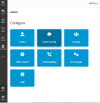
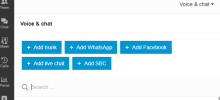
This is now located in the web client and windows app under Admin/Voice& Chat: View attachment 33191
View attachment 33192
Thanks for the details on this. Can you clarify a bit on the implications of enabling this while already having a preexisting SBC on a windows server? The install guide indicates that "If you have a larger network with more than 10 phones, then you can also use a dedicated machine to proxy traffic. " Is that to say that it will use the SBC on a windows server as the primary connection and if the SBC goes down, it will fallback to the router phone to proxy traffic? I like the idea of the phones being self reliant as sometimes I do have to power cycle the server where the SBC resides, but I also have 11 phones on the network, which approach is recommended given my circumstance? Thanks againThis is done via the Web Client Admin panel. Give your self admin rights, log into your web client and go to your users.
When you add an IP phone to a user, you will have the option for a Router Phone
View attachment 33084
View attachment 33085
Am afraid not. They have a complicated API and we have no contact with them. We require that headset vendors do their own development, testing and support. We are not going to do it for them. You can however still use it with windows client no problem at all. Going forward please use the better and much cheaper Yealink headsets.Also noticed that headset support is down to two models now, Jabra and Yealink. No support for Plantronics/Poly upcoming?
No - this is not possible. What that means is if you have a lot of phones, don't put the burden on a single Router Phone and get a proper PC-based SBC that can handle larger amounts of traffic.Is that to say that it will use the SBC on a windows server as the primary connection and if the SBC goes down, it will fallback to the router phone to proxy traffic?


Founded in 2005, when VoIP was an emerging technology, 3CX has gone on to establish itself as a global leader in business communications.