Upload SSL Cert during Debian Install

Status
Not open for further replies.

Yellow_Flash

Customer
Advanced Certified
Joined
Mar 11, 2019
Messages
288
Reaction score
37
Hi,

I'm trying to install 3cx Debian using a custom FQDN.
We have acquired a PRO license for this to be done.
When going through the steps I see that we have to upload trusted SSL certificate.
Can someone let me know how this can be done?
I have previously done windows install, and this is the first time I'm trying to do a debian install.
So I'm not sure how to upload the certificate as the Host doesn't have a Graphical Interface.

Thank you.
 
Additionally the SSL certificate that we have is a zip file, which when unzipped has 2 seperate files, one is the certificate and the other is the key.

So, should I upload the SSL cert as the zip file or as 2 separate files?
 
  • Like
Reactions: Yellow_Flash
https://www.3cx.com/docs/

Towards the end of that article has the answers you seek.
Thank you for the link @cobaltit
I see that this is for Windows Install, for Windows Install I have done this.
I'm not sure how to do this for a debian Install, which doesn't have a Graphical Interface.
Is there any specific location where the Certificate file has to be kept before proceeding with setting up PBX? If so, what is the location where I have to keep it?
Or can I keep the file in the host machine and just provide the path at the time of the install?

This is what I'm confused about.
Thank you.
 
  • Like
Reactions: Yellow_Flash
Hi @TechieGuy

If you follow this guide you can see the path to store the certificates: https://www.3cx.com/docs/self-hosted-instances-ssh/

You can upload them to the machine any way you want (i.e via a Windows-based SFTP client)

Thank you for the reply @JohnS_3CX
My doubt is that whether the path is available during the first installation of PBX.

I mean, I have only completed the steps in this article.
https://www.3cx.com/docs/manual/installing-debian-linux-pbx/

And im starting with setting up the PBX for the first time using the link,
http://<ip of machine>:5015.

As per the instructions provided in the article,
https://www.3cx.com/docs/manual/configuring-your-pbx/
Step 2 : Choose an FQDN

In this, it is mentioned that "Provide an FQDN, configure your DNS accordingly and upload your own trusted SSL certificate."
This is the part I'm not clear.

Since we are only setting up the PBX, will it have the location "var/lib/3cxpbx/Bin/nginx/conf/Instance1" for the license to be uploaded?

Thank you.
 
Sorry I may have misinterpreted your request! :)

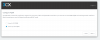
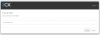
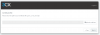
You won't have to worry about that part at all because the installation wizard will ask you to upload them via your browser if you pick the option for "I have my own FQDN".

10968
10969
10970

Note that if you already created a 3CX FQDN on your existing key that you will not be offered the above options. In that case, enter your customer portal, manage your key, and release the FQDN before your proceed with installation.
 
  • Like
Reactions: Yellow_Flash
Sorry I may have misinterpreted your request! :)

You won't have to worry about that part at all because the installation wizard will ask you to upload them via your browser if you pick the option for "I have my own FQDN".

View attachment 10968
View attachment 10969
View attachment 10970

Note that if you already created a 3CX FQDN on your existing key that you will not be offered the above options. In that case, enter your customer portal, manage your key, and release the FQDN before your proceed with installation.
Thank you @JohnS_3CX
Exactly what I wanted.
So I believe I can keep the Certificate in the machine from which Im doing the Initial Configuration of PBX and provide the path when asked.
 
Status
Not open for further replies.

Forum statistics

Threads
111,928
Messages
589,776
Members
164,799
Latest member
RicoDinero