Solved Urgent - Installing 3CX Debian 10 ISO return to debian login after first reboot

Status
Not open for further replies.

UZZY

SOHO User
Basic Certified
Joined
Jun 21, 2021
Messages
36
Reaction score
4
I'm installing 3CX V18 on a mini PC Below

GIGABYTE Ultra Compact Mini PC/Intel UHD Graphics 600/ M.2 SSD/HDMI (2.0A)/ DP1.2A Component- GB-BLCE-4105

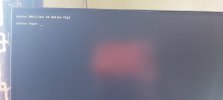
It support only UEFI, i have run the ISO debian 10 from USB, it install, after first reboot to install 3CX, it never goes to 3CX installation, instead it goes to debian Login black page.

can someone help? i also tried to force UEFI, still same, can someone explain how can i install 3CX on this machine? i have to deliver this tomorrow.

thanks,

Is there possible via debian command line or Gigabyte shell command?

thanks
 
Hi,
Is it sure this kind of mini pc is able to run debian without problem?
Have you already got one working properly with debian ?

I can't remember which model exactly and brand but already in mind some kind of mini pc may not work due to NIC driver missing or bios incompatibility.
Not sure at all it can be the same for you, but may be it is.
 
  • Like
Reactions: UZZY
Hi,
Is it sure this kind of mini pc is able to run debian without problem?
Have you already got one working properly with debian ?

I can't remember which model exactly and brand but already in mind some kind of mini pc may not work due to NIC driver missing or bios incompatibility.
Not sure at all it can be the same for you, but may be it is.
Thanks, But NIC driver work fine, mini pc is Intel J4105 and support only UEFI, no BIOS Legacy, Hard drive SSD. selected forced UEFI during installation. after finishing installation, it reboot, and goes to Debian 10 login page.. tried installation around 10 times.. disabled secure boot etc. still no luck. Right now debian 10 only have installed, do you know how i can continue with 3cx installation?
 
You need to figure out why the ISO isn't working (after confirming you are using the official ISO).

Does the machine really support Debian 10? Try a straight install of plain old Debian 10 - does everything work with regards to internet/networking?

If the machine doesn't actually support Debian 10 then you can install a hypervisor like ESXi (free) or HyperV (free) and run a single VM on it.

If you really want to force it
Code:
wget -O- http://downloads.3cx.com/downloads/3cxpbx/public.key | apt-key add -
echo "deb http://downloads.3cx.com/downloads/3cxpbx/ /" | tee /etc/apt/sources.list.d/3cxpbx.list
apt-get update
apt-get install 3cxpbx
should install it.

Code:
sudo /usr/sbin/3CXWizard --cleanup
Should kick off the configuration wizard if it did install but didn't start the wizard.

You could also just install Windows on the machine too.
 
You need to figure out why the ISO isn't working (after confirming you are using the official ISO).

Does the machine really support Debian 10? Try a straight install of plain old Debian 10 - does everything work with regards to internet/networking?

If the machine doesn't actually support Debian 10 then you can install a hypervisor like ESXi (free) or HyperV (free) and run a single VM on it.

If you really want to force it
Code:
wget -O- http://downloads.3cx.com/downloads/3cxpbx/public.key | apt-key add -
echo "deb http://downloads.3cx.com/downloads/3cxpbx/ /" | tee /etc/apt/sources.list.d/3cxpbx.list
apt-get update
apt-get install 3cxpbx
should install it.

Code:
sudo /usr/sbin/3CXWizard --cleanup
Should kick off the configuration wizard if it did install but didn't start the wizard.

You could also just install Windows on the machine too.
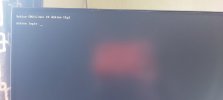
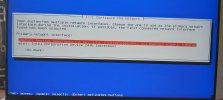
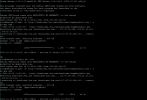
@SweetAction Thank You very much for your response, it does support debian 10. network also is fine. the issue if after first reboot to install 3cx, it does not launch 3cx installation where it supposed to ask if to install 3cx pbx or sbc. it goes directly to debian login page. since debian already installed, how can i run the 3cx wizard?

below are some photo of my screen

Thanks
 

Attachments

  • after first reboot.jpeg
    after first reboot.jpeg
    33 KB · Views: 34
  • network ok.jpeg
    network ok.jpeg
    87 KB · Views: 35
try disabling the Wi-Fi adapter in BIOS and running the ISO from start to finish again.
 
  • Like
Reactions: UZZY
try disabling the Wi-Fi adapter in BIOS and running the ISO from start to finish again.
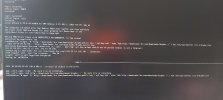
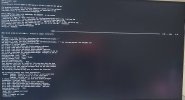
@SweetAction below are the error when trying your first solution.

Cant disable wifi on BIOS. but i can remove the card.
 

Attachments

  • after running the command given.jpeg
    after running the command given.jpeg
    100.8 KB · Views: 18
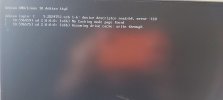
@SweetAction i just disconnect the wifi card and tried again, and i noticed this error also before and after removing the wifi adaptor
 

Attachments

  • error.jpeg
    error.jpeg
    51.5 KB · Views: 21
After the first part of the installation where you install to OS, do you get prompted with the screen asking you if you want to install the 3CX Server or 3CX SBC, or do you not see this at all.

Also, have you ever done an install on this exact same hardware before successfully, or is this the first time you are trying?

[EDIT]
Also, if you are setting a static LAN IP during the Debian installation phase, don't, leave it DHCP.
 
  • Like
Reactions: UZZY
After the first part of the installation where you install to OS, do you get prompted with the screen asking you if you want to install the 3CX Server or 3CX SBC, or do you not see this at all.

Also, have you ever done an install on this exact same hardware before successfully, or is this the first time you are trying?

[EDIT]
Also, if you are setting a static LAN IP during the Debian installation phase, don't, leave it DHCP.
Hi @NickD_3CX , thanks for your response, I have used Gigabyte Brix J1900 before which support both CSM Legacy Boot and UEFI and had no issue and still working fine with Debian 10.

For another customer, I just ordered Gigabyte Brix J4105 but only support UEFI, it run the installation as normal, only where it says "Finishing installation ...." then reboot, once reboot, it goes directly to Debian Login page.

Yes i supposed to get the prompt for 3cx pbx or sbc after first reboot, but i did not. instead showing debian login page to root

When DHCP is loading, i cancel and enter static IP, default gateway, dns and continue. Is it correct? What you meant "dont leave it DHCP" ?

Thanks
 
  • Like
Reactions: UZZY

Attachments

  • 18.10.2021_11.44.07_REC.png
    18.10.2021_11.44.07_REC.png
    64.5 KB · Views: 23
  • Like
Reactions: Lee Cramman
When DHCP is loading, i cancel and enter static IP, default gateway, dns and continue. Is it correct? What you meant "dont leave it DHCP" ?
During the installation, don't cancel and enter static IP, default GW, etc.
Instead, continue normally the Debian installation and let the machine get an IP from the DHCP.

If this works, install 3CX as normal, then before starting to configure your 3CX system, go set a Static LAN IP the old-fashioned way from the "interfaces" file, then log back into 3CX, click on the "IP mismatch" error in the Dashboard, select the right interface, and you are good to go.
 
  • Like
Reactions: Lee Cramman
During the installation, don't cancel and enter static IP, default GW, etc.
Instead, continue normally the Debian installation and let the machine get an IP from the DHCP.

If this works, install 3CX as normal, then before starting to configure your 3CX system, go set a Static LAN IP the old-fashioned way from the "interfaces" file, the log back into 3CX, click on the "IP mismatch" error in the Dashboard, select the right interface, and you are good to go.
@NickD_3CX thanks, i am giving a try right now, the only thing seem bit different is after network successfully configure, debian host name, it goes to language selection directly and no step to enter root password, i click on go back > user etc> set root password then continue with language selection and countries. will that cause an issue? will update in few min , installation in progress.
 
During the installation, don't cancel and enter static IP, default GW, etc.
Instead, continue normally the Debian installation and let the machine get an IP from the DHCP.

If this works, install 3CX as normal, then before starting to configure your 3CX system, go set a Static LAN IP the old-fashioned way from the "interfaces" file, then log back into 3CX, click on the "IP mismatch" error in the Dashboard, select the right interface, and you are good to go.
@NickD_3CX still same, after reboot it goes to this page below. and nothing more.
 

Attachments

  • after first reboot.jpeg
    after first reboot.jpeg
    33 KB · Views: 21

Attachments

  • snapshot PM.jpeg
    snapshot PM.jpeg
    127.4 KB · Views: 39
Status
Not open for further replies.

Forum statistics

Threads
111,974
Messages
590,081
Members
164,899
Latest member
mazet