V16 Update 4 Alpha - adds Client in a Chrome Extension

  • Thread starter Thread starter Constantinos Constantinou
  • Start date Start date
Status
Not open for further replies.
Any way to use hotkeys to answer in this new chrome extension like you could with the softphone

Hello @[email protected]

When the dialer window pop-up from an incoming call, you can press enter to answer and esq to drop the call.

Hot keys is an area that we also internally are examining.
 
FYI V16 Update 4 Alpha - sftp does not work it accepts my path and creds but wont create a backup to the location and I verified with all the same info I can upload using filezilla

chrome extension does not work on many sites it tries to load https://example.com/8448149799 instead of launching with app
 
FYI V16 Update 4 Alpha - sftp does not work it accepts my path and creds but wont create a backup to the location and I verified with all the same info I can upload using filezilla

chrome extension does not work on many sites it tries to load https://example.com/8448149799 instead of launching with app
Does the user you're using have the read/write permission on the path you set?
 
New Chrome Extensions is absolutely top.

If the web client is still open, you can no longer select "web client" in the pulldown, only "browser extension". I think that's a pity, because if the web client is open, the call should take place in the web client.

As another idea: If you make the popup window larger (maximized) could then come the view of the previous web client? That would be cool :)
 
If there is anyone who is still on v16 update 3? I'd be curious if they can check the yealink template for the T54-W. I noticed calls were not working when calling through our deskphones after the upgrade, I looked at the webUI and I see that PCMA was listed multiple times in the webui for the phones.

Here's what I see in the config file (default template with 722 as primary codec) for a T57W on v16 update 3
account.1.codec.1.enable = 1
account.1.codec.1.payload_type = G722
account.1.codec.1.priority = 1
account.1.codec.1.rtpmap = 9

account.1.codec.2.enable = 1
account.1.codec.2.payload_type = PCMU
account.1.codec.2.priority = 2
account.1.codec.2.rtpmap = 0

account.1.codec.3.enable = 0
account.1.codec.3.payload_type = G723_53
account.1.codec.3.priority =0
account.1.codec.3.rtpmap = 4

account.1.codec.4.enable = 0
account.1.codec.4.payload_type = G723_63
account.1.codec.4.priority = 0
account.1.codec.4.rtpmap = 4

account.1.codec.5.enable = 1
account.1.codec.5.payload_type = PCMA
account.1.codec.5.priority = 3
account.1.codec.5.rtpmap = 8

account.1.codec.6.enable = 1
account.1.codec.6.payload_type = G729
account.1.codec.6.priority = 4
account.1.codec.6.rtpmap = 18

account.1.codec.7.enable = 0
account.1.codec.7.payload_type = iLBC_15_2kbps
account.1.codec.7.priority = 0
account.1.codec.7.rtpmap = 106

account.1.codec.8.enable = 0
account.1.codec.8.payload_type = G726-16
account.1.codec.8.priority = 0
account.1.codec.8.rtpmap = 103

account.1.codec.9.enable = 0
account.1.codec.9.payload_type = G726-24
account.1.codec.9.priority = 0
account.1.codec.9.rtpmap = 104

account.1.codec.10.enable = 0
account.1.codec.10.payload_type = G726-32
account.1.codec.10.priority = 0
account.1.codec.10.rtpmap = 102

account.1.codec.11.enable = 0
account.1.codec.11.payload_type = G726-40
account.1.codec.11.priority = 0
account.1.codec.11.rtpmap = 105

account.1.codec.12.enable = 0
account.1.codec.12.payload_type = opus
account.1.codec.12.priority = 0
account.1.codec.12.rtpmap = 107

account.1.codec.13.enable = 0
account.1.codec.13.payload_type = iLBC_13_33kbps
account.1.codec.13.priority = 0
account.1.codec.13.rtpmap = 106
 
Thanks pmterp for confirming.

My theory for what caused the name change seems to be disproven now, I can confirm the issue follows even to newly provisioned phones. We will have to manually remove them as a workaround and see if it's fixed in the next update. I had thought the naming convention may have been changed from ulaw to pcma which I had assumed caused the duplicates. but now I am doubting this.
 

Attachments

  • yealink.jpg
    yealink.jpg
    28.2 KB · Views: 15
  • yealink.jpg
    yealink.jpg
    28.2 KB · Views: 15
@bwitzig in the SDP declaration the naming labels don't apply so you can skip the theory altogether. Also the PBX is the one calling the provider, not the phone. So the call would fail from phone to PBX, not from phone to provider.

Make a call using the webclient so you can skip the deskphones altogether, and let us know how it goes
 
Hi,

Thanks for all your work on this. I've been testing the new extension and webclient and so far it's a massive improvement and seem to be working well.

I like the fact that Click to Call is integrated now, however one small issue is that it doesn't seem to have the same tailoring options as the outgoing extension so it's picking up things that aren't actually numbers. I noticed this when browsing the Phone tab on a PBX and it's picking up the phone Firmware version as a number to be dialled :)

Also, I'd like to know if it's possible to launch the extension manually via a shortcut rather than launching Chrome first and then clicking it. I can see that there's a Google Chrome icon in the System Tray. It would be very handy to be able to manually launch this via a shortcut, that way it could be set to run when the PC boots so the user can get calls even if they haven't opened Chrome yet. If you want to fully replace the PC app with Chrome we're going to need functionality like this. As I say, the new extension is a big jump to replacing the PC app but there's still a couple of features we'd need to see to fully replace it.

Thanks
Paul
 
  • Like
Reactions: N_G
Hi Paul, Thanks for your nice feedback! For now you can auto start chrome..... The user can bring the extension up by clicking on the icon next to the bookmark icon in the browser. Or do you mean to auto start it as a browser app and with an icon in the system tray? Not sure that is possible but we can check.
 
Hi Paul, Thanks for your nice feedback! For now you can auto start chrome..... The user can bring the extension up by clicking on the icon next to the bookmark icon in the browser. Or do you mean to auto start it as a browser app and with an icon in the system tray? Not sure that is possible but we can check.
Hey Nick! Starting the extension from the taskbar should work. I was doing it with the current Webclient. It would make the thing a bit easier to open when no Chrome window is running.

Right now, if I pin 3CX and click on it, it opens the options, so it might be a config to do in the extension.

Also, min/max number length is missing from this extension (was present in Click2Call).
 
I can confirm that manually removing the "duplicate" entries does resolve this. Calling with the webapp works normally as well as it is not sending duplicate media attributes in the invite packet.

I have a packet capture comparing the differences on the call negotiation when the pbx makes the call request. I am using the 3cx provided template for the phones.

after making the changes, we are correctly sending the 2 below media attribute's, and the call made when the 2 attributes are cloned multiple times.

Media Attribute (a): rtpmap:8 PCMA/8000
Media Attribute (a): rtpmap:0 PCMU/8000

Media Attribute (a): rtpmap:0 PCMU/8000
Media Attribute (a): rtpmap:8 PCMA/8000
 
I do concur with Paul though, the chrome web extension is very nicely done. for an alpha build it seems almost equivalent to the mobile app. I can see some work needs to be done with moving more functions to the app rather than redirecting back to the 3cx webpage, as well as BLF options not being available yet.

Once the base issues are ironed out. I think this will be a great replacement for the desktop app and I agree it is the right direction to move to.
 
I will send you a p.m. so we can gather some files to look into the issue.

Did you found something ?
I have the same issue on a 3CX with supported provider template.
All incoming calls ends after 30 sec.

Same parameters as update 3

13196
 
Hi,

Thanks for all your work on this. I've been testing the new extension and webclient and so far it's a massive improvement and seem to be working well.

I like the fact that Click to Call is integrated now, however one small issue is that it doesn't seem to have the same tailoring options as the outgoing extension so it's picking up things that aren't actually numbers. I noticed this when browsing the Phone tab on a PBX and it's picking up the phone Firmware version as a number to be dialled :)

Also, I'd like to know if it's possible to launch the extension manually via a shortcut rather than launching Chrome first and then clicking it. I can see that there's a Google Chrome icon in the System Tray. It would be very handy to be able to manually launch this via a shortcut, that way it could be set to run when the PC boots so the user can get calls even if they haven't opened Chrome yet. If you want to fully replace the PC app with Chrome we're going to need functionality like this. As I say, the new extension is a big jump to replacing the PC app but there's still a couple of features we'd need to see to fully replace it.

Thanks
Paul
Hello @Paul Reynolds and thank you for your feedback.

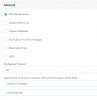
Chrome Extension as part of its options you can specify the "Exception URL" that can be used to exclude the parsing of specific pages. In your case, you can specify the URL of your PBX https://<FQDN PBX URL:PORT>/#/app/phones as in the attached image.

Chrome provides the option to configure a keyboard shortcut for a Chrome Extensions, but the browser should be focused. You can configure it by visiting the chrome://extensions/shortcuts

Unfortunately, Chrome API does not provide at the moment more configuration options regarding the keyboard shortcuts.

Thank you.
 

Attachments

  • 2019-11-18_22h54_34.png
    2019-11-18_22h54_34.png
    66.6 KB · Views: 9
  • Like
Reactions: Evolute IT
Hey Nick! Starting the extension from the taskbar should work. I was doing it with the current Webclient. It would make the thing a bit easier to open when no Chrome window is running.

Right now, if I pin 3CX and click on it, it opens the options, so it might be a config to do in the extension.

Also, min/max number length is missing from this extension (was present in Click2Call).
Hello @Frederick Marcoux ,

Unfortunately, this is how the Chrome Extensions treat when you pin then on taskbar. This is a common behavior of all extensions listed on the Chrome Web Store.

Chrome Extension is a work in progress and we are happy that you would like to see more features to be included as part of its functionality.
 
Hello @Frederick Marcoux ,

Unfortunately, this is how the Chrome Extensions treat when you pin then on taskbar. This is a common behavior of all extensions listed on the Chrome Web Store.

Chrome Extension is a work in progress and we are happy that you would like to see more features to be included as part of its functionality.
I have a REST API app that I added from the Chrome WebStore and it opens the app when I pin it. Same goes for almost all my apps except those that don't have a dedicated UI.

Of course I'd like more! It feels like the softphone apps on mobile (which is perfect, people will be used to the UI) but I just wish it didn't redirect to the Webclient for almost everything. If more could be directly in it, it would be awesome!
 
I have a REST API app that I added from the Chrome WebStore and it opens the app when I pin it. Same goes for almost all my apps except those that don't have a dedicated UI.

Of course I'd like more! It feels like the softphone apps on mobile (which is perfect, people will be used to the UI) but I just wish it didn't redirect to the Webclient for almost everything. If more could be directly in it, it would be awesome!
Chrome apps are no longer supported by Chrome Web Store (https://developers.chrome.com/apps/migration). We are confident that Chrome Web team will have plans on this area for more improvements.
 
  • Like
Reactions: Evolute IT
@Gioal @Samuel Lay
Which SIP Trunk providers are you using? If it's a supported one I can probably check
SIP Trunk provider is UFONE which is us and we are interop so you can test (though you may need to convert DID's on your test trunk to E164 with a leading +) I've tested a variety of Call Source Identification options but no luck. All working great still on SP3.

I've sent more information in a private conversation with MichaelB
 
Status
Not open for further replies.

Forum statistics

Threads
111,991
Messages
590,167
Members
164,929
Latest member
Cloudstar