- Joined
- Jun 9, 2020
- Messages
- 31
- Reaction score
- 3
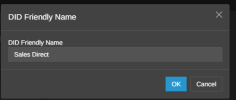
Previously we had some inbound numbers that had specific additions to inbound CID. It currently show's +1555-555-5555:SalesDirect:Wireless Caller (it shows the actual number of the caller not 555, that's just as an example). SalesDirect is what we had previously.
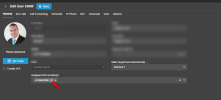
When i go to voice and chat, select the provider and goto options "Caller ID Control" shows Custom and nothing in the field. Where do i update the inbound "Sales Direct". It was there in previous versions of 3cx and I can't find where to do this now. I also don't really need the number of the caller AND the name. Just one or the other. I'm failing to find where to change all of this in v20.
When i go to voice and chat, select the provider and goto options "Caller ID Control" shows Custom and nothing in the field. Where do i update the inbound "Sales Direct". It was there in previous versions of 3cx and I can't find where to do this now. I also don't really need the number of the caller AND the name. Just one or the other. I'm failing to find where to change all of this in v20.