V20 - M365 Single Sign On

Status
Not open for further replies.

IT-Steve

Customer
Joined
Jul 12, 2021
Messages
27
Reaction score
7
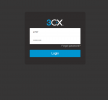
Hi, after upgrading to version 20 I don't have the option to sign in with SSO:
1702917164399.png

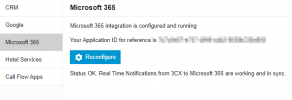
I reconfigured the integration:
1702917388064.png

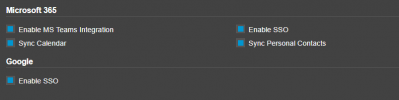
And the user has Enable SSO checked:
1702917220442.png
What am I missing? Thanks.
 
Try to reconfigure the integration from the option to Reconfigure, then check again and let us know.
 
  • Like
Reactions: NatalyS_3CX
No luck. Reconfigured many times.
 
No change. These are on.
 
Are you accessing the webpage/webclient from the FQDN and not the IP? Any SSL issues?
 
I am using the FQDN. I tried from the office and a home with the same results. I set it up about 1 year ago and it worked fine until V20 update. The webpage cert is valid if that is what you mean by SSL.
 
My Voicemails are not recording well - all emails have a file but limited or no audio, and not getting a transcription either. Not sure if this is related.
My server is self hosted if that matters.
 
SSO, voicemail, and VM transcriptions are broken. Receptionist phones are using the same ring sound - before the upgrade the external calls had a different ring than internal calls or calls to their direct line.

Thankfully I had a snapshot of the server so I set it back to V18 and the world is peaceful again.
 
Did you try rebooting you pbx? Also set you logging to Verbose for errrors.
 
Status
Not open for further replies.

Forum statistics

Threads
111,954
Messages
589,921
Members
164,851
Latest member
DrunkeMeister